n8n Governance: What a Growing Instance Needs
n8n governance explained: what access control, credential isolation, change management and audit logging a growing n8n instance needs before more teams share it.

Checked against the cited sources on .
What "n8n governance" actually means once more than one team shares an instance
n8n governance is the set of decisions a team makes about who can see, build and run workflows on a shared n8n instance, where credentials live, how changes reach production, and how anyone finds out what happened after the fact. It only becomes urgent once a second team, or a second use case touching real customer data, starts sharing the same instance as the first. Before that point, most teams get by on trust and tribal knowledge.
AOE, an n8n implementation partner, writes in its own 2026 blog post that scaling n8n without governance tends to produce security gaps, credential leaks, what it calls "Shadow AI", uncontrolled costs and processes nobody can audit later. That is a vendor's own framing, published to promote its n8n governance consulting work, so the specific list reads as a sales pitch rather than an independently measured industry pattern. Even read that way, it points at a real structural problem: n8n's defaults make it easy for one builder to move fast, and easy for a second or third team to inherit that builder's shortcuts.
What follows breaks that problem into four practical areas: who gets access to which workflows and credentials, how secrets are isolated as more systems get connected, how a change moves from a draft to something running in production, and how an admin finds out what actually happened.
- Access control: who can see, build and run workflows and credentials in each project
- Credential isolation: where secrets live and which project can reach them
- Change management: how a change moves from a draft into production
- Observability and audit: how an admin finds out what happened afterward
Each area has a point where n8n's documented plan restrictions, not just good intentions, decide how finely a team can actually control things, which matters for anyone comparing self-hosted editions or Cloud plans before committing a growing instance to one of them.
Sources: n8n Governance: What Lies Between the First Pilot and a Productive Enterprise Platform | Blog | AOE
Access control: projects and role-based permissions
n8n groups workflows and credentials into projects, and assigns a role to each user inside every project they belong to, so the same person can be an editor in one project and have no access at all in another. That per-project model is what lets one instance serve several teams without every workflow and credential sitting in one shared pool that everyone can see.
One behavior worth planning around before it surprises anyone: moving a workflow or credential to a different project or owner strips all of its existing sharing. Any other workflow that depended on that shared access stops working until someone re-shares it, which turns a routine reorganization into an incident if it happens without warning.
We think treating n8n projects as the default security boundary from day one is worth the setup cost, because retrofitting access control after resources are scattered across personal spaces is far harder than starting organized. Deciding the project structure early is cheaper than untangling it once three teams depend on the current arrangement.
Sources: Organize work in projects | Administer | n8n Docs
Built-in instance and project roles vs. custom project roles
n8n ships with built-in instance roles and built-in project roles. Project roles, the ones that scope access to a specific project's workflows and credentials, are available on every n8n Cloud plan and on self-hosted Registered Community, Business and Enterprise tiers. Custom instance and project roles, which let an admin define roles more granular than the built-in set, are restricted to the Enterprise plan on both n8n Cloud and self-hosted. n8n's own blog, posted in January 2026, describes Custom Project Roles as letting admins create truly custom roles assigned at the project level, rather than choosing among the fixed set.
| Role type | What it controls | Plan availability |
|---|---|---|
| Built-in instance roles | Instance-wide permissions such as owner or admin | Not restated with a specific plan limit in the documentation reviewed |
| Built-in project roles | Access to one project's workflows and credentials | n8n Cloud: all plans. Self-hosted: Registered Community, Business, Enterprise |
| Custom instance and project roles | Admin-defined roles beyond the fixed set, assigned at project level | n8n Cloud: Enterprise. Self-hosted: Enterprise |
Sources: Set permissions and roles (RBAC) | Administer | n8n Docs, Introducing Custom Project Roles and User Provisioning via SSO, built for Enterprise governance – n8n Blog
User provisioning through SSO
n8n's SSO-driven user provisioning, announced on n8n's blog in January 2026, syncs user permissions between an identity provider and n8n, so access updates automatically when someone's role changes upstream instead of needing a separate manual step inside n8n. For a growing instance, that closes a common gap: the admin who remembers to add someone to a project but forgets to remove them once that person changes teams.
Credential governance: isolating secrets as teams multiply
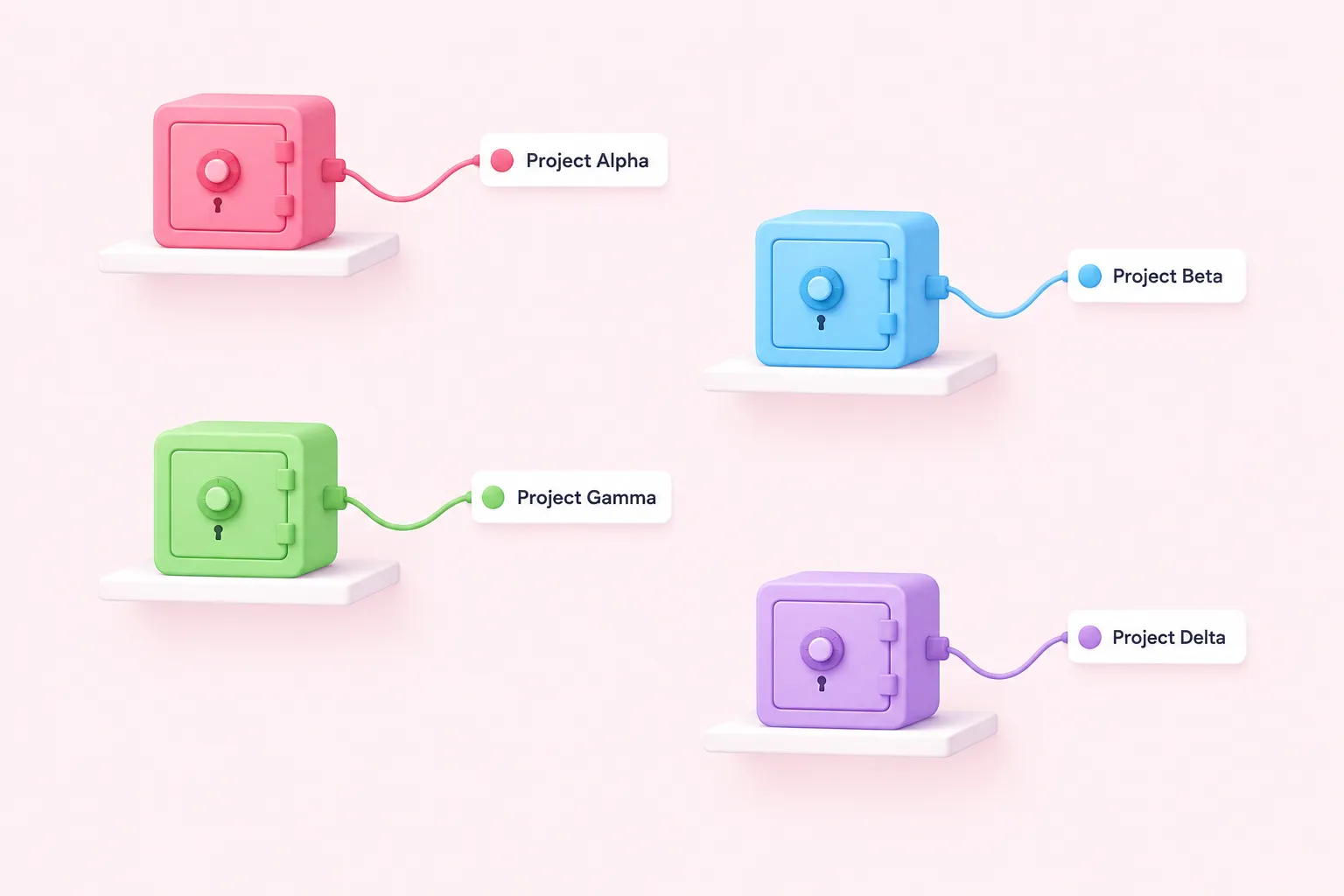
Every workflow that calls an API, sends an email or writes to a database is also holding a credential, and the number of credentials on an instance tends to grow with the number of integrations, not with the number of people reviewing them. This is what n8n data governance looks like day to day: deciding which project can reach which secret, and making sure a credential nobody remembers creating does not quietly outlive the workflow it was built for.
Fixed credentials vs. end-user credentials
As background, n8n's default pattern is what its own documentation calls a fixed credential: one shared credential object the workflow's owner configures once, which every run of that workflow then uses. n8n also offers an end-user credentials feature, where a workflow instead runs with the credentials of whichever person triggers it, which suits a workflow that should act as each individual rather than as one shared service account. End-user credentials require an Enterprise plan on both n8n Cloud and self-hosted n8n.
n8n's own documentation marks end-user credentials as a Preview feature and advises against relying on it in production. Deleting the underlying credential template removes every connected user's individual connection at once, not just the admin's own, which can break the workflow for an entire team until each person reconnects. We'd be cautious about leaning on end-user credentials for anything that matters in production while the feature is still in Preview, since a single accidental deletion can quietly break access for every connected person at once.
Sources: End-user credentials | Administer | n8n Docs
Centralizing secrets with external secret stores
Rather than storing every API key inside n8n itself, n8n can read secrets from an external store: 1Password, AWS Secrets Manager, Azure Key Vault, GCP Secrets Manager, HashiCorp Vault or Infisical. This is an Enterprise-only feature on both n8n Cloud and self-hosted n8n. An instance admin can scope a given vault to one specific project, so only that project's credentials can reference the secrets inside it, keeping one team's vault out of reach of another team's workflows even on the same instance.
| Approach | How it works | Plan availability |
|---|---|---|
| Fixed (shared) credential | One credential object configured once, used by every run of a workflow | Default behavior; not plan-restricted in the material reviewed |
| End-user credentials | Workflow runs with the credentials of whichever person triggers it; Preview status | n8n Cloud: Enterprise. Self-hosted: Enterprise |
| External secret store | n8n reads secrets from a vault such as HashiCorp Vault or AWS Secrets Manager, scoped per project | n8n Cloud: Enterprise. Self-hosted: Enterprise |
Sources: Use external secret stores | Administer | n8n Docs
Change management: source control, environments and shared variables
Access control decides who can touch a workflow, and credential governance decides what it can reach; change management decides how a workflow actually moves from someone's draft into the version running in production, and whether that move is visible to anyone beyond the person who made it.
Git-backed environments and branching patterns
n8n's source-control feature uses Git branches to back separate environments, such as staging and production, on a single instance. It requires connecting a Git repository, which can use SSH access with deploy keys, and it is available only on n8n's Business and Enterprise plans. Project admins, not only instance owners or admins, can push changes to the connected repository, which gives a project team a route to contribute without handing them full instance control.
An environment can also be marked Protected, which stops users editing source-controlled resources directly inside it; n8n's own documentation recommends this for production instances, so changes have to arrive through the Git-backed promotion path instead of a live edit in the production UI.
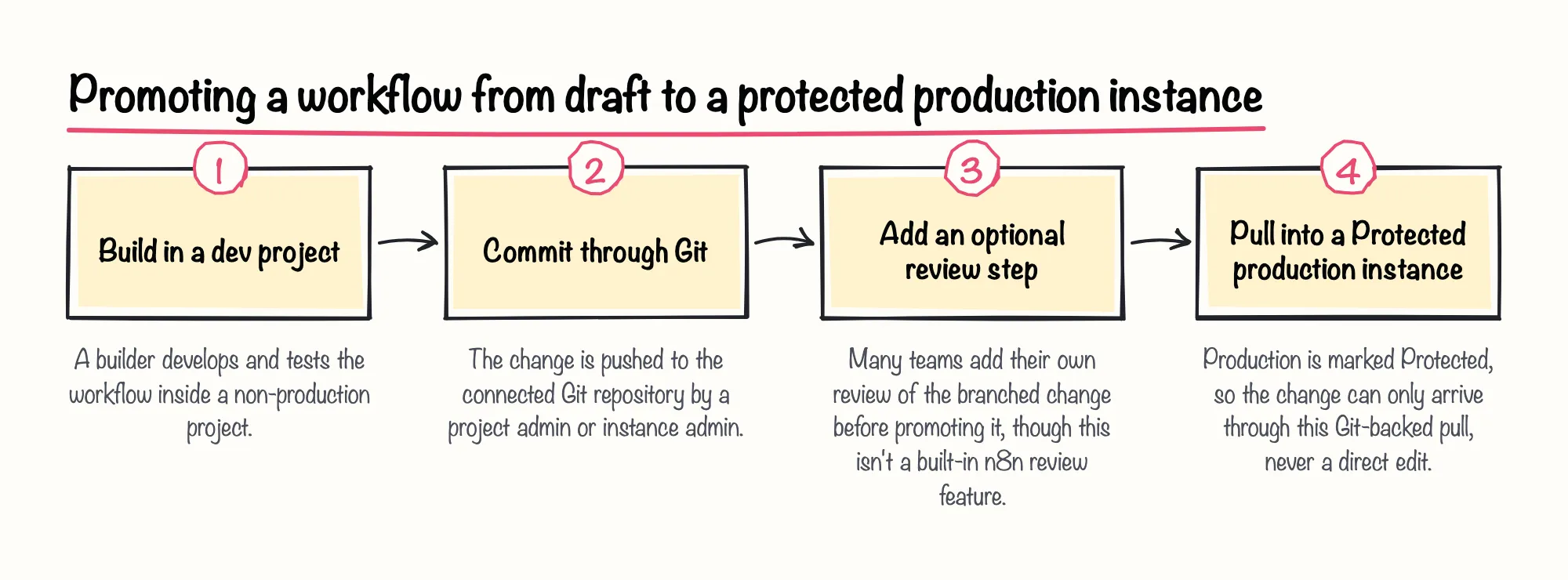
Our take is pragmatic: if an instance already touches production systems, it is worth budgeting for the Enterprise features that gate real environment separation now, rather than discovering mid-incident that staging and production have been sharing the same project all along.
Sources: Use source control and environments | Administer | n8n Docs, Set up source control | Administer | n8n Docs
Global vs. project-scoped variables
n8n also supports custom variables, reusable values a workflow can reference instead of hardcoding them. Only instance owners and admins can create them, which keeps a growing list of environment values from being edited by anyone who happens to be editing a workflow. Variables are available on n8n Cloud's Pro and Enterprise plans, and on self-hosted Business and Enterprise plans.
Variables are read-only at runtime: a workflow can read a variable's value, but changing it has to go through the n8n UI rather than through workflow logic. That constraint is a small piece of n8n governance, and a useful one, because a variable's value cannot be silently rewritten by a workflow that misbehaves.
Sources: Define custom variables | Build | n8n Docs
Observability and audit: logging and security reviews
Access control, credential isolation and a Git-backed promotion path all reduce how often something goes wrong. None of them answer the question an admin asks after an incident anyway: what actually changed, who changed it, and when.
Audit events and log streaming to external systems
n8n's log streaming feature forwards platform events to a team's own logging and alerting tools, instead of keeping that history only inside n8n's own interface. It is restricted to the Enterprise plan on both n8n Cloud and self-hosted n8n. Among the events n8n's audit catalog can stream is a dedicated "User credentials created" event, which is exactly the kind of signal a growing instance needs flowing into existing monitoring rather than sitting unreviewed inside n8n.
Sources: Stream logs to external systems | Administer | n8n Docs
Running n8n's built-in security audit
n8n also includes a built-in security audit tool that generates five separate risk reports, covering credentials, the database, the file system, nodes and instance settings. The credentials report specifically flags credentials that are not used in any workflow, which is the orphaned access a governance review should be cleaning up before someone finds a use for it that nobody approved.
The instance report flags two other signals worth checking on a schedule rather than only after something breaks: unprotected webhooks running on the instance, and whether the instance itself is running outdated software. Neither finding proves an incident has happened; both are groundwork that n8n AI governance and general workflow governance share alike, since an AI agent workflow sitting behind an unprotected webhook or an outdated instance carries the same exposure as any other workflow.
Sources: Run security audits | Deploy | n8n Docs
A practical governance checklist before scaling across teams
None of the features above governs anything by itself; they only take effect once a team decides to use them and actually assigns the roles, scopes the vaults and protects the environment. The checklist below is editorial advice built from the documented behavior above, not a certification or a guarantee, and it is meant as a starting point to adapt, not a fixed sequence every instance must follow in order.
Sources: Set permissions and roles (RBAC) | Administer | n8n Docs, Organize work in projects | Administer | n8n Docs, Use external secret stores | Administer | n8n Docs, Use source control and environments | Administer | n8n Docs, Stream logs to external systems | Administer | n8n Docs, Run security audits | Deploy | n8n Docs