How Does SSO Work With SAML in n8n? What to Verify Before Rollout
How does SSO work with SAML in n8n? A guide to the setup flow, version gates, role provisioning and a pre-rollout checklist for ops and IT leads.

Checked against the n8n documentation on .
What SAML SSO Means for an n8n Instance
How does SSO work with SAML when you connect n8n to a company identity provider? According to n8n's own documentation, SAML-based SSO is a paid-tier capability, available only on the Business and Enterprise plans.
n8n's documentation does not teach SAML protocol concepts from scratch. It assumes the reader already understands how SAML works and points elsewhere for that background, so a team running its first rollout should make sure someone on the project already has that grounding before starting.
Sources: Use SAML | Administer | n8n Docs
Plan and Permission Prerequisites Before You Start
Before touching any settings, confirm two things: your plan tier and who is allowed to make the change. n8n's documentation states that SAML is limited to the Business and Enterprise plans, so teams on lower tiers cannot configure it at all.
Only an instance owner or admin can enable and configure SAML in n8n. That makes the rollout a governance decision as much as a technical one — decide ahead of time who holds that role, and make sure that person is looped in before the identity-provider side of the project begins.
Sources: Use SAML | Administer | n8n Docs
How Does SSO Work With SAML in n8n's Setup Flow
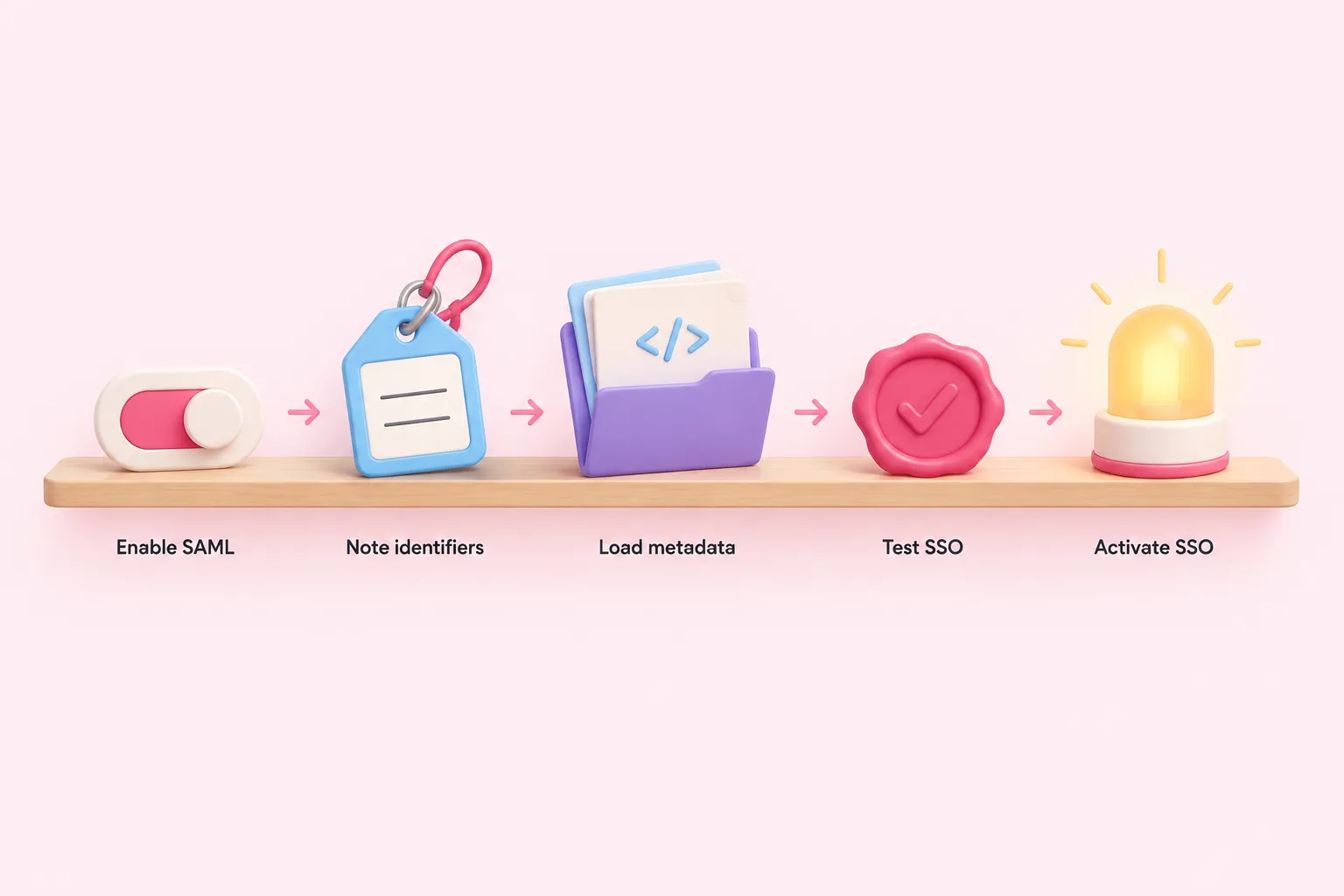
To see how does SSO work with SAML once you reach the configuration screen, look at the sequence n8n's documentation describes: enable SAML under Settings > SSO, note the Redirect URL and Entity ID the identity provider needs, load the IdP's metadata either by URL or as raw XML, save the configuration, test it, and only then switch SAML 2.0 to Activated.
n8n SAML setup sequence
- Enable SAML: Turn SAML on under Settings > SSO.
- Note redirect URL and entity ID: Record the values the identity provider will need.
- Load IdP metadata: Import the identity provider's metadata by URL or as raw XML.
- Save and test: Save the configuration and use n8n's test option before activating.
- Activate SAML 2.0: Switch SAML 2.0 to Activated once the test succeeds.
One binding detail is worth flagging on its own, because it is an easy way for a first handshake to fail: n8n does not support POST binding. The identity provider must be configured to use HTTP-redirect binding instead, matching what n8n expects.
Sources: Set up SAML | Administer | n8n Docs
Version Requirements Before You Commit
Several SAML-related capabilities in n8n are gated behind specific version numbers, so check your instance's version before assuming a feature is available. Configuring SAML through environment variables rather than the UI requires n8n 2.18.0 or later; automatic provisioning of instance and project roles from SAML attributes requires n8n 1.122.2 or later; and defining role-mapping rules inside n8n itself, rather than only on the identity-provider side, requires n8n 2.19.0 or later.
| Capability | Minimum version | What it enables |
|---|---|---|
| Environment-variable SAML configuration | 2.18.0 | Configure SAML settings outside the UI |
| Automatic role provisioning via SSO | 1.122.2 | Assign instance and project roles from SAML attributes instead of manually |
| In-n8n role-mapping rules | 2.19.0 | Write mapping expressions inside n8n instead of relying only on IdP-side attributes |
Sources: Set up SAML | Administer | n8n Docs
Automating Role Assignment and Choosing a Mapping Method
From n8n 1.122.2, role provisioning through SSO can run in one of three modes: manual assignment, instance-role-only provisioning, or full instance-and-project role provisioning via SSO attributes. Turning on either provisioning mode is not additive — n8n's documentation states that it overwrites any user or project access inside n8n that isn't reflected in the identity provider's response, applied at the user's next login. n8n prompts admins to download backup CSV files of current access before the change takes effect, and teams should treat that export as a required step, not an optional one.
Teams also choose where role-mapping logic lives. n8n's documentation describes mapping roles on the identity-provider side, using n8n-specific attributes such as n8n_instance_role, or writing mapping rules inside n8n itself against SAML attributes, an option available from n8n 2.19.0. IdP-side mapping suits teams where group management is centralized with IT; in-n8n mapping suits teams that need faster changes without going through the identity platform. Switching between the two methods can cause users to lose currently assigned roles if the mappings aren't recreated equivalently, so plan the switch deliberately rather than experimenting in production.
Sources: Set up SAML | Administer | n8n Docs
Pre-Rollout Checklist
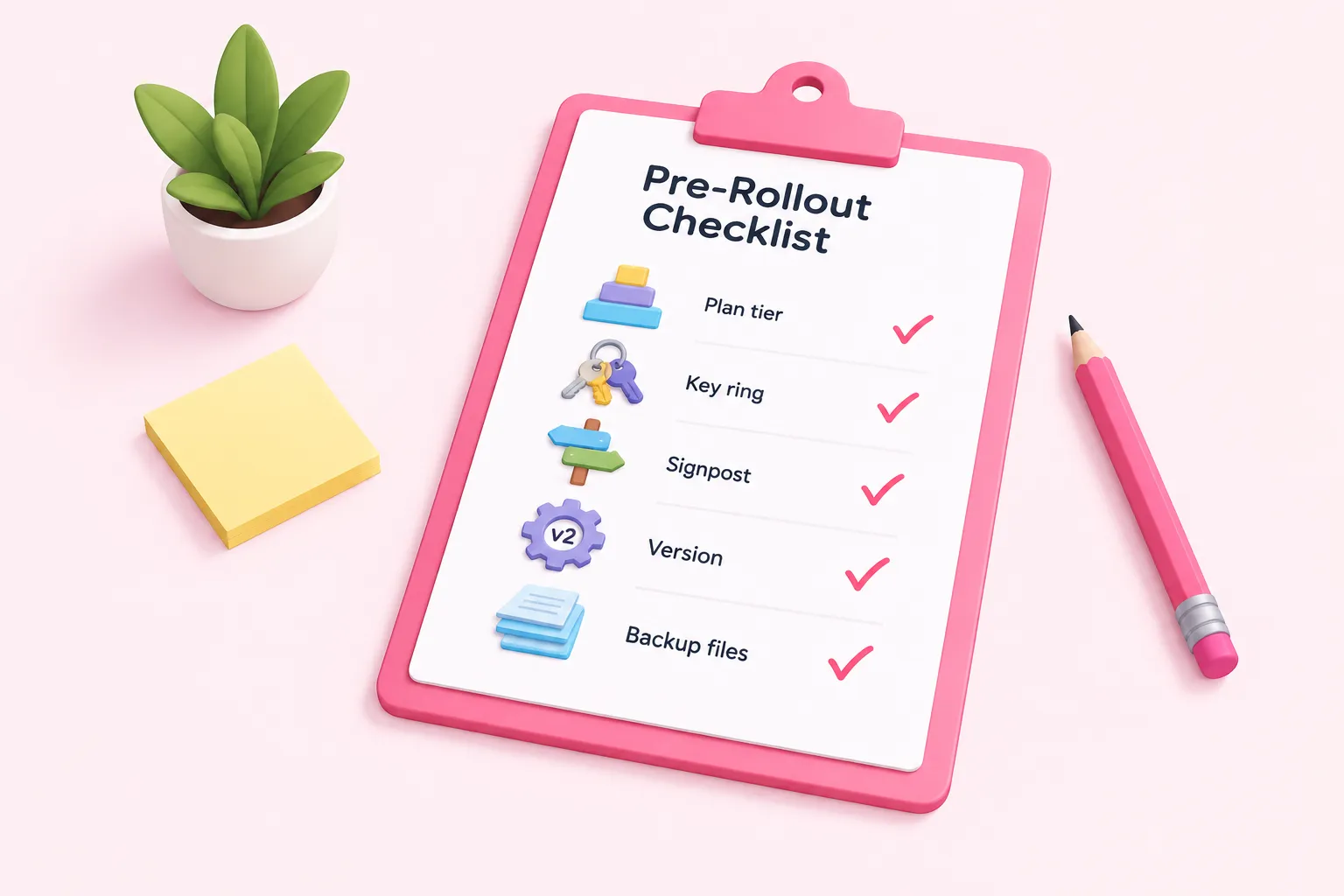
Before flipping SAML 2.0 to Activated for the whole team, work through a short checklist that covers how does SSO work with SAML in n8n from plan tier through activation, pulling together the mechanics described above.
Sources: Use SAML | Administer | n8n Docs, Set up SAML | Administer | n8n Docs
Getting Your Team Ready
SAML SSO in n8n is mostly configuration and sequencing, and the checklist above is built to catch the failure points a first rollout is most likely to hit. Walk through it in order, with whoever holds instance owner or admin access, before flipping SAML 2.0 to Activated for the whole team. Whoever runs the rollout should already have that baseline SAML familiarity, since n8n's documentation assumes it rather than teaching it.
Sources: Use SAML | Administer | n8n Docs