n8n Audit Trail Checklist: Verifying Your Audit Log Coverage
A practical n8n audit trail checklist for ops and IT leads: what is the audit log, and how to verify it captures credential and workflow changes.

Checked against the cited sources on .
Before You Start: What Is the Audit Log, and Do You Have the Right Edition?
If you're wondering what is the audit log in n8n, the short answer is Log Streaming: a structured feed of events — who created, updated, shared or deleted a credential or workflow — sent to a destination outside n8n itself. An n8n audit trail is only as good as the destination receiving it, so before checking anything else, confirm you're actually licensed to produce one. n8n's own edition-comparison documentation states that Log Streaming is excluded from the free self-hosted Community edition and becomes available only on self-hosted Business and Enterprise plans.
That's easy to confuse with ordinary debugging logs. n8n's documentation on logging notes that general logging options — log level, output format, file rotation — ship with every n8n Cloud plan and every self-hosted edition, Community included. Those logs tell you about crashes and performance, not a structured credential-changed or workflow-updated event. We'd treat this mix-up as the most common point of failure in audit setups: a team assumes logging means auditing, only to find months later that its edition never streamed a single governance event.
Sources: Compare editions | Deploy | n8n Docs, Set up logging | Deploy | n8n Docs
Turn On and Configure Log Streaming Correctly
Once your plan includes Log Streaming, configuration is where silent gaps start. n8n's documentation lets a self-hosted instance manage log-streaming destinations purely through environment variables rather than the UI: setting N8N_LOG_STREAMING_MANAGED_BY_ENV to true locks the UI as read-only and reapplies the same configuration on every startup. That's a useful way to confirm your settings haven't drifted between a staging and production instance.
n8n's documentation also describes a periodic recheck: the instance re-scans for event messages that weren't yet delivered to a destination, on an interval you configure in milliseconds. The docs don't state a recommended value or the maximum possible gap, so treat this as a safety net for brief outages, not a guarantee that nothing is ever delayed.
Sources: Logs | Deploy | n8n Docs
Verify Event Coverage: Credential and Workflow Changes
Turning the feature on tells you nothing about which events are actually flowing. n8n's audit event catalogue documents discrete, individually verifiable event names for both credentials and workflows, and checking each one by name is the only way to know your n8n audit trail actually covers what you care about.
| Event group | Example events | What to verify |
|---|---|---|
| Credential events | Created, shared, updated, deleted | Edit, share and delete a test credential; confirm each action arrives as its own event |
| Workflow events | Created, updated, deleted | Create, edit and delete a disposable workflow; confirm each action arrives separately |
Sources: Stream logs to external systems | Administer | n8n Docs
Prove Delivery: Test the Destination, Don't Just Assume It's Receiving Events

A destination that looks configured isn't proof of anything. n8n's public API includes a call that sends a test message to a configured log-streaming destination, confirming it's reachable and set up correctly before you rely on it for real events.
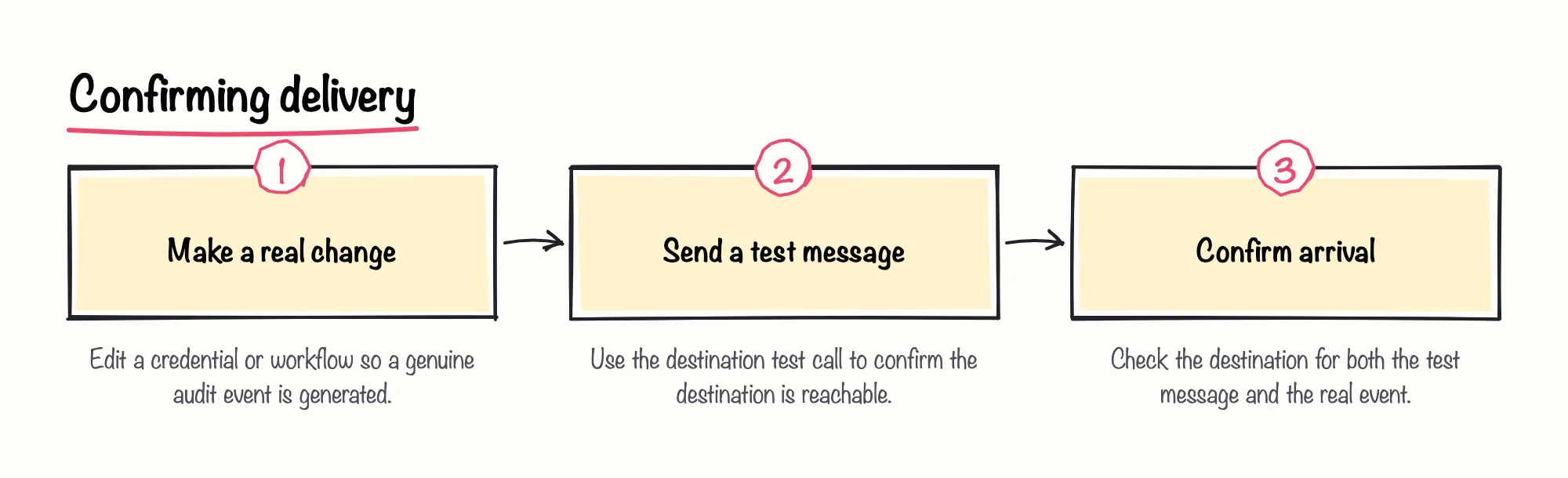
Treat that test as a connectivity check only; the API reference doesn't describe inspecting the content of a delivered test event, so it won't tell you whether your specific subscribed events are the ones actually showing up. For that, go back to the event-by-event checks above.
n8n's own blog has suggested, as general best-practice guidance rather than a feature claim, routing audit logging to a security information and event management platform for monitoring. We think a SIEM destination is a sensible first choice if your team already runs one, since it turns a raw event feed into something security staff actually watch, rather than a stream nobody reads.
Sources: Log Streaming | Connect | n8n Docs, Common Risks and Best Practices for AI in Production – n8n Blog
Self-Hosted and Queue Mode: Give Each Process Its Own Event-Log Path
Teams running n8n in queue mode or across shared storage sometimes keep each process's local event-log file at a separate path, as a general precaution, rather than letting multiple processes share one. Checking this during setup, before go-live, is simpler than troubleshooting it after the fact if a shared file configuration later causes trouble reading events back.
Privacy, Masking, and Retention: What Your Audit Trail Keeps and For How Long
Before you pipe credential and workflow events anywhere external, decide deliberately whether to mask identifying details in those messages, and confirm which fields, such as user IDs, still remain visible afterward, since an audit trail that can't attribute a change to a person isn't much of an audit trail.
Retention needs the same deliberate decision, and it's worth separating two things that sound similar. n8n's own security page states that n8n, the company, keeps its own server logs and audit history for its hosted infrastructure for at least 12 months as part of its internal compliance practice. That figure describes n8n's internal operations, not the events your own instance streams out, so your retention period at your own destination is a separate choice you configure yourself.
It's also worth knowing that n8n describes its product telemetry, the usage data it collects about how the app is used, as excluding workflow data and credential values. That's a statement about telemetry, not about the audit event content itself, so don't assume the same restriction automatically limits what appears in your streamed audit events.
Sources: Security, Privacy | Privacy and security | n8n Docs
Don't Confuse This With n8n's Security Audit Report or Its Own Internal Logs
n8n also ships a separate 'security audit' capability, run on demand through the CLI, the public API or a dedicated node, producing a one-time risk report rather than an ongoing stream. It's a different tool answering a different question than the audit log you've just been checking.
In our view, the sensible move is to run both rather than pick one: the ongoing Log Streaming feed tells you what changed and when, while a periodic security audit report tells you what's currently risky across credentials, nodes and instance settings. Treating either one as a substitute for the other leaves a real gap.
Sources: Run security audits | Deploy | n8n Docs
Ongoing Checks After Upgrades
An audit setup that was complete on day one can quietly fall behind. New versions of n8n have introduced additional event groups over time, so a list of subscribed events that was exhaustive last year may miss categories that exist today.
Keep a written record of exactly which event groups feed your n8n audit trail, and after every upgrade, re-run the credential-and-workflow test from earlier in this checklist rather than assuming nothing changed. Use the list below as a running reference for what 'done' looks like.
Sources: Stream logs to external systems | Administer | n8n Docs