n8n Limitations for Self-Hosted Teams: What Still Lands on Your Plate
n8n limitations self hosted teams take on beyond cost savings: patching cadence, backups, queue-mode scaling, security defaults, and support and licensing rules.

Checked against the cited sources on .
n8n Limitations for Self-Hosted Teams: Where the Operational Burden Shifts
n8n limitations for self-hosted teams go beyond server rental costs. According to n8n's own documentation comparing its hosting options, maintenance is handled by n8n on Cloud but becomes the operator's own responsibility once a team self-hosts. The same comparison states that self-hosted deployments require technical expertise for installation and configuration, while Cloud needs none. Those two lines summarize most of what follows: self-hosting trades a subscription fee for a list of operational jobs a team must now own, test and repeat.
This guide walks through five of those jobs in turn: patching and upgrades, backup and disaster recovery, scaling infrastructure, opt-in security hardening, and the support and licensing boundaries that apply once a team is off n8n Cloud. None of this is a reason to avoid self-hosting outright. It's a checklist of what a team is signing up to operate, so the decision gets made with open eyes rather than discovered mid-incident.
| Dimension | n8n Cloud | Self-hosted |
|---|---|---|
| Maintenance | Handled by n8n | Team's own responsibility |
| Technical expertise | None required | Required for installation and configuration |
Sources: Choose how to use n8n | n8n Docs
Patching, Upgrades and Breaking Changes You Must Manage
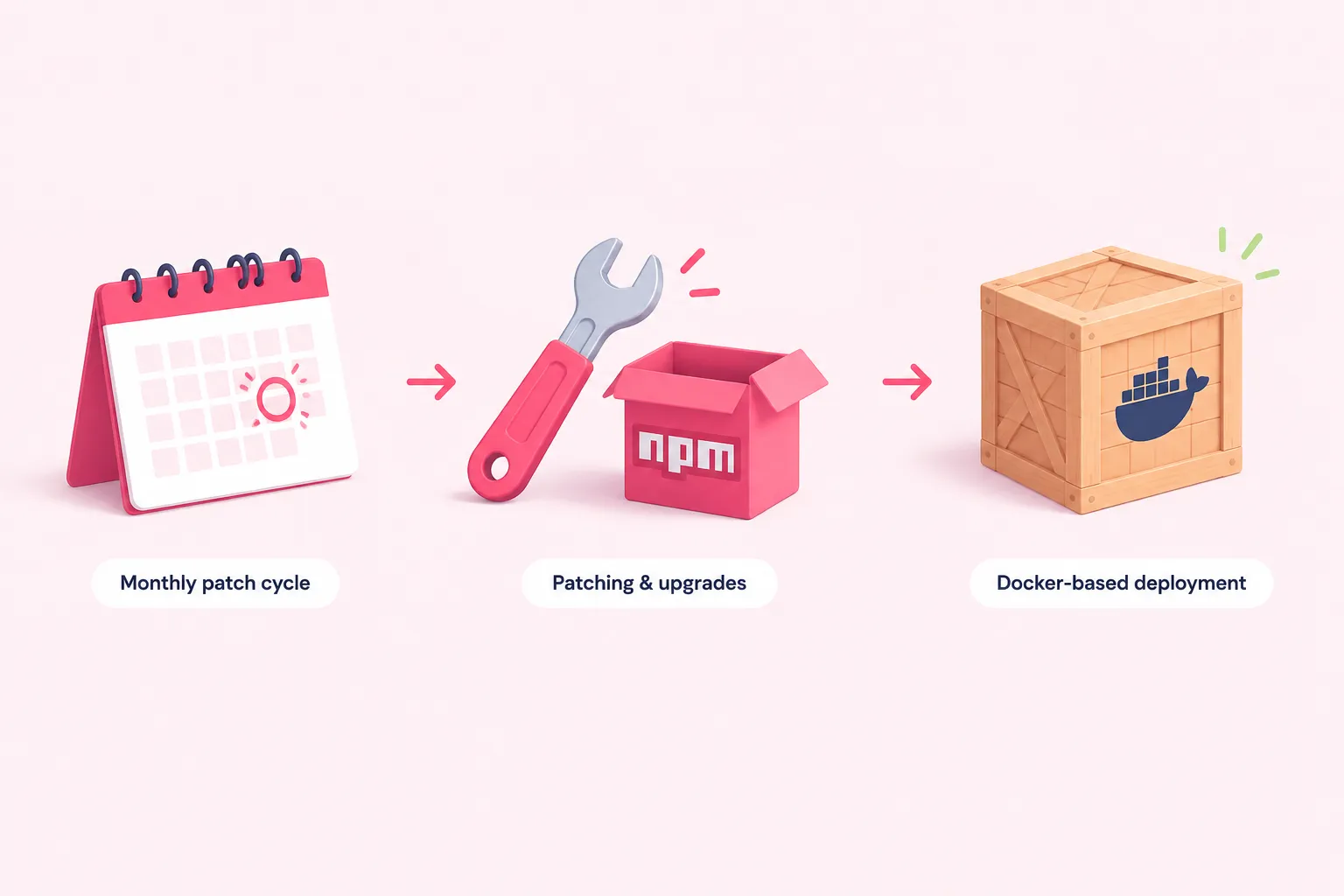
Software needs patching, and on a self-hosted instance that job belongs entirely to the team. n8n's update documentation recommends updating self-hosted instances at least once a month to avoid disruptive version jumps, and it separately urges teams to use an Environments feature to test an update before it reaches production.
An Environments-based test instance is a Business- or Enterprise-plan feature on self-hosted n8n, so that advice assumes a paid license is already in place; a Community-edition operator testing updates has to improvise that safety net some other way.
Sources: Update n8n | Deploy | n8n Docs
Routine Update Cadence and Testing
A monthly cadence sounds manageable until you add up what each update touches: core n8n, any community nodes in use, the underlying runtime, and the database driver. Skipping a few months and upgrading in one jump multiplies how many changes a team has to absorb at once.
- Check the changelog before each monthly update window.
- Run the update against a staging or Environments copy first.
- Re-test workflows that rely on community nodes or custom code.
- Record the update date and version so gaps become visible later.
We'd treat the monthly cadence as a minimum, not a target to hit exactly; falling behind by a quarter or more is where upgrades stop being routine and start being risky.
Sources: Update n8n | Deploy | n8n Docs
The n8n 3.0 Breaking Changes: A Preview of Self-Hosted Migration Work
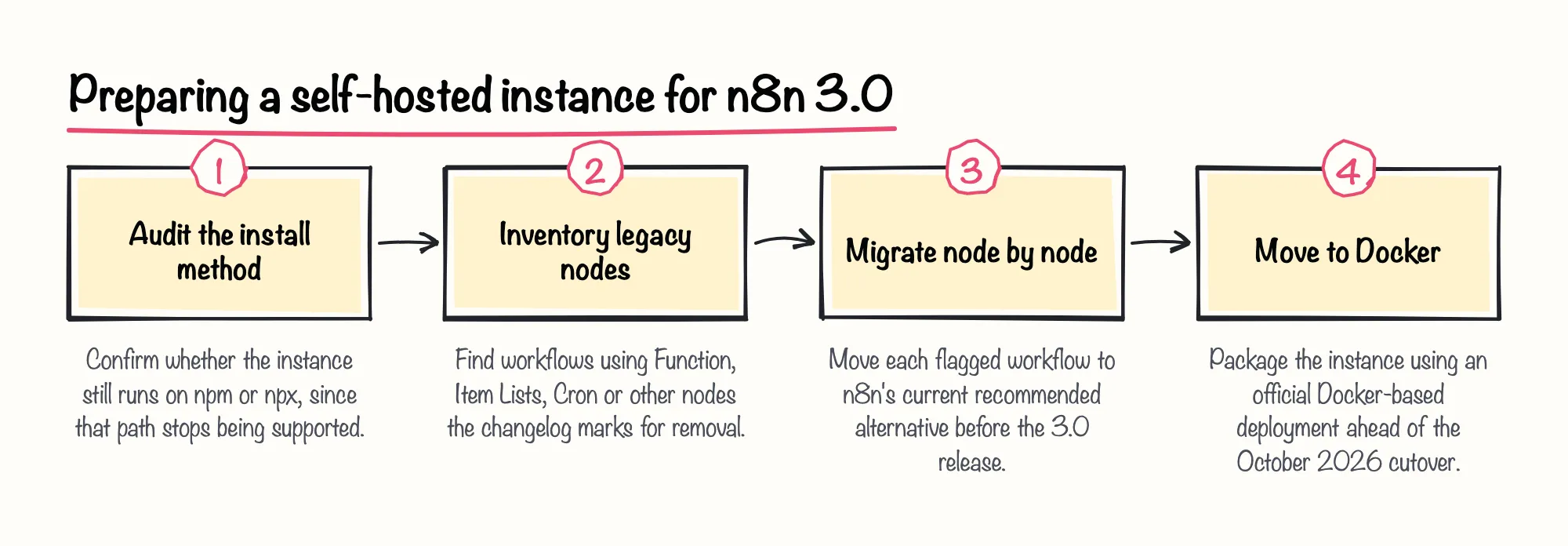
n8n's changelog describes a coming shift self-hosted teams should plan for now rather than in October 2026. It states that self-hosted n8n will require a Docker-based deployment starting with the n8n 3.0 release, scheduled for October 2026, and that the same release drops support for npm- or npx-based self-hosted installs entirely.
The changelog also instructs self-hosted teams to migrate workflows built on several removed legacy nodes, including Function, Item Lists and Cron, to current recommended alternatives before upgrading. Exact scope depends on which legacy nodes a given instance still uses, and migration guidance was still pending as of this announcement.
Sources: v3.0 Breaking changes | Changelog | n8n Docs
Backup, Disaster Recovery and Data Ownership
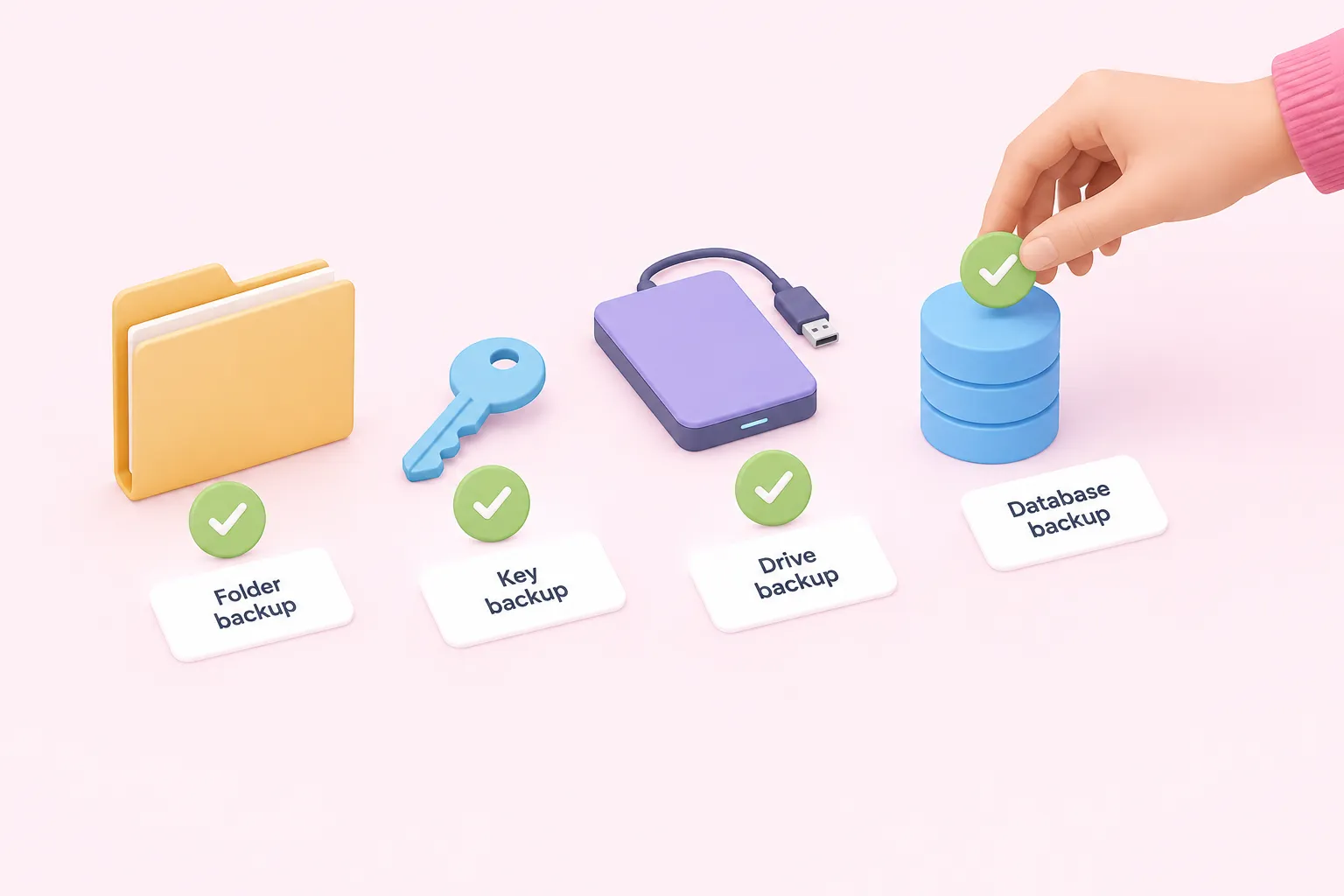
Self-hosting also moves backup and disaster recovery onto the team's own task list. n8n's backup documentation states plainly that a complete self-hosted backup is more involved than just the CLI export commands produce, which is an easy detail to miss until a restore is actually needed.
Sources: Back up and restore | Deploy | n8n Docs
What a Complete Backup Actually Requires
Two gaps matter most. First, n8n's documentation requires stopping the instance before copying the .n8n folder when using the default SQLite database, because copying a live database file risks an inconsistent backup; PostgreSQL setups back up differently. Second, the CLI export used for backups does not capture users, execution history, variables, or instance settings, including the encryption key.
Sources: Back up and restore | Deploy | n8n Docs
Practical Backup Discipline From Self-Hosting Practitioners
Vendors that sell managed self-hosting alternatives make the same point from their own angle. A 2026 self-hosting checklist from Sliplane, a managed-hosting vendor, states that self-hosting operators are themselves responsible for security, backups, upgrades and monitoring, and its comparison of hosting paths adds detail on what that ownership covers.
The same vendor comparison makes a fair observation regardless of who's selling what: low infrastructure cost for self-hosting does not mean low operational effort, since the work of running backups, patches and monitoring doesn't shrink just because the server bill is small.
Sources: Best Practices for Self-Hosting n8n in 2026, Self-Hosted vs Managed vs Cloud n8n in 2026
Scaling Infrastructure: Queue Mode, Workers and Capacity Planning
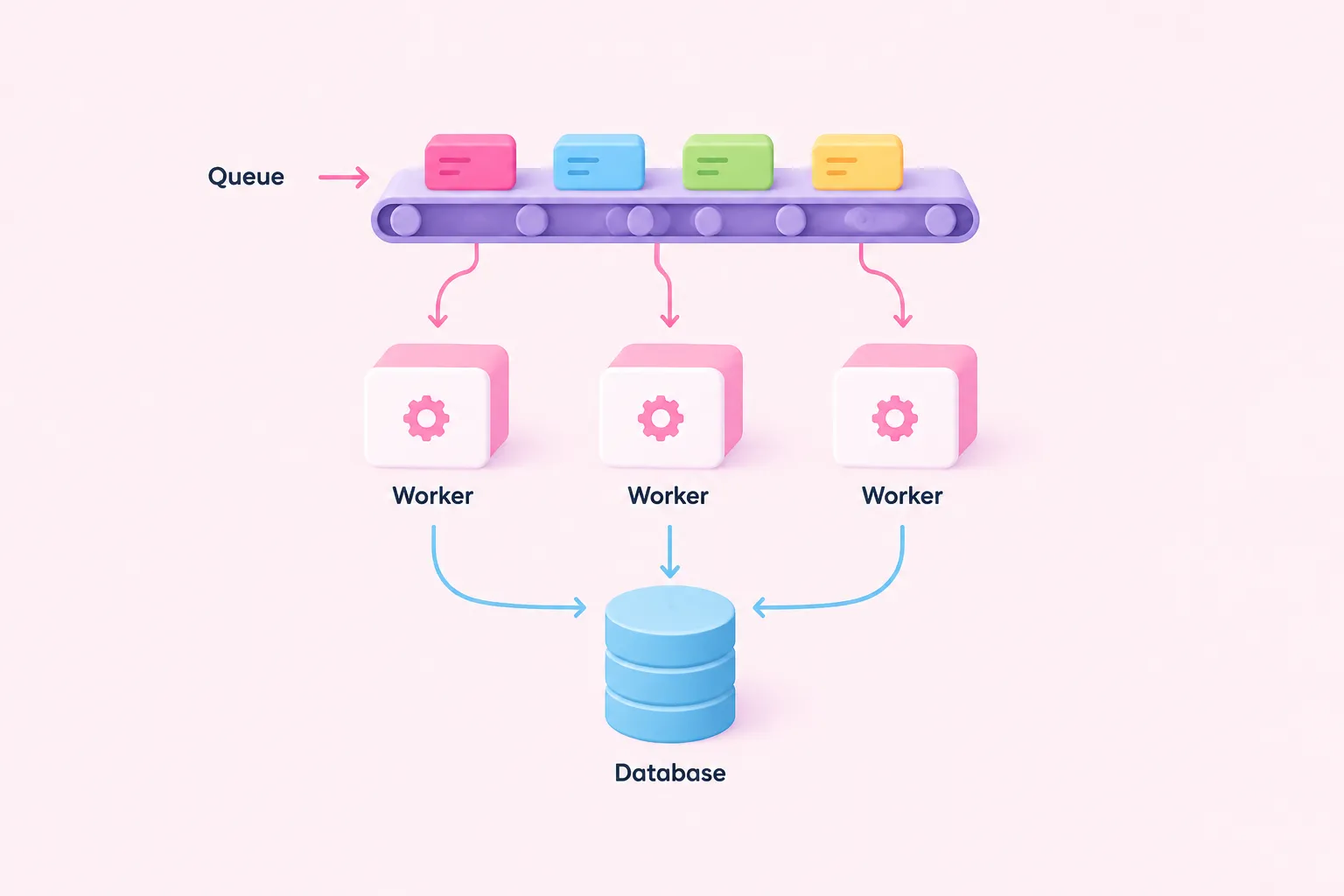
Running n8n at scale requires the operator to change the configuration themselves to maintain performance, per n8n's own scaling documentation. For small, single-instance use this rarely matters; for a team pushing meaningful execution volume, it means taking on queue mode as production infrastructure rather than a toggle.
Queue mode for scaling itself sits behind n8n's paid plans: the company's pricing page lists it as a feature included from the Business plan upward, not available in free self-hosted Community use, alongside Git-based version control at the same tier.
Sources: Scaling | Deploy | n8n Docs, n8n Plans and Pricing - n8n.io
Setting Up Queue Mode Yourself
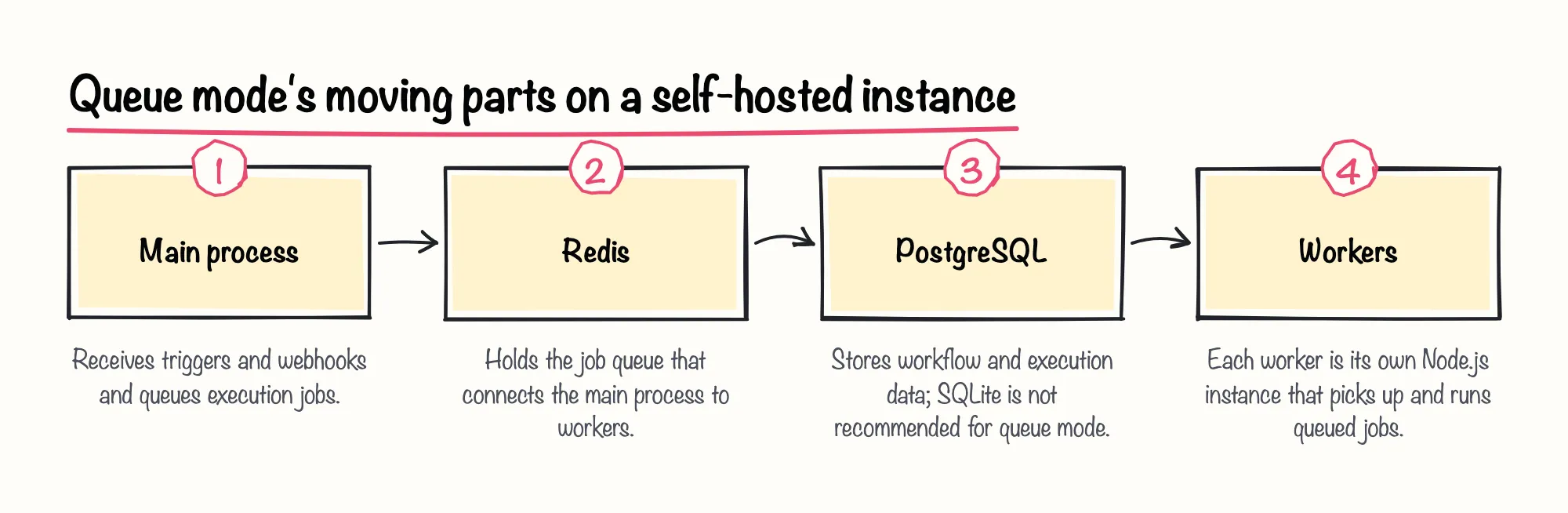
n8n's queue-mode documentation describes queue mode as a multi-process architecture: each worker runs as its own separate Node.js instance that a self-hosted team must run and connect to both Redis and the database. The same documentation states that running queue mode with SQLite is not recommended, pushing self-hosted teams toward operating PostgreSQL and Redis as additional production services alongside n8n itself.
High availability goes further still. n8n's documentation states that multi-main setup is only available on self-hosted Enterprise, not on n8n Cloud at all, so a self-hosted team that wants that resilience has to both run it and license it.
n8n's own environment-variable reference shows how wide this configuration surface is, covering database, security, queue mode, SSO and more; that breadth is itself a measure of what a self-hosted operator is responsible for configuring correctly, even though the page doesn't quantify how long it takes.
Sources: Enable queue mode | Deploy | n8n Docs, Use environment variables | Deploy | n8n Docs
Real-World Complexity Beyond the Docs
Independent deployment write-ups echo how much is left for the operator to verify. A January 2026 third-party deployment guide warns that version compatibility, permissions, network routing and recovery must all be separately checked for a self-hosted queue-mode deployment; the same guide cautions that a running queue-mode container does not by itself prove the deployment works correctly.
Sources: Scaling n8n: queue mode, workers and task runners | Blog
Security Hardening Is Opt-In, Not Default
Security defaults differ from what many teams assume. n8n's documentation states that Server-Side Request Forgery (SSRF) protection is off by default on self-hosted instances, so a team has to turn it on itself rather than inherit it automatically.
The same documentation advises reviewing internal-host allow lists before enabling SSRF protection in production, and it instructs operators to enumerate the internal hosts their workflows legitimately need before turning on the related block lists. Skipping that step risks either blocking a workflow that needs internal access or leaving the protection effectively toothless.
In our view, an off-by-default security control is one of the easiest n8n limitations to miss during a self-hosting evaluation, precisely because nothing breaks until the gap is actually exploited.
Sources: SSRF protection | Deploy | n8n Docs
Support, SLAs and Licensing: What Self-Hosting Doesn't Include
Self-hosting also changes what kind of help is available when something goes wrong, and it adds licensing obligations a team has to track on its own. Neither shows up in a server bill, but both are real n8n limitations for self-hosted teams that rarely come up in a sales conversation.
Sources: Where to get help | Contribute | n8n Docs, FAQs - General FAQ - Which license do I need for my use case? | n8n Help Center
Support Scope Differs by Plan, Not Just by Hosting Model
Support scope depends on plan, not just on whether you're self-hosting. n8n's support-scope documentation states that self-hosted Enterprise and Business customers only receive deployment support when n8n runs on an official n8n Docker image, and the same documentation states that n8n cannot provide in-depth debugging, troubleshooting or runtime assistance for non-enterprise customers, whether self-hosted or on Cloud.
n8n's help documentation narrows this further: email support with an SLA is available only to n8n Cloud Enterprise and self-hosted Enterprise plan customers, while other n8n Cloud plans get email support only for admin and billing issues, and non-enterprise users, including self-hosted Community operators, are directed to the community forum instead of email for technical support.
| Plan or edition | Support channel | SLA |
|---|---|---|
| Self-hosted Community | Community forum | No SLA available |
| Self-hosted Business | Deployment support on official Docker image; forum otherwise | No SLA available |
| Self-hosted Enterprise / Cloud Enterprise | Email support | SLA available |
A single 2025 n8n community forum thread illustrates what that gap can feel like in practice: an n8n team member stated there is no SLA for accounts without an Enterprise plan or a paid Support Plan, and the user in that same thread described going weeks without a meaningful response while bouncing between Discord and the forums as a paid Pro customer. That's a self-reported account from one Cloud Pro user, not a self-hosted instance, so it shouldn't be read as typical of every non-enterprise account, though it matches what the documentation itself says about scope.
Sources: FAQs - General Tips - Scope of Support | n8n Help Center, Where to get help | Contribute | n8n Docs, Support SLA - Questions - n8n Community
Licensing Rules You Must Self-Police
Self-hosting also comes with licensing rules the team has to monitor itself, since nothing in the software necessarily stops a violation. n8n's Community license FAQ states that the free Sustainable Use License applies only to self-hosted n8n, not to n8n Cloud, and that using enterprise features gated behind a license key without an Enterprise license is not permitted under that free license.
n8n's help center adds a usage-based trigger: a self-hosted instance stays under the free Community edition only if workflow creation and editing is limited to people inside the operator's own organization, and a commercial license is required once people outside that organization can build or configure workflows, regardless of which interface they use. Paid self-hosted tiers also require a license key that must ping n8n's license server daily to stay active.
Sources: License FAQ | n8n Community license | n8n Docs, FAQs - General FAQ - Which license do I need for my use case? | n8n Help Center, n8n Plans and Pricing - n8n.io
Weighing Self-Hosted vs Cloud: A Practical Checklist

None of the n8n limitations for self-hosted teams covered here rule self-hosting out; they describe what a team is actually taking on beyond the server bill. The honest comparison isn't self-hosted versus Cloud on price alone, it's whether your team wants to own patching, backups, scaling infrastructure, security defaults and support escalation as ongoing responsibilities.
We think running through a checklist like this before committing is worth the time it takes: it turns self-hosting from a default decision into a deliberate one, which is exactly the posture a team needs before it owns its own infrastructure.
Sources: Choose how to use n8n | n8n Docs, Update n8n | Deploy | n8n Docs, v3.0 Breaking changes | Changelog | n8n Docs, Back up and restore | Deploy | n8n Docs, Enable queue mode | Deploy | n8n Docs, SSRF protection | Deploy | n8n Docs, Where to get help | Contribute | n8n Docs, FAQs - General FAQ - Which license do I need for my use case? | n8n Help Center