n8n queue mode Redis: when to leave single-instance mode
A practical guide to n8n queue mode Redis: the signals one instance is no longer coping, the requirements it adds, and the configuration to get right.

Checked against the cited sources on .
The signals that one instance stops coping

If you self host n8n, the first version you run is almost always regular mode: one process that triggers, executes and serves the editor. It works well until production traffic arrives in bursts, and that is usually when n8n queue mode Redis first comes up. According to n8n's self-hosted documentation, regular mode does not limit how many production executions run at the same time, which can leave the event loop thrashing; a ceiling can be set with N8N_CONCURRENCY_PRODUCTION_LIMIT.
That distinction matters when you decide whether n8n queue mode Redis is the right answer. A concurrency limit is protection: it keeps the interface responsive by refusing to run everything at once. Queue mode is throughput: it adds machines that actually do the work. If your instance is only occasionally overwhelmed, try the limit first. If backlog is sustained and the queue never drains, extra capacity is what you need.
n8n's documentation doesn't state an execution volume at which a single instance stops coping, so treat the symptoms below as observations rather than a threshold.
Sources: Control concurrency | Deploy | n8n Docs
How queue mode works and what it requires
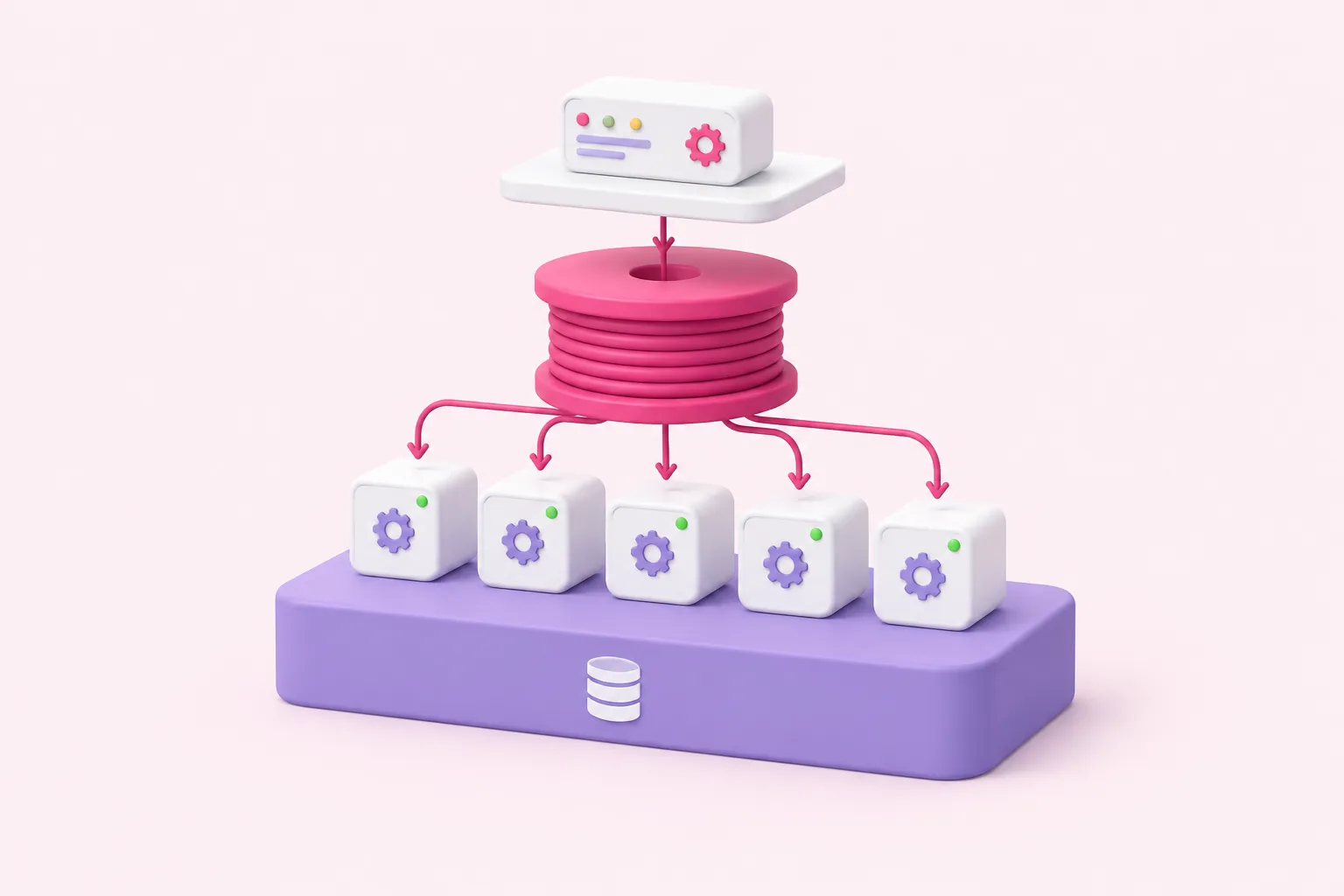
In queue mode the main instance stops executing work itself. It generates an execution and passes the execution ID to Redis, which queues it for the next available worker, according to n8n's documentation. Workers pull jobs, run them and write results to the shared database. Nothing about your workflows changes; only where they run does.
Path of one execution in queue mode
- Trigger: The main instance receives the trigger and creates an execution.
- Enqueue: It passes the execution ID to Redis rather than running the workflow itself.
- Pick up: The next available worker takes the job from the queue.
- Execute: The worker runs the workflow, using the shared encryption key to read credentials.
- Persist: Results are written to the shared PostgreSQL database.
That split creates real n8n self hosted requirements. A distributed queue-mode setup is not supported over SQLite, so a shared PostgreSQL database must come first. The main instance's encryption key has to be shared with every worker and webhook processor, otherwise they cannot decrypt stored credentials. Redis becomes a component you now operate and monitor.
Edition gates are worth confirming before you plan architecture. Multi-main high availability for queue mode is a self-hosted Enterprise feature, and on n8n Cloud queue mode is limited to Enterprise plans and must be enabled by n8n. Among n8n hosting options, that makes self-hosting the path where you control the topology yourself.
Sources: Enable queue mode | Deploy | n8n Docs, Understand concurrency | Deploy | n8n Docs
Core configuration for n8n queue mode Redis and sizing workers
Switching modes is mostly environment variables. EXECUTIONS_MODE must be set to queue on the main instance and on all workers. Redis connection settings follow n8n's documented defaults: QUEUE_BULL_REDIS_HOST defaults to localhost and the port to 6379, with optional username, password, database index and TLS available.
Sizing is where teams go wrong. n8n recommends setting worker concurrency to 5 or higher, and warns that many workers each running low concurrency can exhaust the database connection pool. So scale the number of workers rather than lowering concurrency. n8n's documentation doesn't give a formula linking worker count to workload, so start small and observe.
| Component | Role | What to decide |
|---|---|---|
| PostgreSQL | Shared state for all processes | Migrate off SQLite first; SQLite is unsupported here |
| Redis | Queues execution IDs for workers | Host, port, credentials and whether to enable TLS |
| Main instance | Triggers and enqueues, serves the editor | EXECUTIONS_MODE set to queue |
| Workers | Execute the queued workflows | Concurrency of 5 or higher, then add more workers |
| Encryption key | Lets workers read stored credentials | The same key distributed to every process |
A February 2025 n8n community walkthrough shows how modest a first n8n queue mode Redis lab can be: a Docker network with Redis, Postgres, a main instance and worker containers all sharing a single env file. It uses plain-text passwords without TLS, so treat it as a lab exercise rather than a production reference.
Sources: Enable queue mode | Deploy | n8n Docs, Queue mode | Deploy | n8n Docs, Queue Mode guide [How to scale up n8n] - English 🇬🇧 - n8n Community
Webhooks, large responses and verification
As an editorial rule of thumb, add dedicated webhook processors only when webhook intake is the actual bottleneck. Whatever you decide, every webhook processor needs the same encryption key as the main instance and the workers, or it cannot read stored credentials.
Large responses deserve attention because in queue mode webhook responses travel through Redis. n8n documents a relay size limit defaulting to 64 MiB and suggests budgeting roughly 1.5 times that value in Redis memory per in-flight response; this is a vendor estimate with no stated measurement method. Offloading oversized bodies with N8N_WEBHOOK_RESPONSE_RELAY_OFFLOAD_ENABLED should be set on workers only after every main and webhook instance runs n8n 2.34.0 or later, and it needs a binary data mode that stores data.
Verification is simple: run a test workflow and confirm it appears in worker logs rather than on the main instance. All of this rests on vendor documentation plus one community post by an individual author, and no independent throughput or latency benchmarks are available here, so measure your own workload before promising capacity.
- Migrate the database to PostgreSQL and confirm the instance runs normally on it.
- Stand up Redis and reach it from the n8n host.
- Set EXECUTIONS_MODE to queue and distribute the shared encryption key to every process.
- Start two workers at concurrency 5 or higher and run a test workflow.
- Check worker logs to confirm the execution moved off the main instance.
- As an editorial rule of thumb, look at separating webhook intake only once it is clearly the bottleneck.
Sources: Enable queue mode | Deploy | n8n Docs, Queue mode | Deploy | n8n Docs
A staged migration you can actually finish
The conclusion is undramatic. If you self host n8n, stay in regular mode with a production concurrency limit for as long as it holds, and move only when sustained backlog says extra capacity is the real need. Confirm edition requirements before you design the topology rather than after.
Among n8n hosting options, n8n queue mode Redis is the point where n8n stops being an app you installed and becomes infrastructure you run. Plan the on-call story and the Redis monitoring alongside the configuration.
Sources: Control concurrency | Deploy | n8n Docs, Enable queue mode | Deploy | n8n Docs