n8n Enterprise Pricing vs Community: What's Actually Gated
A criteria-based comparison of n8n enterprise pricing and the free editions: what Community, Registered Community, Business and Enterprise each gate.

Checked against the cited sources on .
Why the edition decision comes before team standards
If you are about to roll n8n out to a team, the question behind n8n enterprise pricing is rarely "which features look nice". It is "which of our working habits are impossible on the free edition". n8n's own documentation frames this as a second decision, taken after you choose cloud or self-hosted, and notes that paid features such as SSO, environments and projects are offered on both deployment options.
The free Community edition is not a crippled demo. n8n's docs describe it as including almost the complete feature set, while listing the specific exclusions: custom variables, environments, external secrets, external binary storage, log streaming, multi-main mode, projects, SSO and Git version control. That list is the honest starting point for any comparison.
One free step is easy to miss. Registering a Community instance by email, using a license key issued by n8n, unlocks three further features at no cost: folders, debug in editor, and custom execution data.
Sources: Compare editions | Deploy | n8n Docs, Choose how to use n8n | n8n Docs
The four variants compared on the same criteria
Comparing the editions is easier when every option is judged on the same five criteria: access control, governance, secrets, scaling and operations, and cost and support. The table below applies those criteria to all four self-hosted variants, so that n8n enterprise pricing sits next to the free tiers, using only what the vendor documentation and pricing page state.
| Criterion | Community | Registered | Business | Enterprise |
|---|---|---|---|---|
| Access control | Owner and creator only | Same as Community | SAML SSO and LDAP; projects | Unlimited shared projects |
| Governance | No Git or environments | Folders, debug in editor | Git version control, environments | Plus extended data retention |
| Secrets | No external secrets | No external secrets | Not documented | External secret store |
| Scaling and ops | No multi-main or log streaming | Same as Community | Scaling options included | 200+ concurrent runs; log streaming |
| Cost | Free | Free with license key | 667€ per month, billed annually | Contact Sales; no public price |
| Support | Not documented | Not documented | Self-serve forum support | Dedicated support with SLA |
Two cells deserve a caveat rather than a guess. The published comparison table shows Starter, Pro and Enterprise columns, so some Business-tier details such as audit logging, two-factor enforcement and worker view cannot be attributed to a specific plan from the supplied pages. Where that is the case, the honest answer is that it is not documented, and it belongs on your verification list rather than in your business case.
Sources: Compare editions | Deploy | n8n Docs, Choose how to use n8n | n8n Docs, n8n Plans and Pricing - n8n.io
Access control is the real trigger for paid plans
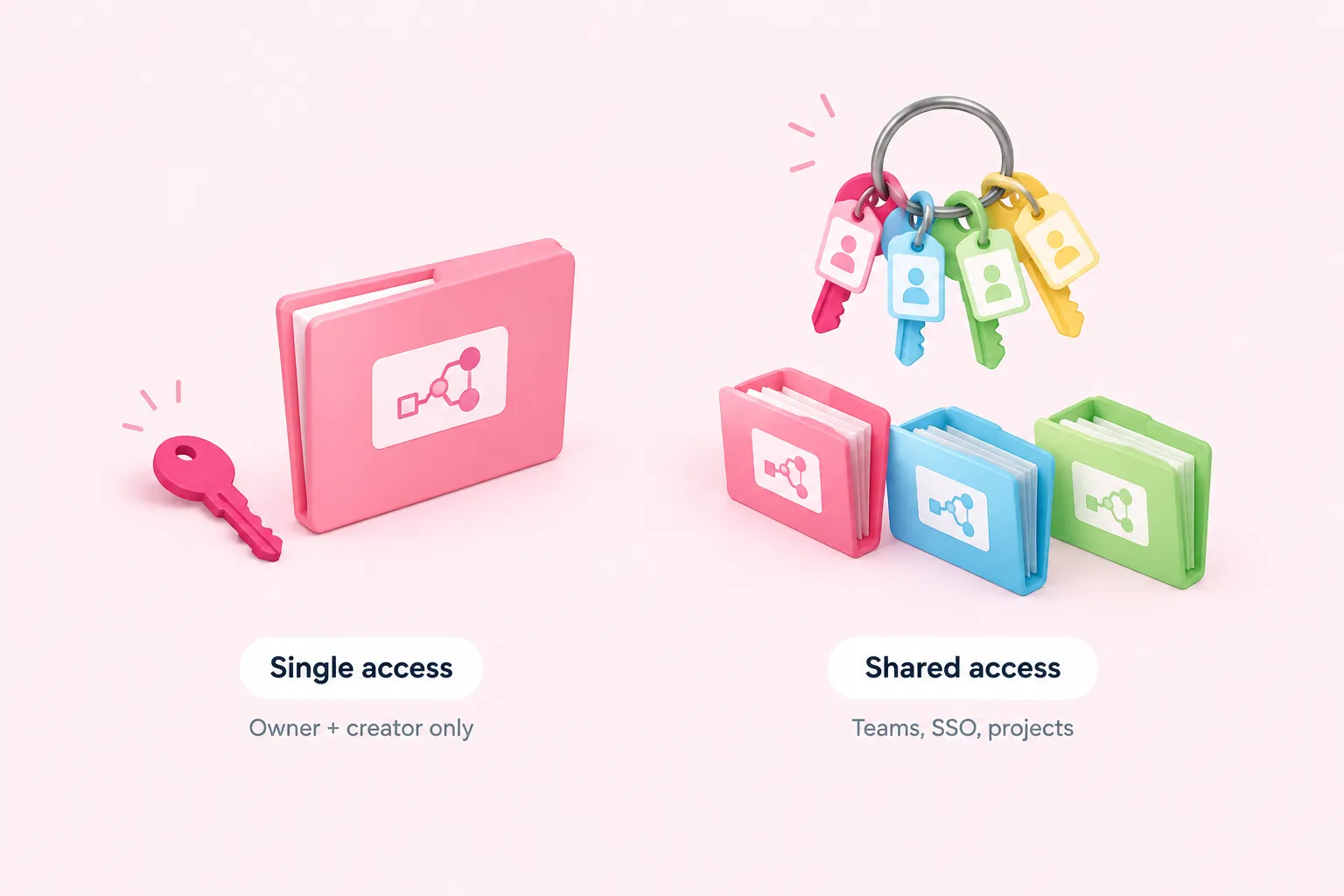
The most common reason a team outgrows the free edition is not a missing node. It is people. Without sharing, only the instance owner and the workflow's creator can open a given workflow or its credentials. That is workable for one builder and a proof of concept, and it quietly breaks the moment a colleague must fix a failing workflow at eight in the morning.
Business and Enterprise are where that changes. SAML SSO is documented as available on the Business and Enterprise plans, and only an instance owner or admin can enable and configure it. Projects arrive at the paid tiers too, with Enterprise described as offering unlimited shared projects.
So the n8n pricing model rewards a specific question: how many named humans must legitimately touch the same automation? Answer that before you build a feature wish list. The short checklist below is a suggestion for framing that conversation, not a formal assessment.
Sources: Compare editions | Deploy | n8n Docs, n8n Plans and Pricing - n8n.io, Use SAML | Administer | n8n Docs
Governance, secrets and operations at the paid tiers
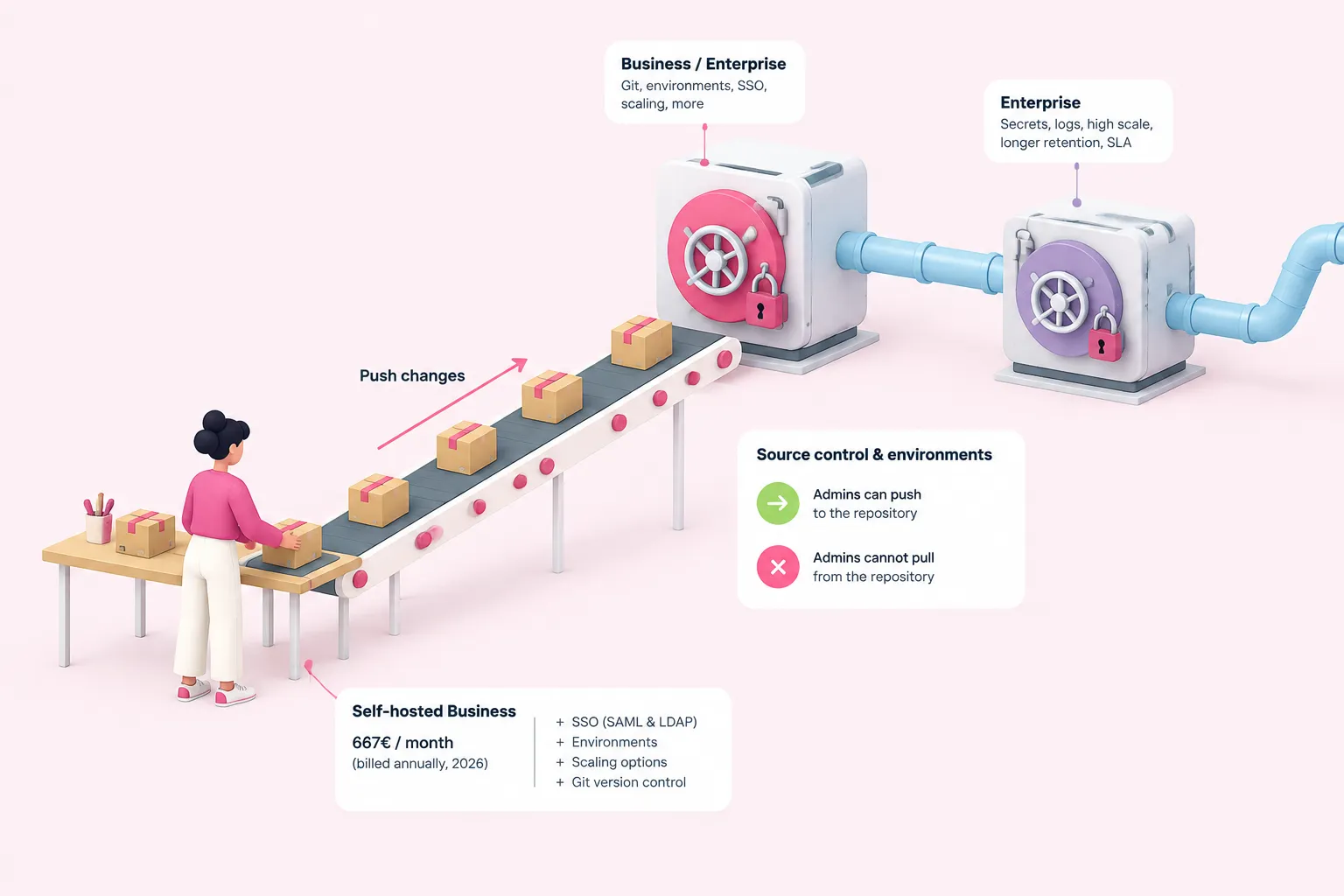
Git-based source control and environments are documented as Business and Enterprise features. One detail matters for how you design review: project admins can push changes to the connected repository, but they cannot pull from it. That shapes who promotes changes between environments and who merely contributes them.
n8n's own pricing page publishes the self-hosted Business plan at 667€ per month billed annually (2026), adding SSO with SAML and LDAP, environments, scaling options and Git version control over the Pro plan. That is the clearest number in any n8n self hosted pricing discussion. The suggested evaluation sequence below reflects that order.
A suggested order for evaluating n8n editions
- Choose deployment: Decide cloud or self-hosted first, since paid features exist on both.
- Register for free: Unlock folders, debug in editor and custom execution data at no cost.
- Count access needs: Check whether more than the owner and creator must open workflows.
- Test governance needs: Decide if Git-backed review and separate environments are required.
- Price the gap: Compare the published Business figure against Enterprise-only capabilities.
Enterprise is where the heavier operations criteria land: external secret store integration, log streaming, more than 200 concurrent executions and extended data retention. Support follows the same line, since the vendor's pricing FAQ states that dedicated support with an SLA is Enterprise-only, while Business support is self-serve forum support.
Everything here is vendor-published documentation and pricing. No independent benchmark or third-party evaluation was supplied, and nothing in these sources describes migration effort or the real-world behaviour of queue mode versus multi-main mode.
Sources: n8n Plans and Pricing - n8n.io, Use source control and environments | Administer | n8n Docs
When a team should move to n8n enterprise pricing, and what to verify first
A reasonable rule of thumb to consider: stay free while one person builds, register the instance immediately because it costs nothing, and open n8n enterprise pricing conversations only when shared access or change review becomes a daily obstacle. Enterprise only becomes relevant once those advanced security and scaling needs are real.
Most engineering discipline does not need a licence at all. Naming conventions, error-handling patterns, retries and peer review of workflows can be standardised on Community today, and they make any later upgrade a budgeting choice rather than an emergency.
Before committing budget, confirm current prices and per-plan inclusions on the vendor pricing page. No supplied source gives Enterprise pricing, minimum seat counts or contract terms, and n8n states that feature availability changes over time.
Sources: Compare editions | Deploy | n8n Docs, Choose how to use n8n | n8n Docs, n8n Plans and Pricing - n8n.io