The n8n Wait Node: Handling Retries and Rate-Limited APIs
A practical walkthrough of the n8n Wait node for pausing a workflow against a rate-limited API and resuming with the same in-flight data, plus retry and backoff patterns.

Checked against the cited sources on .
Prerequisites and Goal: Pausing a Rate-Limited Workflow
If a workflow you're building calls an API that enforces rate limits, the n8n Wait node lets you pause execution and pick up again later with the same in-flight data, instead of losing the items you were partway through processing. This tutorial assumes you already have an n8n workflow that calls an external API from an HTTP Request node, and that the API sometimes responds slowly, asks you to slow down, or returns a rate-limit error.
- An n8n workflow with an HTTP Request node calling the rate-limited API
- Access to add and configure a Wait node in that workflow
- Awareness of the API's rate-limit response, such as a 429 status or a Retry-After header
The underlying idea is simple. n8n's own documentation describes waiting as a way to pause a workflow mid-execution and resume where it left off, with the same data, which is useful for pacing calls to a rate-limited service or waiting on an external event before continuing (F4). To make that pause safe, n8n offloads the execution's in-progress data to its database while the workflow waits, then reloads it when the workflow resumes (F2).
This tutorial combines the Wait node with Retry On Fail, Loop Over Items and an Error Trigger workflow into one continuous design. No single source used here shows all of these combined in one worked example end-to-end; this combination is this tutorial's own synthesis of separate official documentation pages, not a documented reference workflow.
Sources: Wait | Build | n8n Docs, Wait | Nodes | n8n Docs
Step 1 and 2: Configuring the n8n Wait Node and Pacing Requests with Loop Over Items

Start by adding an n8n Wait node after the call you want to pace. The node supports four resume conditions: after a fixed time interval, at a specified time, on an incoming webhook call, or on a form submission (F1). For pacing calls to a rate-limited API, After Time Interval is usually the simplest choice, since you control the delay directly rather than waiting on an external trigger.
| Resume mode | What triggers resume | Typical use |
|---|---|---|
| After Time Interval | A fixed duration you set has elapsed | Pacing calls to a rate-limited API |
| At a Specified Time | The clock reaches a chosen date and time | Scheduling a resume for a known future moment |
| On Webhook Call | An external system calls a generated webhook URL | Waiting for another system to signal readiness |
| On Form Submitted | Someone submits a linked n8n form | Waiting for a person to provide input |
For a list of items you need to send one at a time, n8n's documentation describes pairing a Loop Over Items node with a Wait node: batch the input items with Loop Over Items, make the API call, then place a Wait node after it so the loop pauses between requests instead of firing them all at once (F10). This keeps each iteration's data intact because the workflow, not a separate script, is holding the loop state while it waits.
One detail worth knowing before you rely on very short waits: n8n does not offload execution data to the database for waits under 65 seconds, keeping the process running in memory until the interval passes instead (F3). For occasional short pauses this is invisible; the documentation doesn't describe how this behaves under many concurrent short waits, so treat high-volume stacking of short waits as untested territory to check in your own environment rather than a guaranteed-safe pattern.
Building the retry-and-delay workflow
- Add a Wait node: Place it after the API call and pick a resume condition that fits the situation.
- Pace with Loop Over Items: Batch items and put a Wait node inside the loop to space out requests.
- Enable Retry On Fail: Let the node itself retry briefly with a pause between attempts.
- Build a custom Wait loop: Route failures into a Wait node and back for delays longer than the built-in retry allows.
- Attach an Error Trigger workflow: Catch exhausted retries once the custom loop gives up.
- Honor Retry-After: Use the API's own signal to set the wait duration instead of guessing.
Sources: Wait | Nodes | n8n Docs, Handle rate limits | Nodes | n8n Docs
Step 3 and 4: Automatic Retry On Fail vs a Custom Wait-Node Backoff Loop
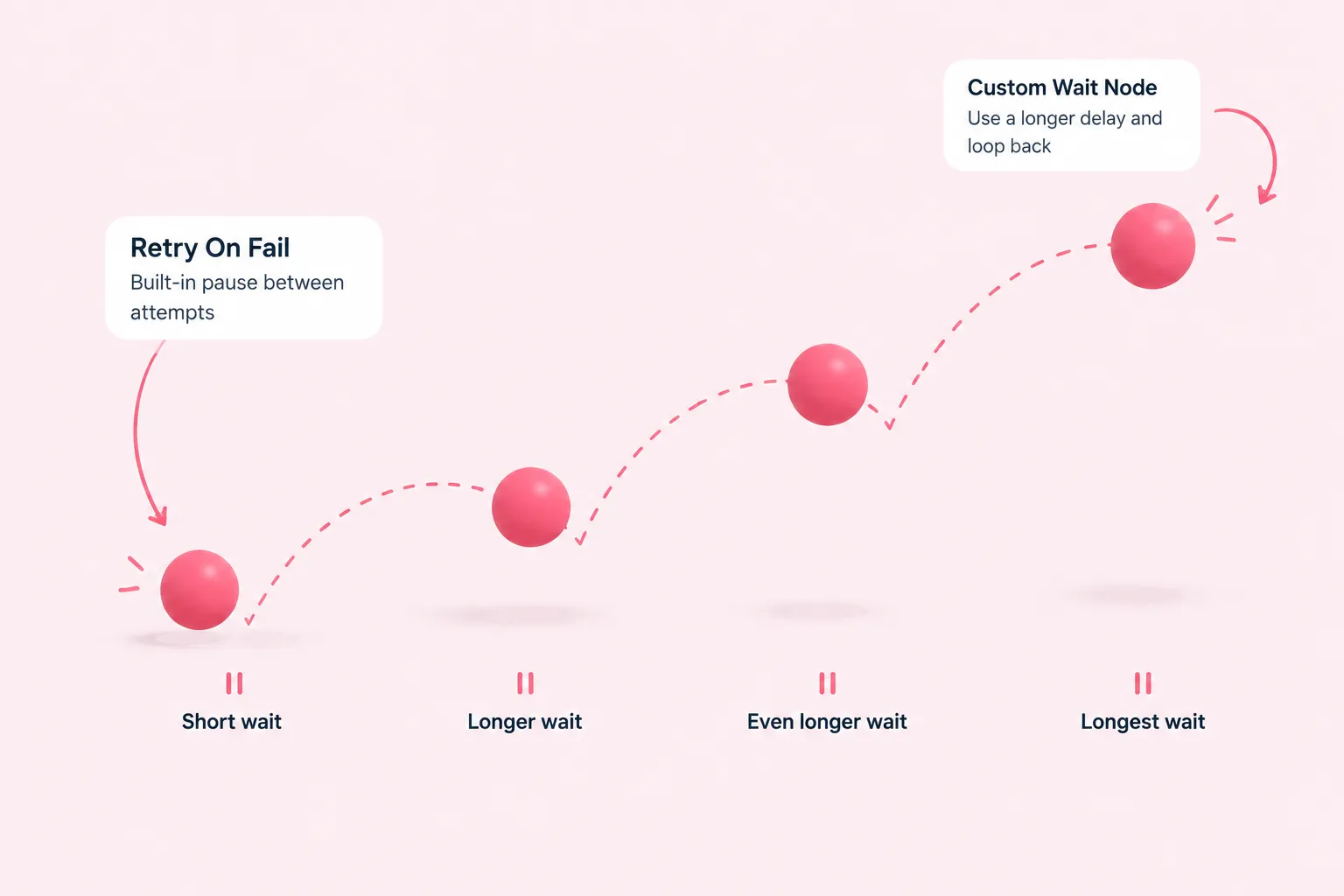
For short, node-level retries, enable Retry On Fail on the HTTP Request node. n8n's documentation describes this setting as adding a pause between automatic retry attempts, which is one built-in way to handle rate limits without building extra logic (F9). Try this first before reaching for a custom loop, since it needs no additional nodes.
Retry On Fail has a ceiling. A community forum contributor describes the node's built-in retry wait as capped at around 5000 milliseconds, and works around that limit by routing the node's error output into a separate Wait node set to whatever longer delay is needed, then looping back into the same node (F12). This is one contributor's account from a forum thread rather than documented n8n behavior, so treat the exact cap as unverified and test it in your own workflow before depending on it.
- Connect the node's error output to a new Wait node instead of letting the workflow fail
- Set that Wait node's duration to the delay you actually need
- Route the Wait node's output back into the original API-calling node
- Cap the number of loop passes so a persistently failing call eventually stops retrying
A related idea shared on a personal blog replaces a single fixed Wait duration with a dynamically computed one, based on the API's own retry-after signal and a backoff curve that lengthens with each attempt, rather than always waiting the same amount of time (F11). That post also promotes a paid workflow template, and its technical details are not confirmed by n8n's own documentation, so use it as a pattern to adapt and verify rather than a proven recipe.
Sources: Handle rate limits | Nodes | n8n Docs, Every node: Retry on fail > max. 5000ms > why? - Questions - n8n Community, How I Ended Up Building a Stable Async Processor for n8n (and Turned It Into a PRO Tempate) - DEV Community
Step 5 and 6: Catching Exhausted Retries and Respecting Retry-After
Once your custom Wait loop has retried as many times as you allow, hand the failure to an error workflow rather than letting it disappear. An error workflow must start with an Error Trigger node, and the same error workflow can be reused across several workflows (F7). Keep in mind that the Error Trigger only fires for automatically executed workflows, not for manual test runs, so you can't confirm this path just by clicking "Execute Workflow" (F5). To verify it deliberately, add a Stop And Error node under a test condition; it forces the workflow to fail and triggers the linked error workflow on purpose (F8).
- Start the error workflow with an Error Trigger node, which you can reuse across multiple workflows
- Remember that automatic executions trigger the Error Trigger, not manual test runs
- Force a deliberate failure with a Stop And Error node to confirm the error workflow actually fires
One interaction isn't covered by the sources used here: how a Wait node's resume behaves if the same workflow also has an Error Trigger or Stop And Error node active at the same time. This isn't documented in the official pages this tutorial draws on, so test your specific combination of Wait and error-handling nodes carefully before relying on it in production.
When your error workflow receives the failure data, it includes a retryOf field that is only present when the reported execution was itself a retry of an earlier failed one, which is useful context for distinguishing a first-time failure from an exhausted retry chain (F6).
Finally, don't guess your wait durations when the API tells you what to do. n8n's own guidance recommends that after a 429 response, a workflow should read the API's response headers and use any Retry-After value to decide how long to wait before trying again, instead of retrying immediately or on a fixed schedule (F13). Feed that value into your Wait node's duration so your pacing follows the API's own signal rather than an arbitrary guess.
Sources: Handle errors gracefully | Build | n8n Docs, Error Trigger | Nodes | n8n Docs, A Guide to API Rate Limiting for More Reliable Workflows – n8n Blog
Expected Results and Troubleshooting the n8n Wait Node
With this set up, a workflow calling a rate-limited API should pause cleanly at each n8n Wait node, keep its in-flight items intact because n8n offloads execution data to its database while waiting (F2), and resume automatically once the interval, time, webhook call or form submission you configured occurs (F1). Retries that exceed your built-in limits should land in your error workflow with enough context, including the retryOf field, to tell a fresh failure apart from an exhausted retry chain (F6).
A short wait that resumes almost instantly is expected, not a bug (F3). If your error workflow never seems to run during testing, that's likely the manual-run limitation already covered in Step 5 and 6, not a configuration problem (F5).
Sources: Wait | Nodes | n8n Docs, Error Trigger | Nodes | n8n Docs, Handle errors gracefully | Build | n8n Docs, A Guide to API Rate Limiting for More Reliable Workflows – n8n Blog