n8n MCP server GitHub project vs n8n's built-in MCP options
Compare the n8n MCP server GitHub project czlonkowski/n8n-mcp with n8n's MCP Server Trigger, MCP Client Tool and instance-level MCP on setup, access and maintenance.

Checked against the cited sources on .
Four MCP options, two directions
If you are looking for an n8n MCP server GitHub project, one community option is czlonkowski/n8n-mcp. n8n also has its own MCP features, and they do different jobs. This comparison covers four options: the MCP Server Trigger, the MCP Client Tool, the instance-level MCP server and the community n8n-mcp server. For each one, it looks at setup, what it exposes, access control and maintenance.
The first thing to check is direction. Two built-in options, the MCP Server Trigger and the instance-level server, let outside AI clients call into n8n. n8n-mcp is a separate server that AI assistants connect to, and it can manage workflows through the n8n API when you give it an API key. The MCP Client Tool works the other way: it lets n8n agents use tools on an external MCP server. There is also a separate MCP Client node, which calls MCP tools as ordinary workflow steps rather than giving them to an agent. It is a nearby option, but this comparison does not cover it in detail.
The comparison relies only on n8n's documentation and the project's README. No hands-on testing was done, and none of the sources measure performance or security results.
Sources: MCP Server Trigger | Nodes | n8n Docs, MCP Client Tool | Nodes | n8n Docs, MCP Client | Nodes | n8n Docs, Connect to n8n MCP server | Connect | n8n Docs, GitHub - czlonkowski/n8n-mcp: A MCP for Claude Desktop / Claude Code / Windsurf / Cursor to build n8n workflows for you · GitHub
MCP Server Trigger and MCP Client Tool
According to n8n's documentation, the MCP Server Trigger node makes n8n act as an MCP server. It gives you a URL that MCP clients use to reach the n8n tools attached to it. Connecting clients can authenticate with None, Bearer auth or Header auth.
There is one operations caveat for self-hosted queue mode. If you run several webhook replicas, send all /mcp* requests to one dedicated replica, or connections will break.
The n8n MCP Client Tool lets an n8n AI Agent use tools from an external server. It supports Bearer, generic header, multiple-header and OAuth2 authentication. You can also choose which of the server's tools the agent sees: All, Selected or All Except. That filter only affects what the agent sees inside n8n. It does not control access on the remote server.
Sources: MCP Server Trigger | Nodes | n8n Docs, MCP Client Tool | Nodes | n8n Docs
Instance-level MCP server: one connection, per-workflow opt-in
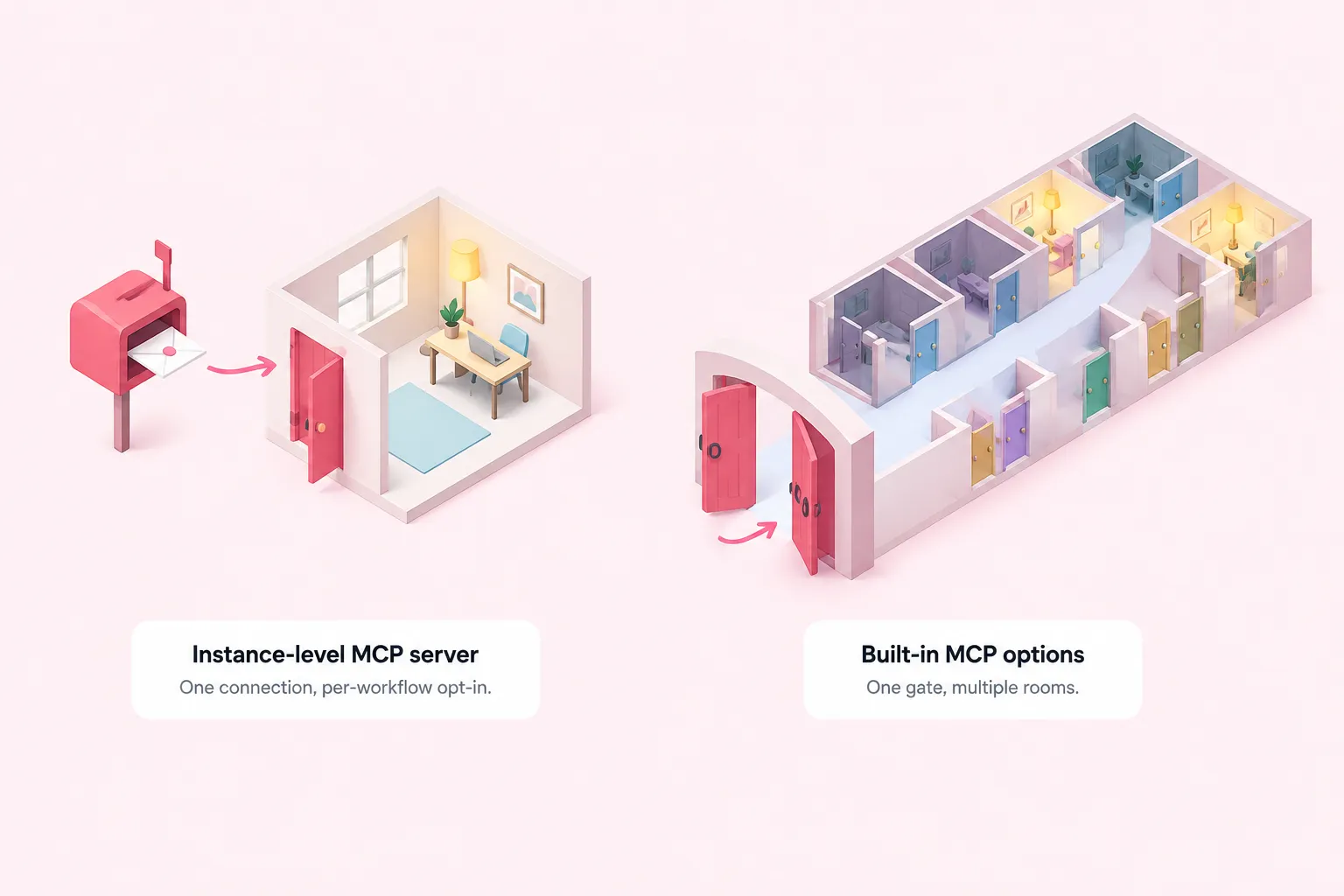
n8n's documentation compares the two built-in server options this way. Instance-level MCP gives you one connection per instance with centralized authentication. The MCP Server Trigger exposes tools from a single workflow. Available features depend on your n8n version. The sources don't say which Cloud plans or editions include instance-level MCP.
Access is not scoped to each client. Every connected client sees all MCP-enabled workflows, although each user's own permissions still limit what they can see. By default, n8n accepts any OAuth callback URL. Owners and admins can restrict this to trusted URLs, and the docs say that setting needs n8n 2.33.0 or later.
Sources: Connect to n8n MCP server | Connect | n8n Docs
The n8n MCP GitHub project: czlonkowski/n8n-mcp
The n8n MCP server GitHub project serves a different purpose. The project's README describes it as a community server that gives AI assistants the documentation, properties and operations of n8n nodes. It says it covers 2,791 nodes, but that number is the project's own claim and hasn't been independently checked.
Its management tools can create and delete workflows. To use them, you give the server your n8n API URL and an API key. The README strongly warns against letting AI edit production workflows directly.
The README content reviewed for this article doesn't show how the n8n-mcp endpoint itself is authenticated, what the hosted-service terms are, or how often the project is maintained. Treat those points as unknown until you check the n8n MCP server GitHub repository yourself.
Side-by-side comparison
The table below compares the four options on the same criteria. Cells marked Unknown or Not documented mean the sources don't cover that point.
| Option | Direction | Setup | Exposes | Authentication | Maintenance / operations |
|---|---|---|---|---|---|
| MCP Server Trigger | Clients call n8n | Add the node to a workflow; clients use its URL | Tools from one workflow | None, Bearer or Header auth | Queue mode: route /mcp* requests to one replica |
| MCP Client Tool | n8n calls a server | Add the node to an AI Agent and choose auth | External tools, filtered for the agent | Bearer, header, multiple headers or OAuth2 | Unknown |
| Instance-level MCP | Clients call n8n | One connection per instance; enable individual workflows | All MCP-enabled workflows | Centralized, with OAuth callback limits | Features vary by version; plan support not documented |
| czlonkowski/n8n-mcp | AI assistant calls the server | Management tools need an n8n API URL and API key | Node knowledge and workflow management | n8n API key; endpoint auth unknown | Maintenance cadence unknown |
Sources: MCP Server Trigger | Nodes | n8n Docs, MCP Client Tool | Nodes | n8n Docs, Connect to n8n MCP server | Connect | n8n Docs, GitHub - czlonkowski/n8n-mcp: A MCP for Claude Desktop / Claude Code / Windsurf / Cursor to build n8n workflows for you · GitHub
Controlling access as a team

Choose the option by direction first. Use the MCP Client Tool when agents need outside tools. Use the Server Trigger to publish one curated toolset. Use the instance-level server when many workflows should be reachable through centrally managed access. Use n8n-mcp when a coding assistant needs node knowledge. The checklist below is an editorial suggestion, not a validated standard.
Sources: MCP Server Trigger | Nodes | n8n Docs, MCP Client Tool | Nodes | n8n Docs, Connect to n8n MCP server | Connect | n8n Docs, GitHub - czlonkowski/n8n-mcp: A MCP for Claude Desktop / Claude Code / Windsurf / Cursor to build n8n workflows for you · GitHub