n8n AI Agent Tutorial: Build Your First Agent
A hands-on n8n AI agent tutorial: connect a chat model, add tools and memory, then troubleshoot looping and tool-selection problems.
Checked against the cited sources on .
Prerequisites: what the AI Agent node needs before you start
This n8n AI Agent tutorial assumes you already have an n8n workspace open and know how to add and connect nodes on the canvas; it focuses on what the AI Agent node specifically needs, not on the general editor basics.
According to n8n's official reference documentation, the AI Agent node will not run unless at least one tool sub-node is connected to it, and its core pattern is a chat model connected alongside one or more tools that the agent chooses between at runtime.
You will also need working credentials for whichever chat model provider you pick, since the agent cannot call a model it cannot authenticate to. If you plan to give the agent memory of the conversation, decide on a session identifier now, because n8n's Simple Memory node keeps each conversation's short-term store separate by session ID.
Sources: AI Agent | Nodes | n8n Docs, AI Agent Memory: Types, Storage, and Retrieval Guide – n8n Blog
Goal: what your n8n AI agent will build (chat model, tools, memory)
The target for this build is deliberately small: one chat model, one or two tools, and a single memory sub-node, so you can see how each piece changes the agent's behavior before adding complexity. This is the same minimal shape n8n's own documentation describes as the node's core pattern.
Keep in mind that an AI Agent node accepts only one memory sub-node at a time. If you later want both short-term conversation memory and something like a document search, n8n's guidance is to add the second capability as a tool the agent can call, rather than as a second memory node.
Sources: AI Agent | Nodes | n8n Docs, AI Agent Memory: Types, Storage, and Retrieval Guide – n8n Blog
Step 1: Connect a chat model and at least one tool
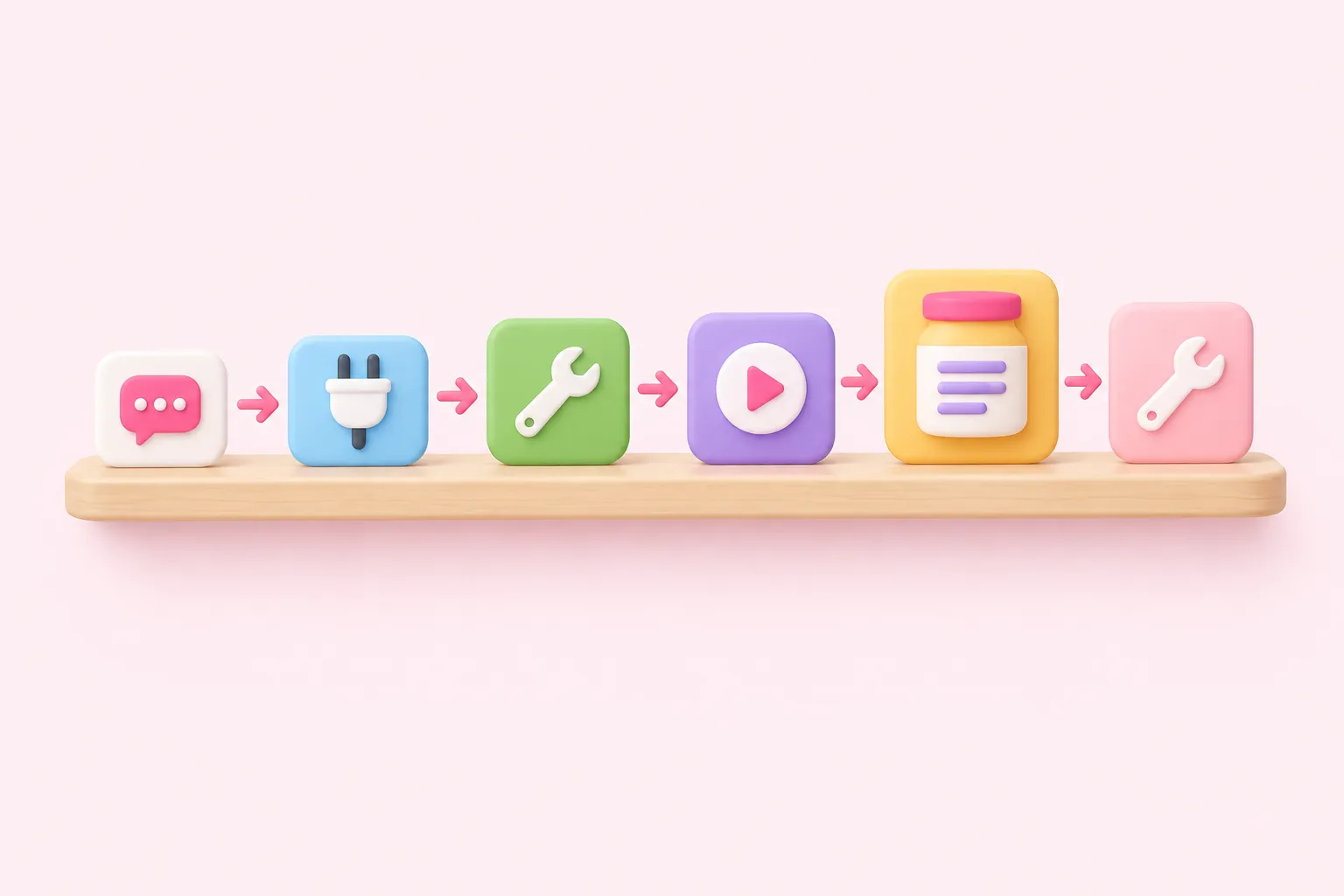
With the shape decided, build the agent in a fixed order so each addition is easy to test on its own. This n8n AI agent tutorial follows the same approach as a documented n8n tutorial for a more advanced agent with memory and search, which starts from its dependencies before wiring nodes together, even though that particular walkthrough uses MongoDB Atlas nodes that n8n describes as experimental and is a different, more specific build than the minimal agent here.
Add the AI Agent node, connect a chat model sub-node to it, then connect one tool sub-node. Confirm credentials for both before moving on, then add the memory sub-node last so you can isolate any problems it introduces.
- Add an AI Agent node to your workflow canvas
- Connect a chat model sub-node and select or create its credentials
- Wire in one tool sub-node and set up its credentials
- Run the agent with a simple test message and confirm it responds using the tool
- Add a Simple Memory sub-node with a session ID and re-test the same conversation
- Add a second tool only after the first tool and memory both work reliably
Building the agent step by step
- Add the node: Place the AI Agent node on the canvas as the center of the build.
- Connect a model: Wire in a chat model sub-node with working credentials.
- Connect one tool: Add a single tool sub-node so the agent has something to call.
- Test alone: Run a simple message before adding anything else.
- Add memory: Wire in short-term memory keyed to a session ID for the conversation.
- Add a second tool: Only once the first tool and memory both behave as expected.
Sources: AI Agent | Nodes | n8n Docs, Build an AI Agent with MongoDB Atlas for RAG – n8n Blog
Step 2: Test the agent and read the expected result
Once the model, one tool and memory are connected, send a test message that clearly needs the tool, for example a question the model cannot answer from its own training. A correctly wired n8n AI agent should call the tool, use its output in the response, and, on a follow-up message in the same session, still recall earlier context because of the Simple Memory node's per-session store.
If the agent answers without using the tool at all, or cannot recall the earlier message, isolate the problem by removing the memory node first and retesting the tool call alone, then reintroducing memory once the tool call itself is confirmed working.
Sources: AI Agent | Nodes | n8n Docs, AI Agent Memory: Types, Storage, and Retrieval Guide – n8n Blog
Troubleshooting: tool-selection confusion and runaway loops
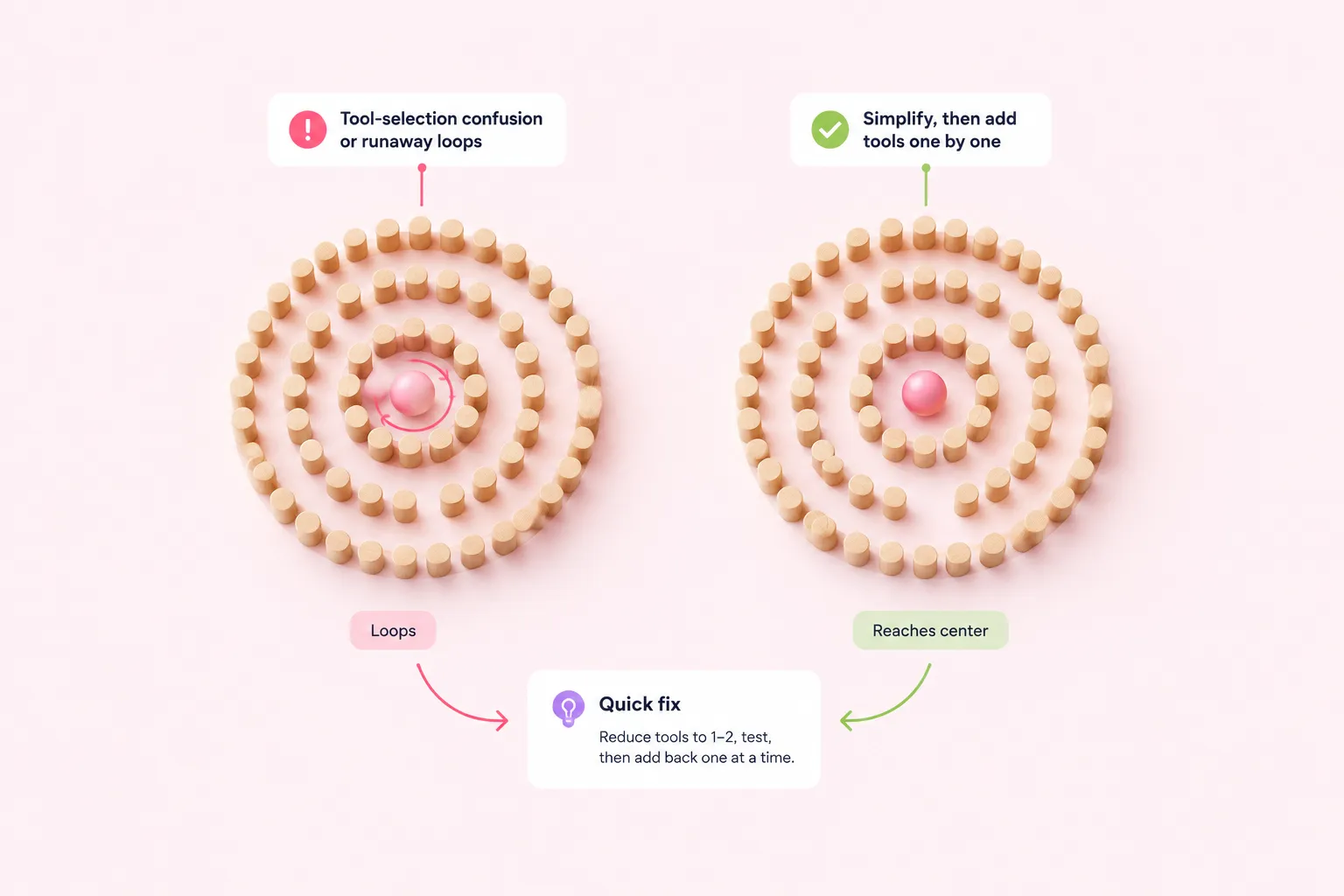
Two related problems tend to show up once you add a second or third tool to n8n AI agents: the agent calling the wrong tool, or the agent looping through calls until it hits its iteration limit and fails. One community forum member reported that adding more than two tools reliably caused this kind of loop, regardless of which tools were involved, though this is a single self-reported case from an n8n 1.49 workflow in 2024 and n8n has not officially confirmed the cause, so treat it as one data point rather than a documented behavior.
A responder in that same thread suggested the looping often traces back to model capability and ambiguous tool descriptions rather than a flaw in the node itself, and the original poster reported the loop resolving after simplifying their tool descriptions. Again, this is one user's unverified account, not a confirmed fix.
If your agent loops or maxes out its iterations after adding a tool, strip the tool count back down to one or two, confirm the agent behaves correctly, then re-add tools one at a time so you can see exactly which addition triggers the problem.
Isolating a tool-selection or looping problem
- Reduce: Remove tools down to just one or two connected to the agent.
- Retest: Send the same test message and confirm normal behavior returns.
- Re-add one: Reconnect a single additional tool and test again before adding more.
- Compare: Note whether the loop returns with that specific tool or description.
Sources: Trouble with AI Agents - Questions - n8n Community
Troubleshooting: writing clearer tool descriptions
Because the community thread traced its loop to tool descriptions rather than the tool's underlying service, write each tool's description around when and why the agent should call it, not around how the tool works internally or which third-party API it wraps. A description that reads like a decision rule for the model, rather than a technical summary of an integration, is easier for the agent to match against a user's request.
Treat any specific rewrite that worked for someone else as a hypothesis to test in your own workflow rather than a guaranteed fix.
Sources: Trouble with AI Agents - Questions - n8n Community
What changes when this agent needs to run for a team
The Simple Memory node is a reasonable starting point for this n8n AI agent tutorial's first build because it is easy to wire up, but n8n's own guidance notes that this per-session, in-memory pattern is built for single-instance deployments. Once a team runs the agent across multiple worker instances or needs memory to persist reliably, the documented recommendation is to move to Postgres or Redis Chat Memory instead.
If your team later wants both conversation memory and something like document search, remember that an AI Agent node only accepts one memory sub-node, so the documented approach is to add the second capability as a tool rather than a second memory connection. That tradeoff is the kind of memory-and-tooling tangle Pavel Duchovny, Lead Developer Advocate at MongoDB, described while walking through an n8n tutorial on agent memory and vector search. His observation underscores why memory design deserves its own decision at team scale, separate from which tools you wire in once a single in-memory session is no longer enough.
Sources: AI Agent Memory: Types, Storage, and Retrieval Guide – n8n Blog