Tray.ai vs n8n for Enterprise Automation
A criteria-based look at Tray ai vs n8n for enterprise integration and AI workflow orchestration, covering connectors, governance, pricing and self-hosting.

Checked against the cited sources on .
What each platform is built for
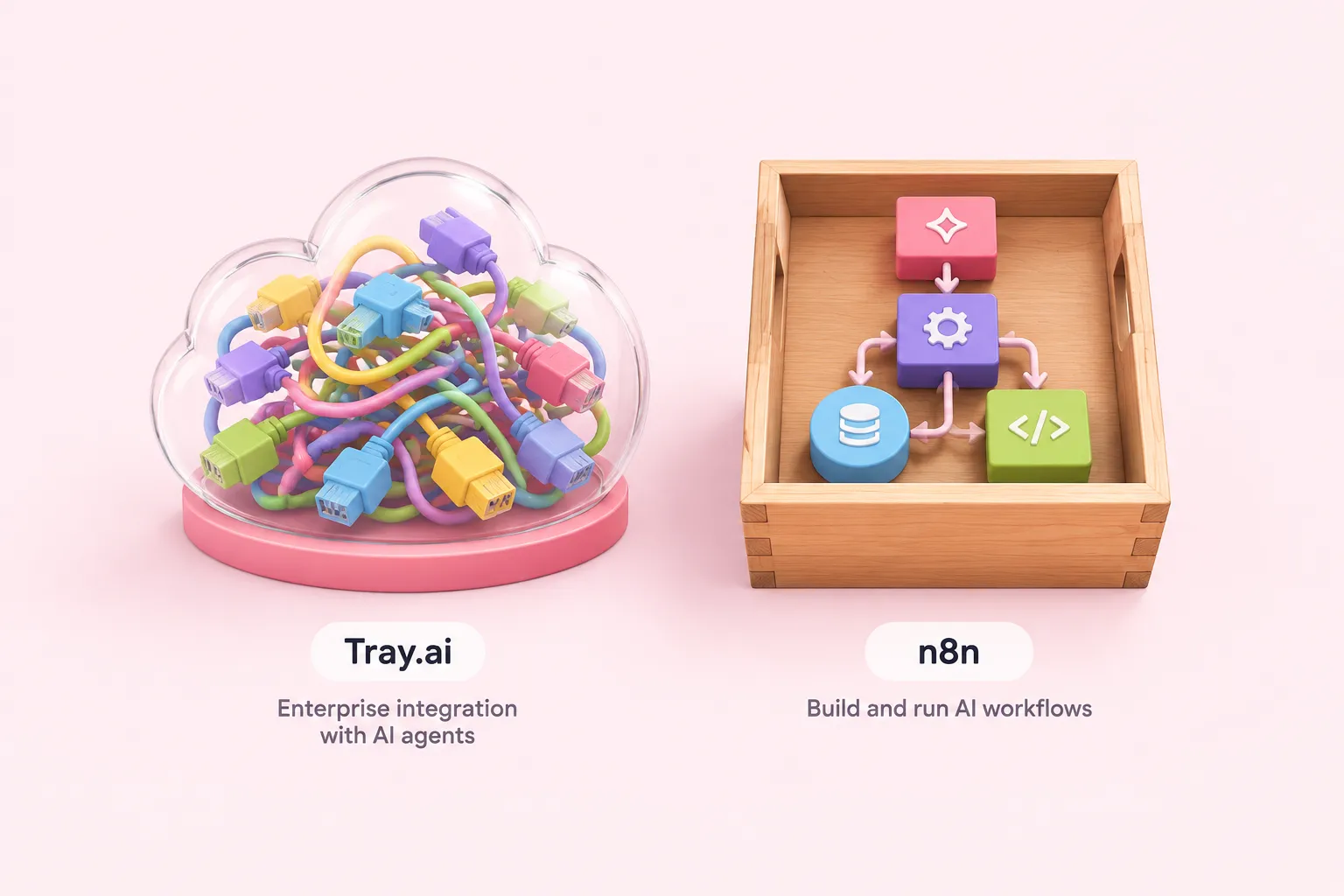
Comparing Tray ai vs n8n is really a question about two different starting points. Tray.ai positions itself on its own documentation and marketing pages as an enterprise integration platform built around AI agents that call a large catalog of connectors, with governance layered on top for organizations that need audit trails on those agent actions.
n8n's own repository page describes it instead as an "AI-Native Automation Platform" that lets a team build and operationalize AI workflows and multi-step agents using its own data, models and tools, and states the platform can run self-hosted or in the cloud. Both companies describe AI orchestration as central to their pitch, but the deployment model and the way each one is licensed diverge sharply once you look past the marketing language.
Sources: All Connectors - Tray.ai Documentation, Pricing | Tray.ai, Agent Gateway Overview - Agent Gateway - Tray.ai Documentation, GitHub - n8n-io/n8n: Fair-code workflow automation platform with native AI capabilities. Combine visual building with custom code, self-host or cloud, 400+ integrations. · GitHub
Connector depth: Tray.ai's documented catalog vs n8n's integration counts

Tray.ai's own "All Connectors" documentation page listed 556 connectors at its October 2026 retrieval, including dedicated SAP Business One and SAP S/4HANA Cloud connectors named explicitly on that page. Its separate pricing page, however, states that every plan includes "700+ connectors," a different figure from the one on its own documentation browse page, and Tray does not reconcile the two counts anywhere in the supplied text.
n8n's self-reported numbers are just as inconsistent. Its GitHub repository page states it connects to "1500+ integrations" in one section while a separate meta-description on the same page says "400+ integrations," and n8n's own integrations directory page displayed a count of 2,307 integrations at retrieval, a third and higher figure than either GitHub number.
We'd treat none of these headline numbers as a precise total. Marketing connector counts rarely state whether they count a trigger and an action for the same app separately, so the only reliable check is to search each platform's current catalog for the specific systems your workflows actually need, such as the SAP connectors Tray.ai documents by name.
Sources: All Connectors - Tray.ai Documentation, Pricing | Tray.ai, GitHub - n8n-io/n8n: Fair-code workflow automation platform with native AI capabilities. Combine visual building with custom code, self-host or cloud, 400+ integrations. · GitHub, Best apps & software integrations | n8n
Governance controls: Tray.ai's Agent Gateway and security program vs n8n's RBAC and enterprise controls

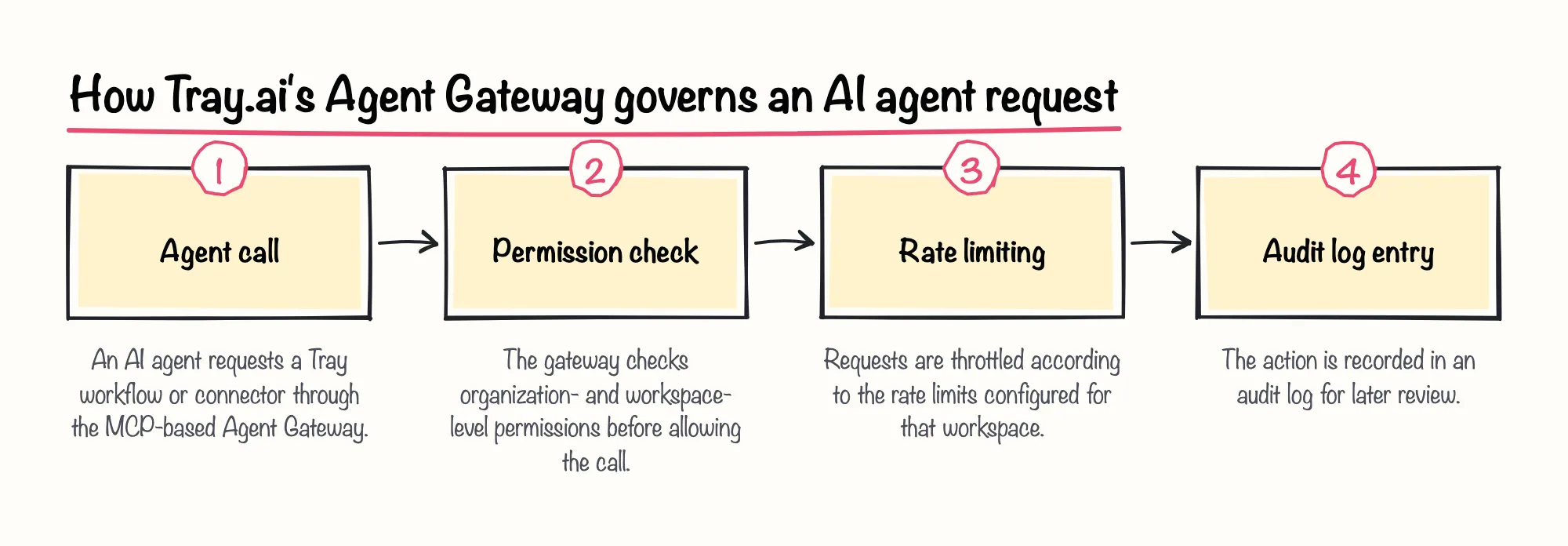
Tray.ai's Agent Gateway, built on the Model Context Protocol, gives organization- and workspace-level permissions, rate limiting and audit logs for AI agents that invoke Tray workflows and connectors as MCP tools. The documentation notes that Agent Gateway has to be separately enabled by Tray's Customer Success team, and it does not state which pricing tier includes this by default.
Rich Waldron, Tray.ai's co-founder and CEO, described the broader challenge of supervising AI agents across a growing vendor stack in an interview on the Humans of Martech podcast. The quote below captures how governance-minded that oversight role becomes, though it describes a general industry challenge rather than a direct Tray-versus-n8n comparison.
Tray.ai also states, as of its security page's last-updated date of 17 December 2025, that it undergoes annual SOC 1 Type 2 and SOC 2 Type 2 audits and is HIPAA-compliant as a Business Associate; these are self-reported compliance claims, not audit reports supplied to us.
n8n's governance model is structured around project-based roles instead. Its documentation states the Project Editor role, which can create, update and delete workflows, credentials and executions, is available on n8n Cloud Pro and on self-hosted Enterprise, while the read-only Project Viewer role is restricted to n8n Cloud Enterprise and self-hosted Enterprise. In our view, that's a reasonable way to gate write access behind a paid tier, but it means a team on a lower n8n plan or Community edition won't get even read-only project isolation.
Sources: Agent Gateway Overview - Agent Gateway - Tray.ai Documentation, Security Statement - Security & Compliance - Tray.ai Documentation, See available roles | Administer | n8n Docs
Pricing model: Tray.ai's usage-based task tiers vs n8n's license-based free/commercial split
Tray.ai describes its pricing as usage-based across three named tiers, Pro, Team and Enterprise, with a custom quote required from sales rather than published per-seat or per-task prices. It bills usage in "tasks," which it defines as roughly equivalent to one workflow step, but separate conversion metrics apply to AI tokens and to Merlin document-processing pages, and the exact token-to-task conversion ratio is not published; Tray says it must be obtained from its own customer support.
Advanced governance and compliance features, including on-premise SSO, HIPAA support and regional hosting, are reserved for Tray's Enterprise tier rather than Pro or Team, according to its pricing page.
n8n takes a license-based approach instead of a usage-based one. Its self-hosted source code ships under n8n's own Sustainable Use License, which is free for a user's internal business, non-commercial or personal purposes but not for commercial redistribution, while separate proprietary Enterprise licenses are sold on top for enterprise customers. We'd flag the AI-task ambiguity as the bigger practical risk here: a usage-based model where the token conversion isn't published makes it hard to budget an AI-heavy workload before you've already built it.
Sources: Pricing | Tray.ai, Usage & Billing - Enterprise Core - Tray.ai Documentation, Community license | n8n Community license | n8n Docs
Self-hosting options: Tray.ai's hosted SaaS plus on-prem connectivity agent vs n8n's fully self-hostable deployment
Tray.ai's own documentation describes the platform itself as multi-tenant SaaS, hosted by Tray across three segregated AWS regions, with US-West as the default region and separate EU and APAC regions. Tray also offers an on-prem agent and AWS-specific connectivity options, including Transit Gateway, PrivateLink and VPC Peering, so the hosted platform can securely reach a customer's on-premises services and databases without exposing them to the public internet. That agent connects Tray's cloud to internal systems; it is not a way to run the Tray application itself on a customer's own servers.
n8n's documentation describes a genuinely self-hostable architecture, including a queue mode where multiple n8n instances split roles between a main instance and Redis-backed worker instances to scale executions, and a multi-main setup for high availability that is available on self-hosted Enterprise but not on n8n Cloud at all. n8n's enterprise page also states the platform can be deployed self-hosted, air-gapped on a private network, or on managed cloud, with SSO, SAML and LDAP support for an existing authentication service.
We're optimistic about what that flexibility means for teams with a hard air-gap requirement: n8n's own pages describe that path directly, where Tray.ai's documentation only describes connecting a hosted platform to on-prem systems.
Sources: Security Policies - Security & Compliance - Tray.ai Documentation, On Prem Options - On-Premise Systems - Tray.ai Documentation, Enable queue mode | Deploy | n8n Docs, Enterprise Workflow Automation Software & Tools | n8n
Tray.ai vs n8n: tradeoffs and unknowns to verify

Put side by side on the same four criteria, Tray ai vs n8n comes down to documented strengths that point in different directions, as the comparison below summarizes.
| Criterion | Tray.ai | n8n |
|---|---|---|
| Connector depth | 556 connectors on its documentation page, 700+ on its pricing page, including named SAP Business One and S/4HANA Cloud connectors | 400+ or 1500+ on its GitHub page, 2,307 on its integrations directory; no SAP-specific connectors documented in the sources checked |
| Governance controls | Agent Gateway (MCP-based permissions, rate limiting, audit logs) plus SOC 1/SOC 2 audits and HIPAA support, with Enterprise-only features | Project-based RBAC (Editor on Cloud Pro and self-hosted Enterprise, Viewer on Enterprise only); SSO, SAML, LDAP on the enterprise page |
| Pricing model | Usage-based tasks across Pro/Team/Enterprise, custom quote only; AI token-to-task ratio not published | License-based: free Sustainable Use License for internal use, separate proprietary Enterprise license; no published dollar figures |
| Self-hosting | Multi-tenant SaaS hosted on AWS; on-prem agent connects to internal systems but does not self-host Tray itself | Self-hosted, air-gapped, or managed cloud; queue mode and multi-main for scaling and high availability on self-hosted Enterprise |
Several gaps remain open regardless of which platform looks stronger on paper. Both companies' connector and integration counts come from their own marketing or documentation pages and disagree with themselves, as shown above, so neither should be treated as a precise or audited total. Feature-availability tags on n8n's documentation, such as which RBAC roles or multi-main setup apply to which plan, reflect the "last updated" dates stated on those pages and may change as n8n revises its plans.
No official n8n pricing page was available in the sources checked, so n8n's Cloud and Enterprise dollar pricing cannot be compared directly against Tray.ai's published Pro, Team and Enterprise tier structure, and no supplied n8n documentation lists SAP-specific connectors to compare against Tray.ai's documented SAP Business One and SAP S/4HANA Cloud connectors.
Before committing, a reader can work through the checklist below.
Sources: All Connectors - Tray.ai Documentation, Pricing | Tray.ai, GitHub - n8n-io/n8n: Fair-code workflow automation platform with native AI capabilities. Combine visual building with custom code, self-host or cloud, 400+ integrations. · GitHub, Best apps & software integrations | n8n, Enable queue mode | Deploy | n8n Docs, See available roles | Administer | n8n Docs
Editorial recommendations for teams making the decision
When the choice between Tray ai vs n8n comes down to a hard self-hosting requirement, including air-gapped deployment, lean on the self-hosting advantage n8n documents above.
If governance means per-tool control over AI agents layered on a large connector catalog, Tray.ai's Agent Gateway is the feature to pressure-test with its sales team. If governance means project-level RBAC tied to a self-hosted deployment tier, n8n's documentation is the one to read closely, and which pricing or edition tier unlocks each control.
Resolving the connector-count and pricing unknowns before the demo, not after, is worth the effort, since both vendors' own pages disagree with themselves and a quote-based pricing model makes cost hard to predict otherwise.