Reliability Checklist for n8n Employee Onboarding Workflows
A checklist for building a reliable n8n employee onboarding workflow: trigger checks, provisioning, notifications, error handling and audit trail.

Checked against the cited sources on .
Scope: What an n8n Employee Onboarding Workflow Covers

This checklist is about one thing: making an n8n employee onboarding workflow reliable enough to run against a real new hire's record, not about teaching a developer how to use n8n itself. If your team already has a working automation that creates accounts, provisions tools, sends a welcome message and pings a manager, the checks below help you decide whether it is ready for production rather than a demo.
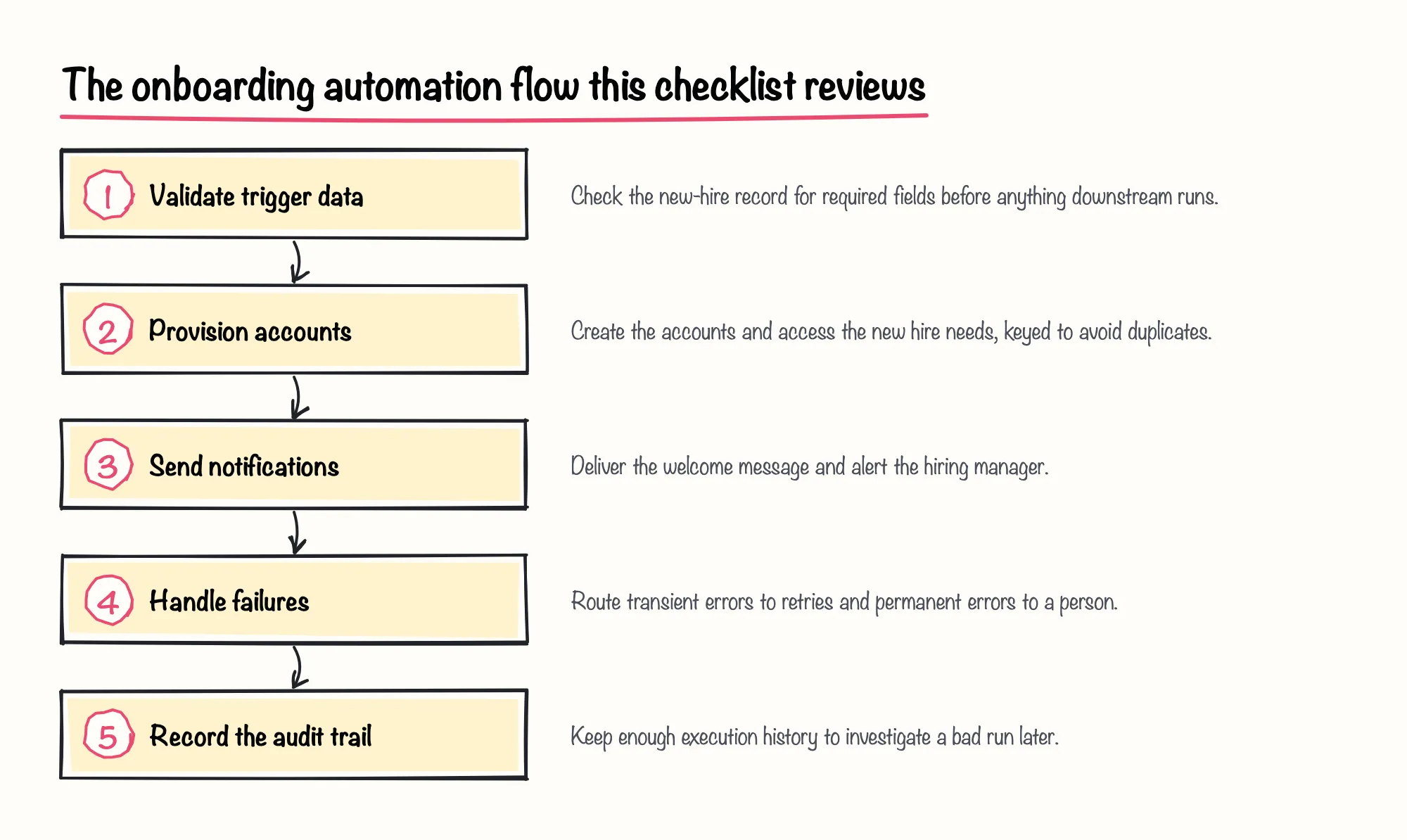
We group the checks into five areas: trigger and data validation, account provisioning, notifications, error handling and the audit trail that proves what happened. The diagram below outlines that flow before we go through each area in turn.
Trigger and Data Source Checks
An n8n employee onboarding workflow usually starts the moment HR submits a new hire's details, so that starting point deserves scrutiny before any account gets created. Treat the trigger payload as untrusted: confirm that the fields the rest of the workflow depends on — name, start date, role and manager — are actually present before anything downstream runs, and route an incomplete submission to a visible error path instead of letting it fail several nodes deep.
- Name and employee identifier present
- Start date present and in the future
- Role or department recognized by downstream steps
- Manager identified for the notification step
- No existing account already matches this person
One company's own account of its internal n8n employee onboarding automation, published on its blog, describes the process starting when someone from PeopleOps fills in a short Slack form; the workflow then checks for an available email address before creating one. That sequence illustrates keeping the trigger simple and putting the first real decision — does this identity already exist — right after it.
Sources: Transforming Onboarding with n8n Magic
Account Provisioning Checks
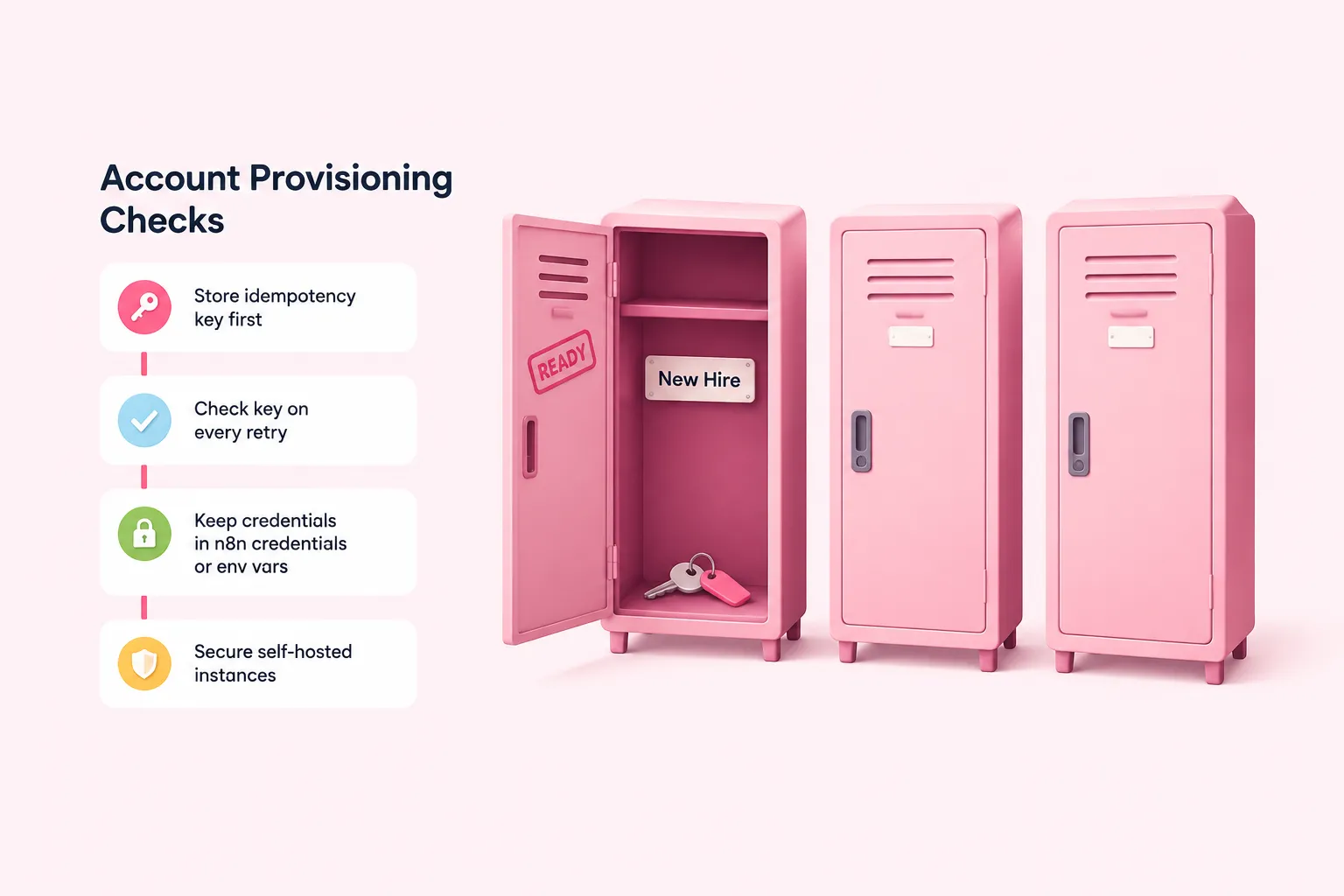
Provisioning is where a retried run does the most damage, because a second pass through a failed workflow can create a duplicate account, mailbox or Slack channel for the same person. A practitioner's own reliability checklist for n8n automations, published on the community site dev.to in 2026, argues for designing retries so they cannot create a second record in the first place.
In practice that means storing an idempotency key, such as the HR system's record ID, before the account-creation step runs, and checking that key on every retry so the workflow can tell 'already done' from 'needs doing.'
- HR system record ID as the idempotency key
- Email address or username as a uniqueness check before creation
- A stored status flag marking 'account created' before notifications fire
We'd treat a single vendor's described sequence — check email availability, then create the account — as a starting shape, not a standard; every HR system and identity provider handles duplicate-detection differently, so copying one company's order of operations without checking it against your own tools is a risk we'd rather avoid.
Keep every credential this workflow needs, such as the identity provider's API key or a mailbox provisioning token, in n8n's credential store or environment variables, never inside workflow data or logs. If the instance is self-hosted, n8n's own security documentation points to running a security audit and setting up SSL and SSO as part of securing it, and if that instance runs in queue mode, its documentation requires the same encryption key environment variable on every worker so credentials decrypt consistently across them.
Sources: 7 Reliability Checks Before You Ship an n8n Automation - DEV Community, Transforming Onboarding with n8n Magic, Security | Deploy | n8n Docs, Set a custom encryption key | Deploy | n8n Docs
Notification and Confirmation Checks
Welcome messages and manager notifications are usually the most visible part of an n8n employee onboarding workflow, built with n8n's own Send Email node or an equivalent messaging node, and failures here are the ones a new hire or their manager notices immediately. One company's documented onboarding build sends the new colleague a welcome email before they join the team's Slack, which is a reasonable place in the sequence for a message like that to sit.
A short human confirmation step at the very end — a PeopleOps or manager check of the small set of things automation cannot see, like hardware readiness or team-specific access — closes the loop. We think that single manual check is worth keeping even once the rest of the workflow is trusted, because it catches the handful of exceptions that no amount of n8n logic will anticipate.
Sources: Error Trigger | Nodes | n8n Docs, Transforming Onboarding with n8n Magic
Error Handling for a Failed Step
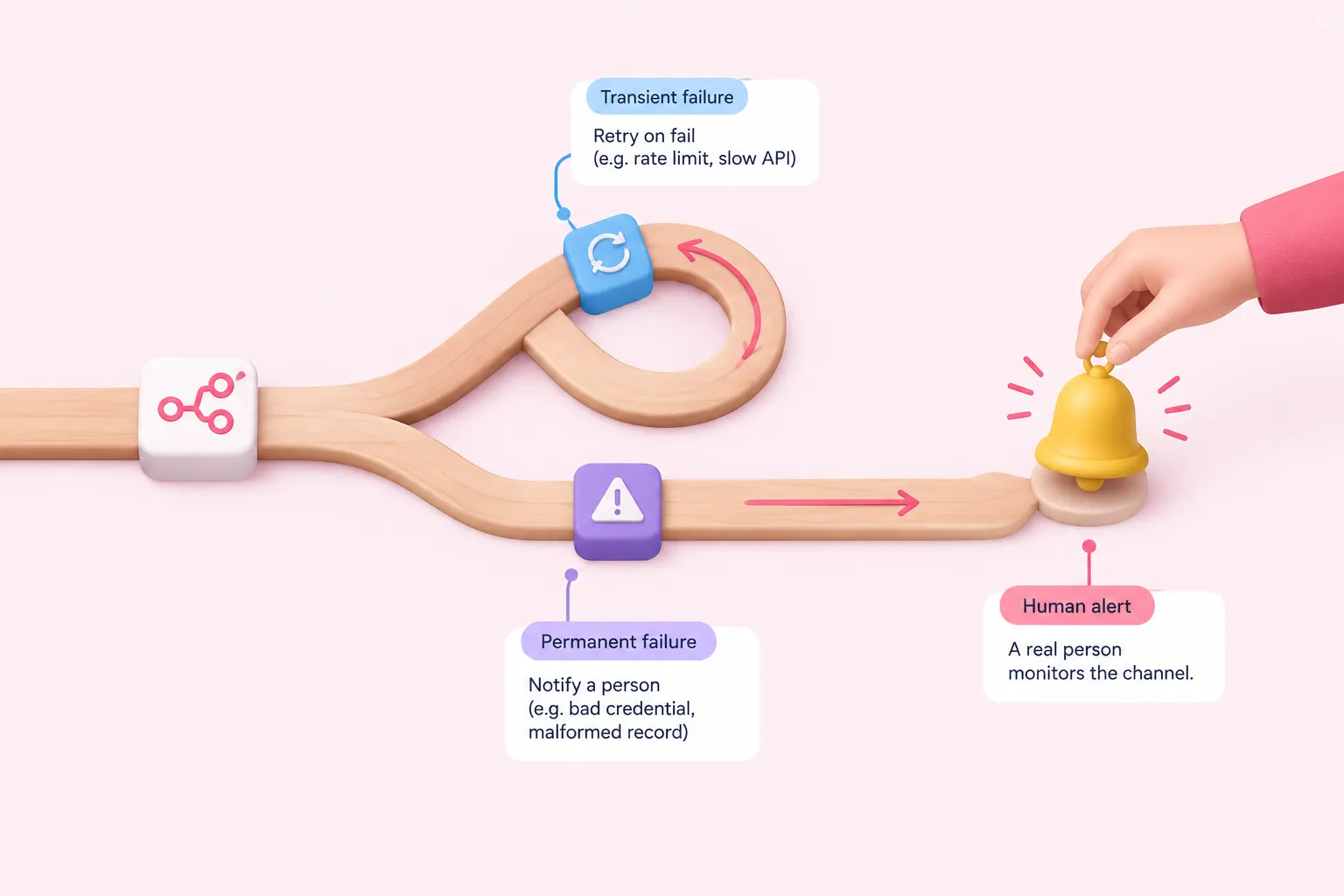
Give the onboarding workflow its own error workflow, built starting with n8n's Error Trigger node, so a failed run notifies a channel a real person actually monitors rather than failing silently. n8n's documentation also notes that a workflow containing its own Error Trigger node can act as its own error workflow by default, which matters if you would rather keep detection and handling in one place for a simple automation.
Separate transient failures from permanent ones. n8n's Retry On Fail setting automatically re-attempts a node, which suits a rate-limited HR API or a slow mailbox provider; a bad credential or malformed record should go straight to a human instead of retrying into the same wall repeatedly.
One freelancer's own account of a client-onboarding system, published on Medium in 2026, describes an error handler that retries a malformed AI response once with a corrective instruction before alerting a person. It is worth borrowing as a pattern even though that post is about onboarding clients rather than employees, and describes one person's own build rather than a tested standard.
Our pragmatic take: an error workflow plus idempotent provisioning covers most of the real risk in an onboarding automation, and we'd get those two things solid before spending more time on anything else on this list.
Sources: Handle errors gracefully | Build | n8n Docs, Error Trigger | Nodes | n8n Docs, Handle rate limits | Nodes | n8n Docs, I Built a Client Onboarding System with N8N + Claude for Under $5/Month | by Mubashar Ali | Activated Thinker | Medium
Audit Trail of What Ran
Before go-live, configure the onboarding workflow's settings to save failed production executions, and consider saving successful ones too for the first few weeks so you have something to inspect if a run looks wrong. n8n's workflow settings include a dedicated option for saving failed executions on published workflows, and a separate one for choosing which workflow should run if the current one fails.
| Capability | What it does | Plan requirement |
|---|---|---|
| Error workflow (Error Trigger) | Runs a chosen workflow when the onboarding workflow's execution fails | Documented for n8n generally |
| Retry On Fail | Automatically re-attempts a failed node call | Documented for n8n generally |
| Executions API | Retrieves execution records and annotation tags after the fact | Documented for n8n generally; requires an API key |
| Log Streaming | Forwards workflow and user events to an external system | n8n Cloud Enterprise or self-hosted Enterprise only |
Executions, including those from an onboarding workflow, can be pulled back out through n8n's Executions API, and individual runs can carry annotation tags, which lets a team mark and later find the run tied to a specific new hire. By default, though, n8n prunes old execution data on a schedule, so whatever history you want to keep for an audit trail needs its retention reviewed deliberately rather than assumed.
If your plan includes Log Streaming, available on n8n Cloud Enterprise and self-hosted Enterprise, forwarding workflow and user events to an external system gives visibility outside the editor; everyone else leans on the Executions API and their own monitoring instead. Separately, n8n states that its own Cloud platform keeps audit log history for at least 12 months, with the last three months immediately available — a fact about n8n's corporate infrastructure, not a guarantee about what a customer's own workflow-level audit trail retains.
Sources: Manage execution data | Deploy | n8n Docs, Configure workflow settings | Build | n8n Docs, Executions | Connect | n8n Docs, Stream logs to external systems | Administer | n8n Docs, Security
What Completion Means: A Pre-Launch Sign-Off Checklist

Completion for an n8n employee onboarding workflow means every check above has a documented answer, not that the workflow ran once without errors. Before treating it as production-ready, walk through the checklist below with whoever owns the HR process and whoever owns the n8n instance.
Once every item is checked and someone has signed their name to it, the workflow is ready to run against a real new hire rather than a test record.
Sources: Handle errors gracefully | Build | n8n Docs, Handle rate limits | Nodes | n8n Docs, 7 Reliability Checks Before You Ship an n8n Automation - DEV Community, Manage execution data | Deploy | n8n Docs, Configure workflow settings | Build | n8n Docs