n8n vs. the OpenAI Agents SDK: Comparing AI Agent Builds
A practical comparison of n8n vs. the OpenAI Agents SDK for building AI agents, covering tool calling, memory, human review, debugging and code maintenance.

Checked against the cited sources on .
Why n8n vs. the OpenAI Agents SDK matters before you standardize
Developers comparing n8n vs. the OpenAI Agents SDK for a new AI agent project are usually asking a sharper question than which is more powerful: they want to know which one their team can keep building on without constant rework. Both let an agent call external tools, keep context across turns, pause for a human check, and expose some view of what happened at runtime. The difference is in how each one asks a team to express that behavior: through configured nodes in n8n, or through Python or TypeScript classes in the OpenAI Agents SDK.
In our view, the honest answer is that neither tool is a universal default. The right pick depends on who will actually be editing the agent six months from now, not on which framework looks more capable in a demo.
Sources: Tools Agent | Nodes | n8n Docs, Tools - OpenAI Agents SDK, Memory - OpenAI Agents SDK, Guardrails and human review, Debug executions | Build | n8n Docs, Tracing
Tool-calling setup: n8n's Tools Agent node vs. the OpenAI Agents SDK's tool types
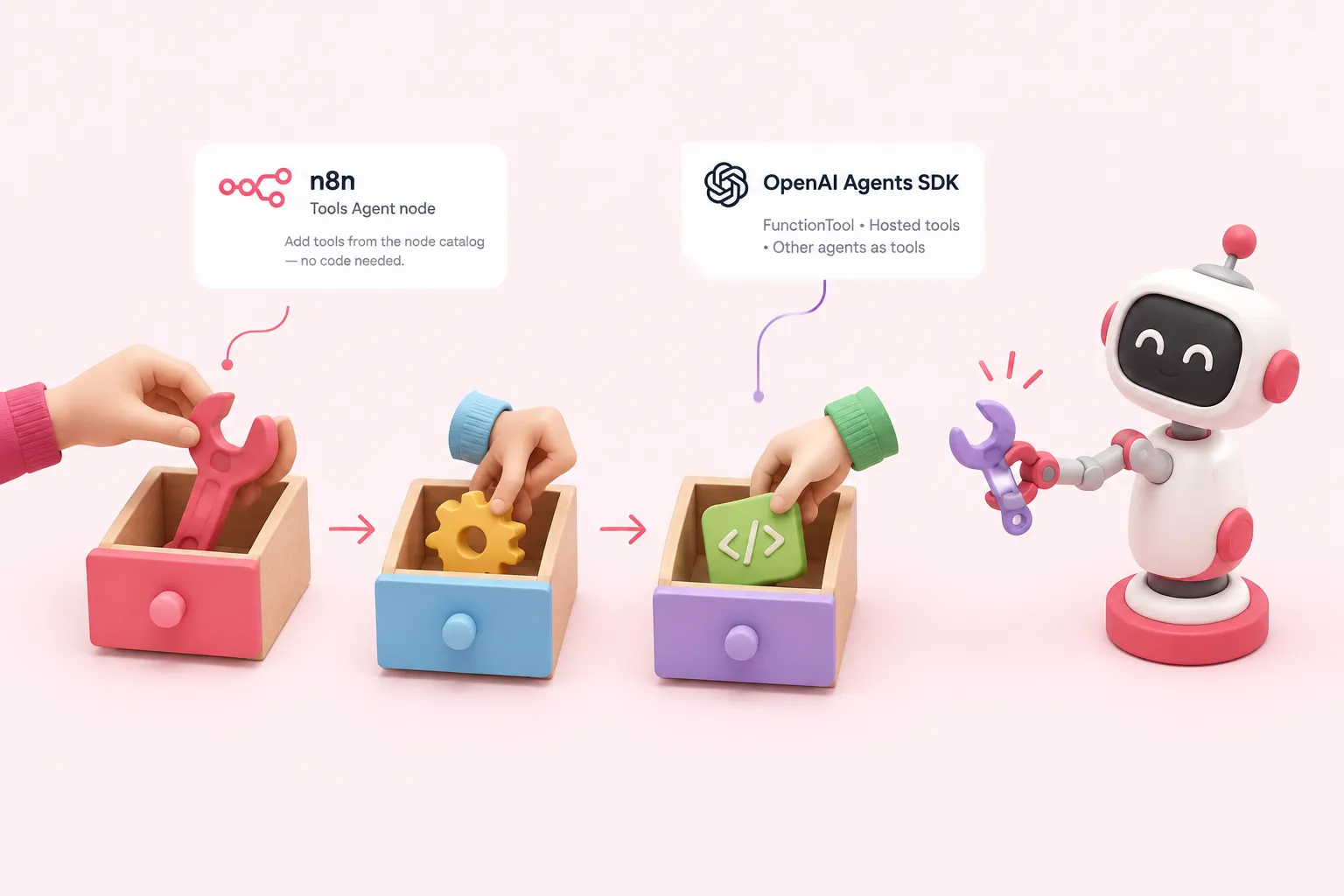
n8n's agent-building block is the Tools Agent node, documented as implementing LangChain's standard tool-calling interface so any compatible tool node can be attached to the agent (F1).
The OpenAI Agents SDK takes a code-first route. Its FunctionTool wraps any Python function as a callable tool, and the SDK also supports hosted tools and turning other agents into callable tools (F3).
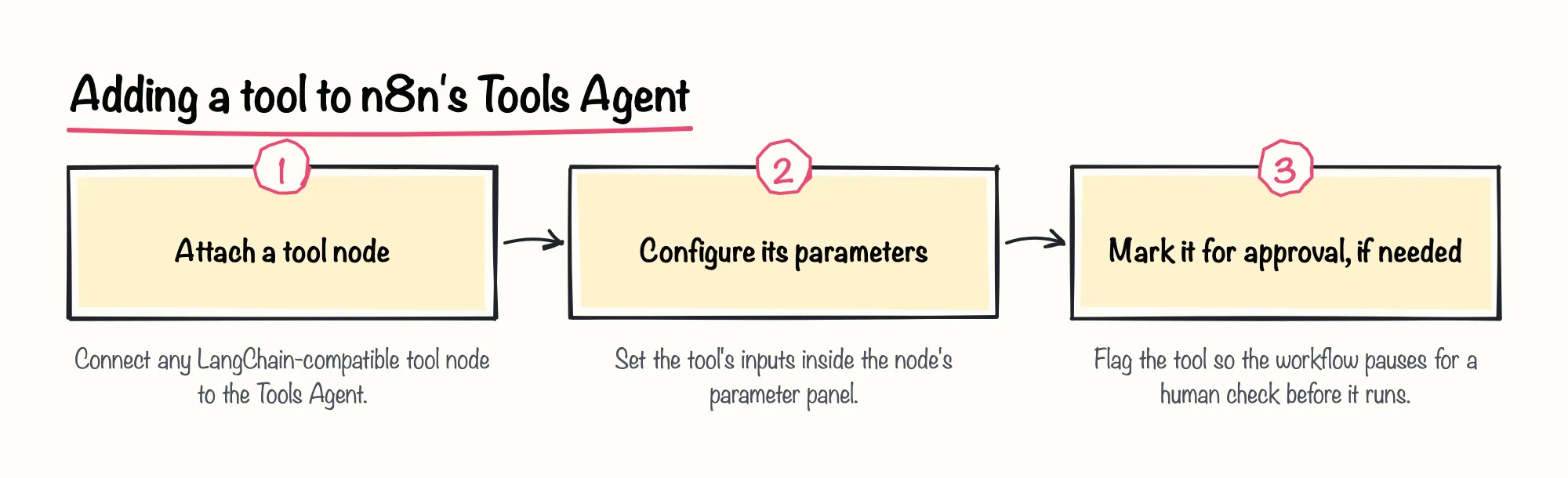
We like that n8n's node catalog turns adding a tool into dropping in and configuring a node rather than writing a function signature, which lowers the bar for a non-developer who needs to review or extend the agent.
Sources: Tools Agent | Nodes | n8n Docs, Tools - OpenAI Agents SDK
Memory: n8n's memory nodes vs. the OpenAI Agents SDK's Session interface
n8n's simplest built-in option, the Simple Memory node, stores a customizable length of chat history for the current session only, with no persistence between sessions (F4). The Tools Agent's own documentation adds that memory attached to it does not persist between sessions when used with a Chat Trigger (F5).
That session-only node has a production limit worth knowing: n8n's documentation states that Simple Memory does not work correctly in an active production workflow when the instance runs in queue mode, because separate calls can reach different workers (F6).
The OpenAI Agents SDK's Session protocol instead stores conversation history for a session so the agent keeps context across turns without the developer writing manual memory-management code (F7). Its built-in SQLiteSession defaults to an in-memory database that disappears when the process ends, unless a file path is supplied for persistent storage (F8); wiring a custom backend such as Redis or DynamoDB means implementing the Session interface, which the SDK's guide describes as five async methods (F9).
Readers who want to see a memory node working inside a small agent can look at the Your First AI Agent challenge, which adds a memory node so the agent understands a follow-up question in a short conversation.
Sources: How memory works | Build | n8n Docs, Tools Agent | Nodes | n8n Docs, Simple Memory | Nodes | n8n Docs, Memory - OpenAI Agents SDK, Sessions | OpenAI Agents SDK
Human-in-the-loop control: n8n's human review and Wait node vs. the OpenAI Agents SDK's approvals and guardrails
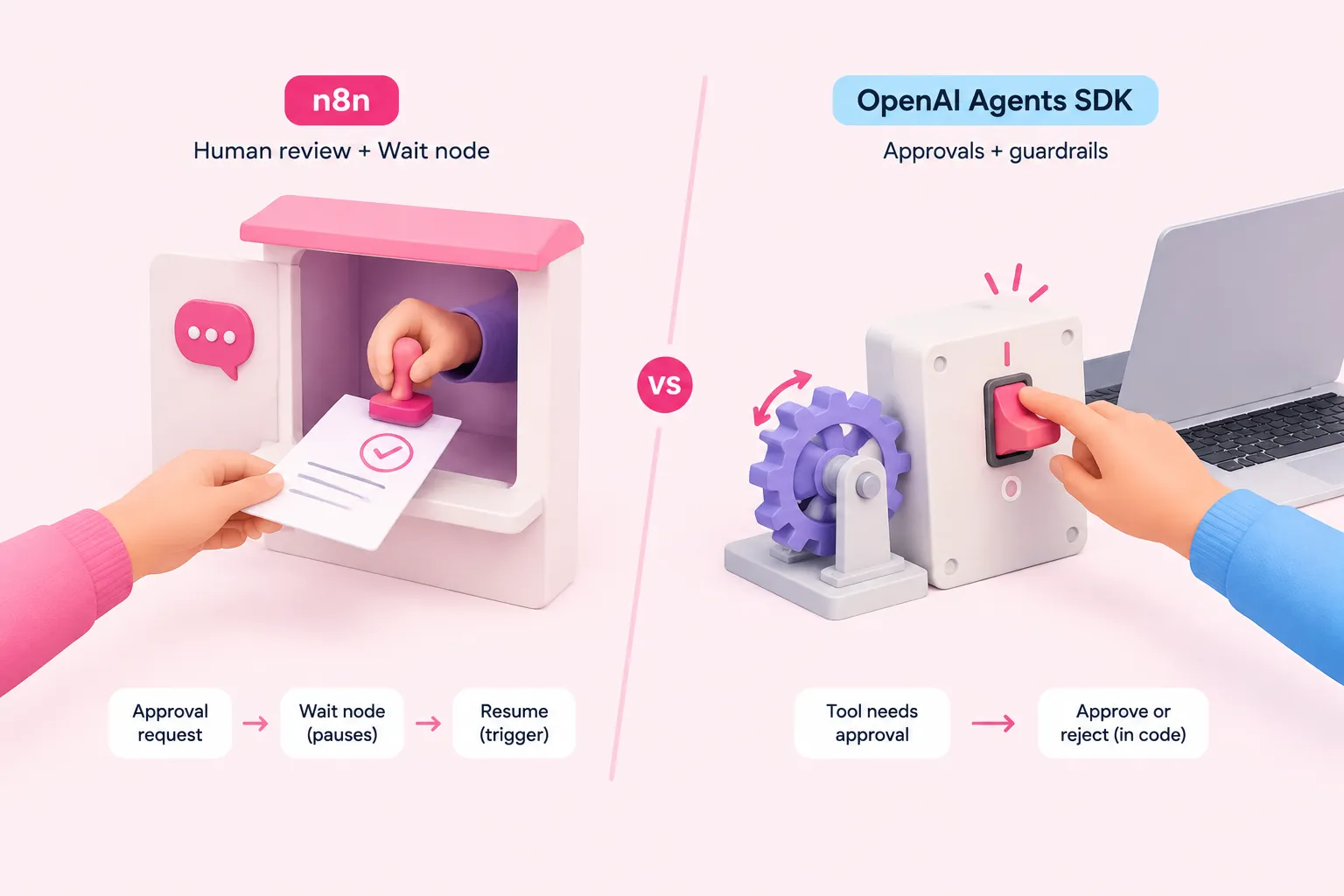
Inside the Tools Agent, a team can require human approval on specific tools: the workflow pauses and sends an approval request through a configured channel such as chat, Slack or Telegram before the tool runs (F2). That pause-and-resume behavior relies on n8n's Wait node, which offloads the execution's data to the database until a resume condition, such as a webhook call, a form submission or a timer, is met (F11).
The OpenAI Agents SDK handles the same need in code: a tool marked needsApproval causes the run to pause until the developer explicitly calls approve or reject on the resulting interruption (F10). n8n's own founder has framed the broader design goal behind pausing an agent for a person to check, in a company blog post on human-in-the-loop automation:
Sources: Tools Agent | Nodes | n8n Docs, Guardrails and human review, Wait | Nodes | n8n Docs
Debugging and observability: n8n execution debugging vs. OpenAI Agents SDK tracing
n8n lets a team load the data from a previous execution back into the current workflow, including re-running a failed execution after editing it (F12).
That replay feature is gated by plan when self-hosted: n8n documents it as available on n8n Cloud for all plans, but on a self-hosted instance only for the Registered Community, Business and Enterprise tiers (F13).
The OpenAI Agents SDK's tracing dashboard instead shows a trace as the steps inside one turn, model responses, tool calls and work handed to other agents, each with recorded inputs, outputs, duration and status (F14).
Sources: Debug executions | Build | n8n Docs, Tracing
How much code a team ends up maintaining with each approach
None of the documentation we reviewed measures lines of code, setup hours or long-term maintenance effort directly in the n8n vs. the OpenAI Agents SDK comparison, so this part stays qualitative rather than a scored benchmark. What the docs do show is a difference in configuration model: n8n expresses tool calling, memory and approval through node parameters inside the Tools Agent (F1, F2), while the SDK expresses the same behavior through classes and interfaces a developer writes and version-controls, such as FunctionTool and the Session protocol (F3, F7).
We'd be cautious about reading the SDK's extra code as pure overhead, though. That same code is what lets a team implement a custom session backend or guardrail logic that a node's parameter list has no field for, so the maintenance is also where the flexibility lives.
Sources: Tools Agent | Nodes | n8n Docs, Tools - OpenAI Agents SDK, Memory - OpenAI Agents SDK
Practical guidance: matching the approach to your team
There's no single winner in n8n vs. the OpenAI Agents SDK, but the choice gets easier once you match it to how your team already works and what the agent needs to do.
| Criterion | n8n | OpenAI Agents SDK |
|---|---|---|
| Tool calling | Tools Agent node implements LangChain's standard tool-calling interface (F1) | FunctionTool wraps Python functions; also supports hosted tools and agent-as-tool (F3) |
| Memory | Simple Memory keeps session-only history and does not work correctly in queue mode without a persistent memory node (F4, F6) | Session protocol manages history automatically; default SQLiteSession is in-memory unless given a file path (F7, F8) |
| Human review | Tools Agent can require approval through a chat channel; Wait node pauses and offloads execution state (F2, F11) | needsApproval pauses the run until the developer calls approve or reject on the interruption (F10) |
| Debugging | Execution replay and re-run; replay gated to certain self-hosted plans (F12, F13) | Tracing dashboard records inputs, outputs, duration and status per step (F14) |
| Code maintenance | Not documented; no source measures setup time or code volume | Not documented; no source measures setup time or code volume |
A short pilot of the same agent scenario built both ways, comparing your own setup time and resulting code footprint, is the most honest way to decide which approach fits your team.
Sources: Tools Agent | Nodes | n8n Docs, Tools - OpenAI Agents SDK, How memory works | Build | n8n Docs, Memory - OpenAI Agents SDK, Guardrails and human review, Debug executions | Build | n8n Docs, Tracing