n8n Human in the Loop: Adding an Approval Step to an AI Agent
Learn n8n human in the loop review step by step: pause a risky AI Agent tool call for approval, then handle the approve and deny outcomes correctly.

Checked against the cited sources on .
Prerequisites and the Goal
n8n human-in-the-loop review lets you pause a risky step inside an AI Agent workflow so a person can approve or deny it before it runs, according to n8n's official documentation. Before you set this up, you need an AI Agent node with at least one tool already connected: independent build notes from a practitioner blog note that n8n's AI Agent node currently requires at least one connected tool sub-node, so start there if your agent doesn't have one yet.
You'll also need an approval channel ready to configure, such as a chat or messaging app the review step can send requests through and receive a decision from. The goal for this tutorial is narrow: pick one tool call in your workflow that's risky enough to warrant a second pair of eyes — sending a message, deleting a record, placing an order — and require a human decision before that specific call executes.
Sources: Human-in-the-loop for tools | Build | n8n Docs, n8n AI Agent Node: Plain-English Docs + a Real Build (2026)
Setting Up the Human Review Step in the Tools Panel
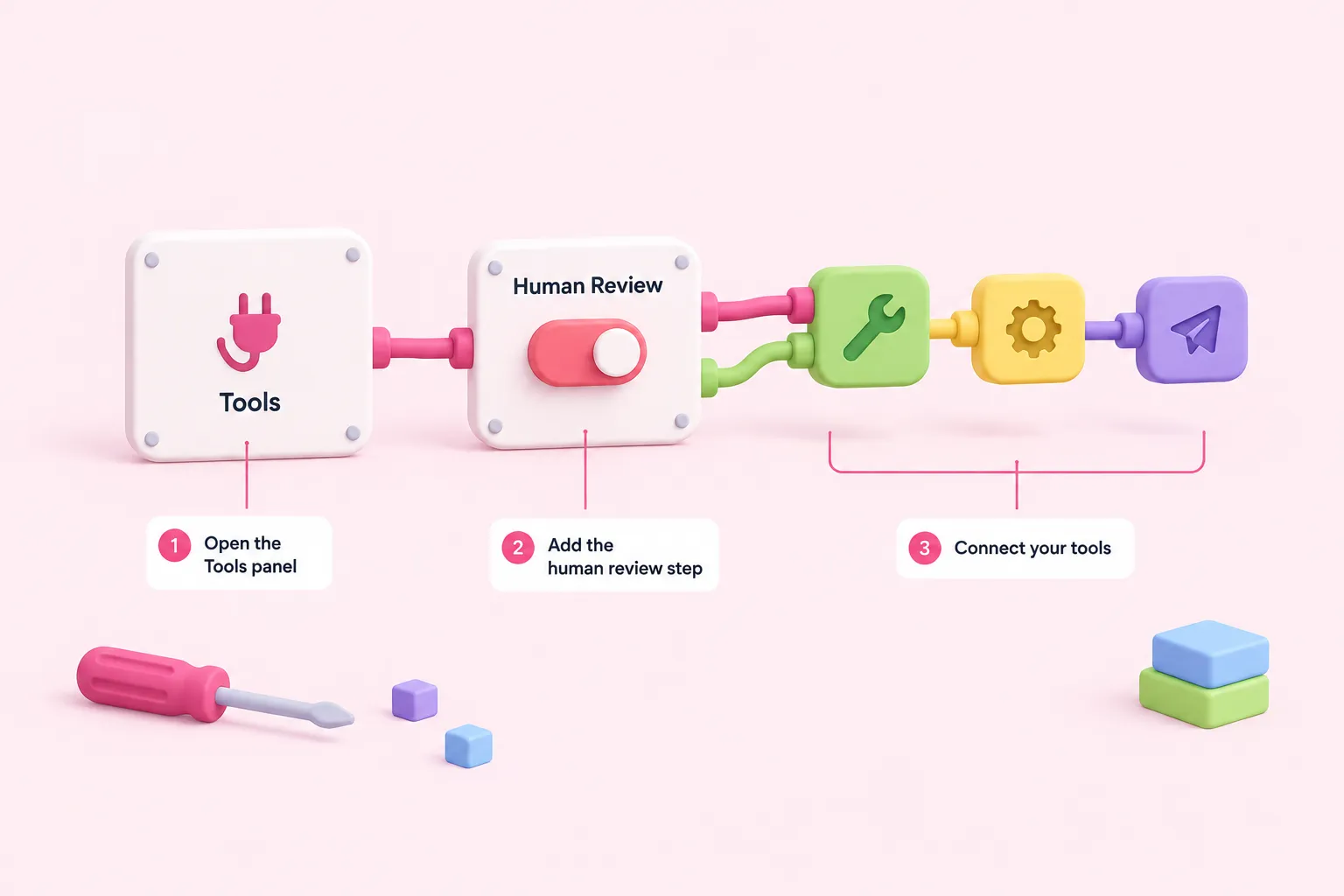
Setting this up happens entirely inside the AI Agent node's Tools Panel, in three steps drawn from n8n's official documentation.
Adding a human review step to an AI Agent
- Open the Tools Panel: Click the Tools connector on the AI Agent node to open the panel where tools and the review step are configured.
- Add a human review step: In the Tools Panel's Human review section, choose an approval channel and configure its credentials and settings.
- Connect the tools that need approval: Attach the tools that should require sign-off to the human review step's tool connector, configuring each one as you normally would.
Once connected, only the tools attached to the human review step require approval — other tools on the AI Agent node keep running automatically, so you can be selective about which actions need a second look. n8n's documentation doesn't detail credential setup for each individual approval channel, so follow n8n's own setup for whichever channel you pick, such as Slack, Telegram or Gmail.
Sources: Human-in-the-loop for tools | Build | n8n Docs
What Happens When a Reviewer Approves or Denies
With the n8n human-in-the-loop approval step wired in, running the workflow now pauses at that point: n8n's documentation describes the workflow pausing and waiting for a person to act before the tool call goes any further.
| Reviewer action | What happens | Tool call outcome |
|---|---|---|
| Approve | The workflow continues | The tool runs using the parameters the AI chose |
| Deny | The workflow continues | The action is canceled and does not run, per n8n's documentation |
What differs between the two outcomes is whether the tool actually executes: approval lets it run with the parameters the AI selected, while denial cancels the action, per n8n's documentation. How the agent is told about a denial determines whether it recovers gracefully or gets confused, which is why the system prompt matters — covered in the next section.
Sources: Human-in-the-loop for tools | Build | n8n Docs
Writing a Reviewer-Friendly Approval Message and Updating the System Prompt
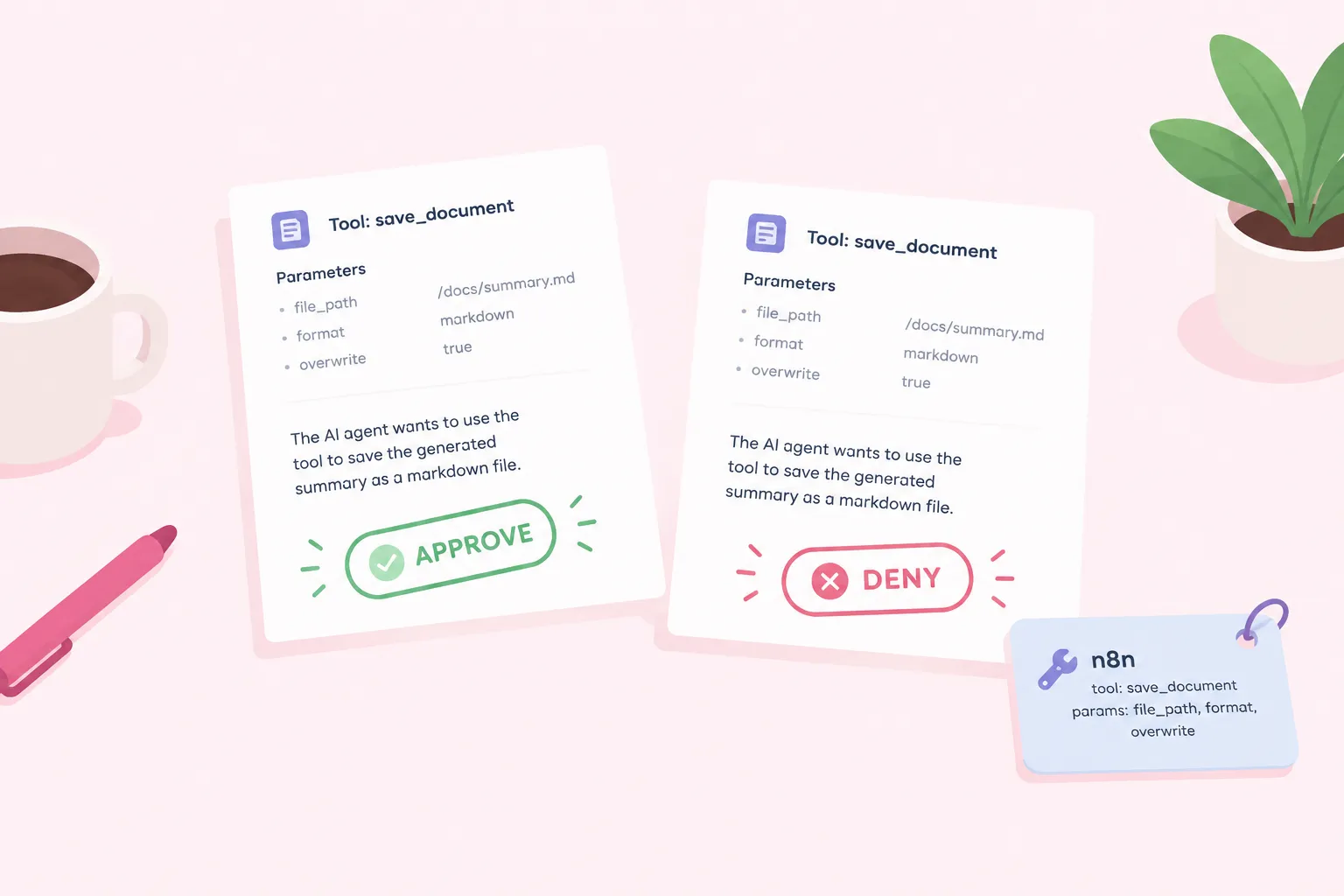
A reviewer who only sees a bare 'approve or deny' button in an n8n human-in-the-loop step has to guess what they're approving. A practical pattern worth trying — treat it as a suggestion to adapt rather than a required setting — is building the approval message around the tool's name and the parameters the AI selected, so the reviewer can see exactly what will run before deciding.
n8n's documentation also recommends describing the tool setup and the human review step inside the AI Agent's system prompt itself. Without that context, a denial can confuse the model into repeating the same request or producing an unclear response, so spelling out that certain tools need approval — and what to do if one is denied — helps the agent recover cleanly.
Sources: Human-in-the-loop for tools | Build | n8n Docs
Where This Fits for Teams Standardizing AI Agent n8n Workflows
A single approval step is a good place to start, but teams running several AI Agent n8n workflows in production usually want the same pattern applied consistently, not reinvented per workflow. n8n Balloon Challenges' advanced challenges cover this territory directly, working through tool-using agents, human approval and resilient automation as hands-on scenarios rather than documentation reading.
If you're responsible for how a team builds and reviews agent workflows, this is exactly the kind of pattern worth training a team on together rather than leaving each builder to work it out alone.