n8n pricing plans for teams: cloud vs self-hosted
A guide to n8n pricing plans for teams: cloud vs self-hosted, from Starter and Pro to Business, Start-up and Enterprise, with prices as of 2026-09-16.

Checked against the cited sources on .
From practice workflow to team workflow: the two pricing decisions
When a team moves n8n past practice projects and into daily operations, someone has to read the n8n pricing plans and turn them into a budget. This guide is for ops and IT leads doing that job. It uses n8n's own pricing page and documentation as retrieved on 2026-09-16. All prices are in euros and billed annually. They may have changed since then, so treat them as a snapshot, not a quote.
The short answer to how much does n8n cost is that it depends on two choices. First, who runs the software: n8n on its cloud, or your team on your own infrastructure. Second, how many workflow executions you expect each month. This guide suggests choosing where n8n runs before choosing a plan, and the sections below follow that order.
A quick note on scope: this site is a hands-on learning project with practice challenges. It is not the n8n platform and does not sell n8n licenses. Everything below about plans and prices comes from n8n's own pages.
Decision 1: n8n Cloud or self-hosted
n8n's guidance is simple. If you don't want to manage infrastructure, use n8n Cloud, where n8n takes care of hosting, updates and scaling. If you would rather run it yourself, self-hosting is the other route. You can get paid Enterprise plans either way.
One detail changes the whole comparison: n8n says the Business plan is currently available only for self-hosted deployments. The word currently means this could change, so check again before you commit. Also keep in mind that this guidance comes from the vendor. It is not an independent comparison, and none of these sources cover the server or staff costs of running n8n yourself.
n8n cloud pricing: Starter, Pro and Enterprise
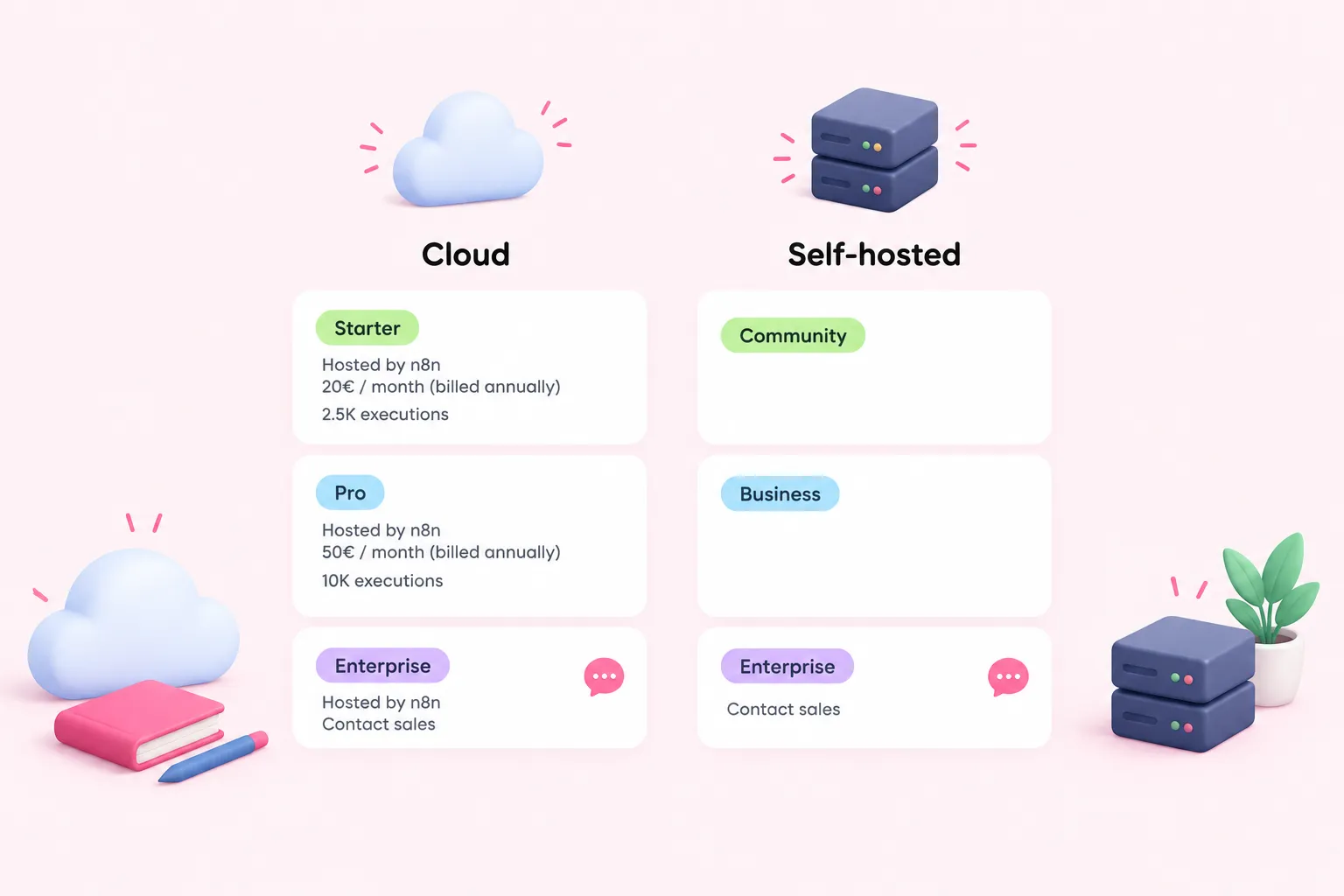
Here is the n8n cloud pricing from the page as retrieved. Starter is hosted by n8n and listed at 20€ per month, billed annually. The same page shows it with 2.5K executions. Pro is also hosted by n8n and costs 50€ per month, billed annually, with 10K workflow executions. This guide lists annual-billing prices only; check the pricing page for monthly-billing prices.
Enterprise is also offered on n8n Cloud, but its price isn't published. n8n asks buyers to contact sales. If your team expects to need Enterprise, you can't budget for it from the website. Plan time for a sales conversation.
n8n pricing self-hosted: Community edition, Business and Enterprise
For n8n pricing self-hosted, there are three tiers. The Community edition is free, and n8n says self-hosting teams can keep using it indefinitely. Keep in mind that free covers the license only. The source does not cover the cost of servers, backups or the staff time needed to maintain them.
The Business plan costs 667€ per month, billed annually, and includes 40K workflow executions. As with the cloud, Enterprise is available for self-hosted n8n through sales, with no published price.
Start-up discount and Business overage
n8n offers a Start-up plan: the Business plan at 333€ per month, billed annually, with the same 40K executions. To qualify, a company needs fewer than 20 employees, and the same page also requires less than €5M in total funding. Only companies that meet n8n's criteria are eligible.
Overage matters on the Business plan. If you go over your quota and don't move up to the next usage tier, n8n charges for extra executions in buckets: 4,000 EUR for each extra bucket of 300,000 executions. That rule applies only to Business. Because plans are priced by executions, our editorial suggestion is to estimate your monthly executions, not your number of users or steps, before you compare n8n pricing plans. Before you settle on a number, check how n8n's live pricing page counts executions.
Where the free Community edition stops working for teams
The Community edition is often where shared team work runs into trouble. In it, a workflow or credential is visible only to the instance owner and the person who created it. According to the same source, the Community edition also has no projects, SSO, environments or Git version control.
For one builder, that may be fine. For a team that reviews each other's workflows, shares credentials in a controlled way or promotes changes from staging to production, these gaps matter. Our editorial suggestion is that self-hosting teams who need shared workflows, SSO or environments should weigh the Business price against the cost of working around these limits. Some example questions to ask internally (a starting point, not a validated checklist): Who needs to edit which workflows? Do we need single sign-on for audit or offboarding? Do we need separate environments before changes go live?
Conclusion: a simple way to choose and budget
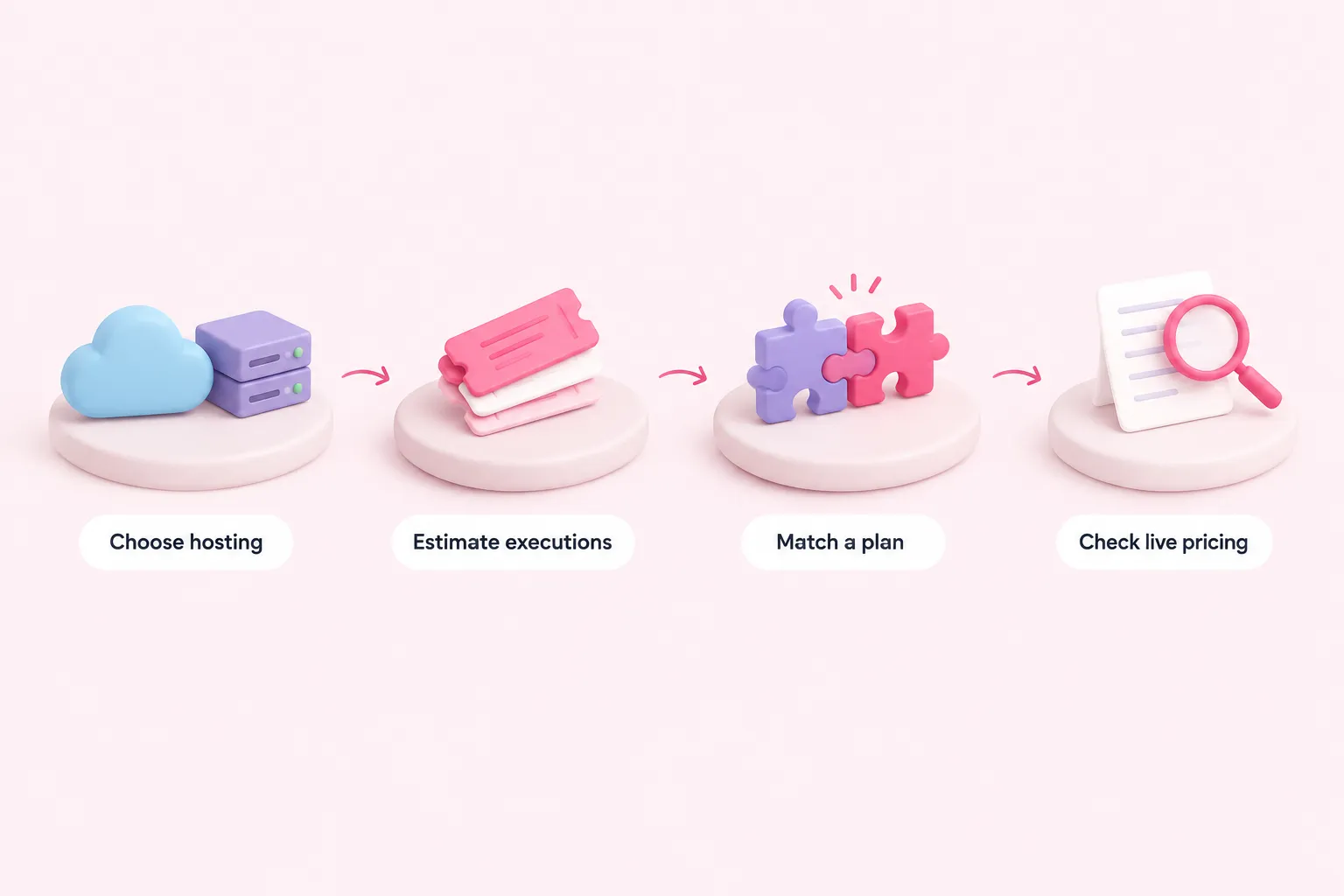
Here is a simple editorial order for reading the n8n pricing plans. First, decide whether you want n8n to handle hosting or whether you will run it yourself. Second, estimate your monthly workflow executions. Third, match that estimate to a plan: Starter or Pro on the cloud, Community or Business when self-hosting, or a sales conversation for Enterprise. Fourth, check whether your company qualifies for the Start-up plan, and learn how Business overage buckets work.
Finally, open the live pricing page before you approve any budget. The figures here are from 2026-09-16 and all come from n8n itself. Enterprise prices and the cost of running your own infrastructure are not included.