n8n pricing: estimate one workflow’s real production cost
A guide to n8n pricing for one production workflow: count billed executions, separate retries and testing, add a growth buffer, and compare Cloud with self-hosting.

Checked against the cited sources on .
Guide: define the unit n8n pricing bills
Before you can budget a workflow, you need to know what you are counting. Current n8n pricing for paid plans is based on executions. Since the pricing update in August 2025, you pay for how many times a workflow runs from start to finish. You don't pay per user, per active workflow or per individual step.
That changes how you estimate. A workflow with twenty nodes that runs once costs the same, in execution terms, as a workflow with three nodes that runs once. So your worksheet should count runs, not steps. Keep in mind that this is the vendor's billing model. It says nothing about your total operating cost, which is what the rest of this guide helps you build.
Sources: S5
Establish the trigger-based baseline and separate the categories
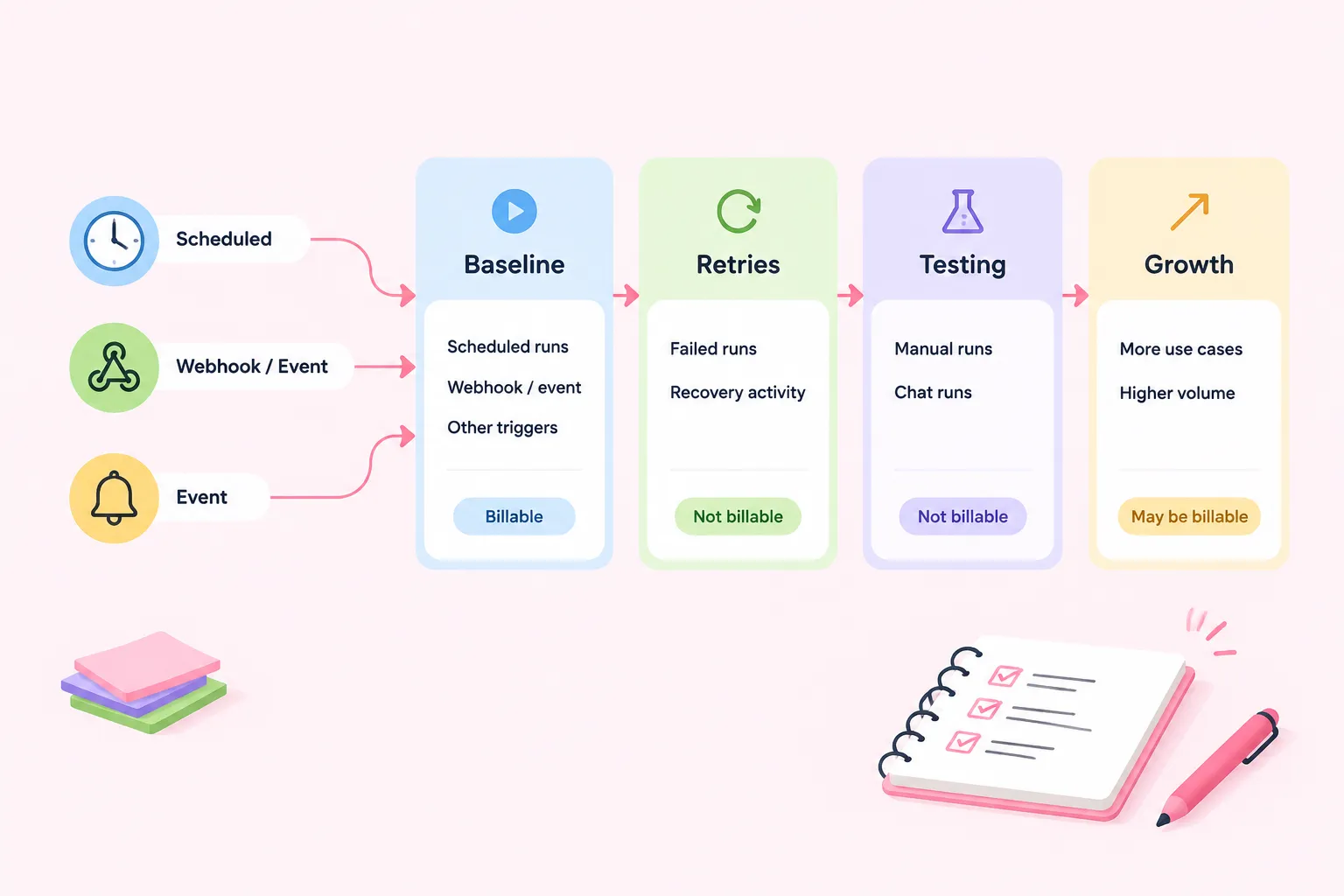
For a new workflow, n8n suggests listing your main use cases and working out how often each one will run. In practice, make one row per trigger: scheduled runs, webhook or event volume, and any other production trigger. Multiply each trigger's expected frequency by the number of workflow runs it causes, then add the rows together. For example, you might plan an hourly schedule plus an estimated count of incoming form submissions. Treat that as a worksheet example, not a benchmark.
Production executions are runs started automatically by an event or a schedule, and on paid plans they count toward your execution quota. Other activity is treated differently. The Cloud execution-limit FAQ says manual runs from the editor, chat runs and sub-workflow executions are not affected by that quota category. It also says failed executions do not count. That FAQ may not cover every billing or licensing situation, so check the rules for the plan you actually choose.
The easiest fix is to keep four budget columns apart: baseline production executions, retry or recovery activity, manual testing, and growth. Don't assume every column is billable. Apply the documented quota rules to each one. Also, manual testing still takes people's time, even when it doesn't use execution quota.
Measure actual usage and failure patterns
Estimates are a starting point. After a representative observation period, open the execution list and filter by workflow and by status: failed, running, success or waiting. Swap your guessed trigger counts for the recorded runs, note any repeated failure patterns, and look into big gaps before you pick a capacity.
What you can see depends on your access and on how much history is kept. According to the documentation, deleting a workflow also deletes its execution history. If you plan to use the records for budgeting, record the numbers before deleting any workflow.
Sources: S4
Add a growth and quota-risk buffer
Build low, expected and high scenarios. The size of your growth allowance is an editorial planning choice based on your seasonality, launch plans and uncertainty. n8n does not recommend a specific percentage, and neither does this guide.
Timing matters too. Cloud execution and AI-credit allowances reset on the 1st of each month, whatever your billing date is. A busy end of the month can use up quota before the reset. On Cloud Pro-2 Monthly, you can add extra executions up to a total of 500,000. Check your expected and high scenarios against current n8n pricing on the live pricing page, and talk through what running out of quota would mean for your operations. Keep that question separate from how failed runs are treated.
Compare Cloud limits with self-hosting responsibilities
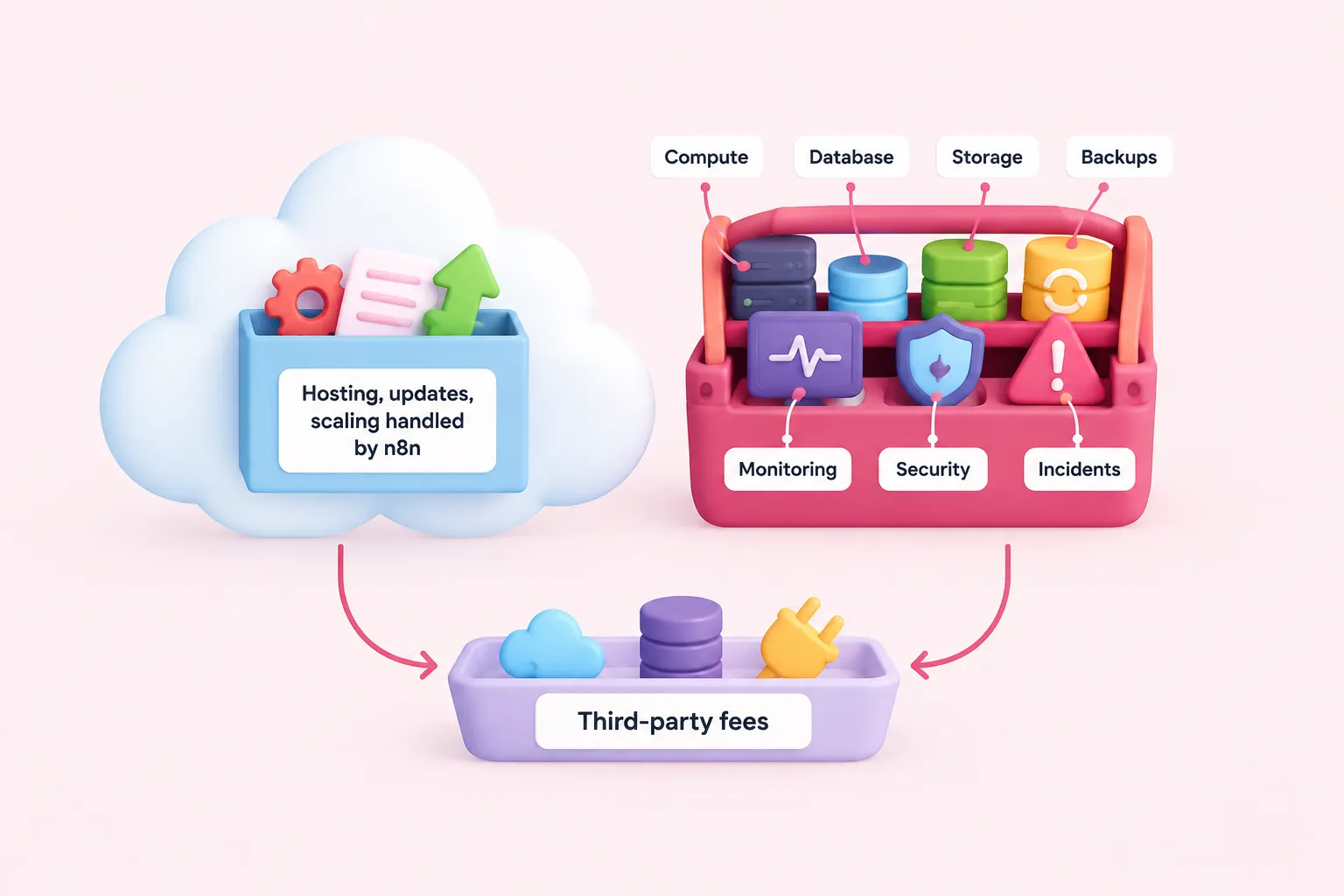
On Cloud, n8n handles hosting, updates and scaling. When you self-host, managing the infrastructure is your job. That doesn't make either option cheaper by default. It moves where the cost shows up.
For self-hosting, keep software-plan charges separate from infrastructure and staffing: compute, database, storage, backups, monitoring, upgrades, security and incident response. Get prices from your own organization or your providers instead of using a generic total. The sources don't put numbers on this overhead.
For both options, add external services as their own line items. n8n's terms say a subscription may require paid third-party accounts, such as API, database or AI-provider services, and those fees are separate from what you pay n8n.
Build a monthly cost worksheet and choose an option
A simple suggested layout for the worksheet: rows for each production trigger, then columns for baseline executions, retry activity, manual testing and growth, each marked billable or not billable under your plan's rules. Below that, enter the plan charge from current n8n pricing, then third-party service fees and, for self-hosting, infrastructure and staffing lines. Fill in the low, expected and high scenarios.
All the evidence here comes from n8n's own documentation, pricing material and terms. No independent cost study backs it up, and prices, taxes and plan terms can change. Treat the worksheet as a way to organize your decision, not as proof that one option will lower costs. Choose the option whose high scenario you can still afford and actually run.
Sources: S5, S1, S11, S6, S10, S9
Next steps: practice the estimate and get company-specific help
Estimating gets easier once you've traced real triggers yourself. Build a small workflow, note what starts it, count your test runs separately, and write down how often it would run in production. After that, run the same worksheet on your company workflow, using recorded execution history as soon as you have some.
Sources: S4