SAP OData pagination in n8n: bound and reconcile Business One orders
Plan SAP OData pagination for Business One 10.0 Orders: inspect next links, bound requests and check counts before releasing records downstream.

Checked against the cited sources on .
Define the SAP OData pagination goal and prerequisites

This tutorial scopes SAP OData pagination to read-only Orders extraction from an existing SAP Business One 10.0 Service Layer deployment. The goal is to follow continuation links within explicit request bounds, then check rows and document keys before downstream processing. The supplied documentation supports the individual controls, but not a complete runnable workflow across authentication, relative-link resolution, completion settings and downstream blocking; those details require deployment-specific verification.
Record your actual Business One patch level, hosting arrangement, Service Layer endpoint and n8n HTTP Request node version. SAP's Business One 10.0 reference identifies OData V3 as deprecated from FP 2405 and retains OData V4 guidance. SAP demonstrates Orders retrieval through /b1s/v2/Orders.
Start with an approved, authenticated read already working in n8n. SAP documents HTTPS and session continuity through SessionID and ROUTEID cookies; n8n requires the authentication method expected by the target service. This tutorial assumes that continuity is already established for successive requests.
Sources: Service Layer API Reference, Logging In and Out Using Basic Authentication with Service Layer, n8n-docs/docs/integrations/builtin/credentials/httprequest.md at main · n8n-io/n8n-docs · GitHub, Exploring Various Data Retrieval Options Using GET request
Choose the query and inspect one Orders response

For this SAP OData pagination example, use an editorial extraction contract: one approved Orders filter, DocEntry plus the fields needed downstream, ordering by DocEntry, and a separate count request with the identical filter. SAP documents $select, $orderby and collection counts through /Orders/$count.
Follow these preparation steps before enabling repeated requests. DocEntry is identified as a unique document key in SAP Business One 10.0 DI API documentation; SAP's Service Layer lesson separately demonstrates addressing an order by that key. Confirm its presence in your actual Orders response.
- Write down the extraction filter and reuse it unchanged for the data and count requests.
- Select DocEntry and the required downstream fields; order the extraction by DocEntry.
- Fetch one approved Orders page and inspect its value array and continuation annotation.
- Record the matching source count and the observed response shape for reconciliation.
Inspect the continuation annotation rather than copying its spelling from an example. SAP's protocol-specific guidance names @odata.nextLink for V4 and odata.nextLink for V3, while its retrieval lesson uses inconsistent terminology. We think inspecting the returned payload is a better starting point than adapting a familiar pagination template.
Sources: Exploring Various Data Retrieval Options Using GET request, Paginate the Selected Orders | SAP Help Portal, Query Options | SAP Help Portal, Documents Object Members - SAP B1 SDK Help
Configure bounded next-link pagination

In HTTP Request, enable Pagination and choose Response Contains Next URL. Supply a Next URL expression that reads the continuation field observed in your response. Preserve the server-provided continuation query parameters. If the link is relative, verify its resolution against your deployment before proceeding; the supplied documentation does not establish handling for both root-relative and service-relative links.
For a populated final page without a continuation annotation, n8n's reference recommends custom completion based on that field being absent. The same reference gives conflicting guidance about automatic termination on falsy next URLs. Verify the completion setting in your installed node version rather than treating an empty next URL as sufficient.
Set explicit bounds using the controls below. Choose their values with the SAP service owner. Our practical preference is to stop and investigate a capped run rather than release its partial output.
| Control | Purpose | Limit |
|---|---|---|
| limitPagesFetched and maxRequests | Enable a hard request cap | Does not prove completion |
| requestInterval | Delay between requests | Not documented as a completion check |
| Timeout | Bound waiting for response headers | Not a total workflow deadline |
Preserve page-level evidence before splitting: whether a continuation remains, which continuation values were seen, and whether the configured ceiling was reached.
Sources: Paginate the Selected Orders | SAP Help Portal, n8n-docs/docs/build/code-in-n8n/cookbook/http-request-node/pagination.md at main · n8n-io/n8n-docs · GitHub, skills/skills/n8n-loops-official/references/HTTP_PAGINATION.md at main · n8n-io/skills · GitHub, HTTP Request | Nodes | n8n Docs
Reconcile orders and troubleshoot before release
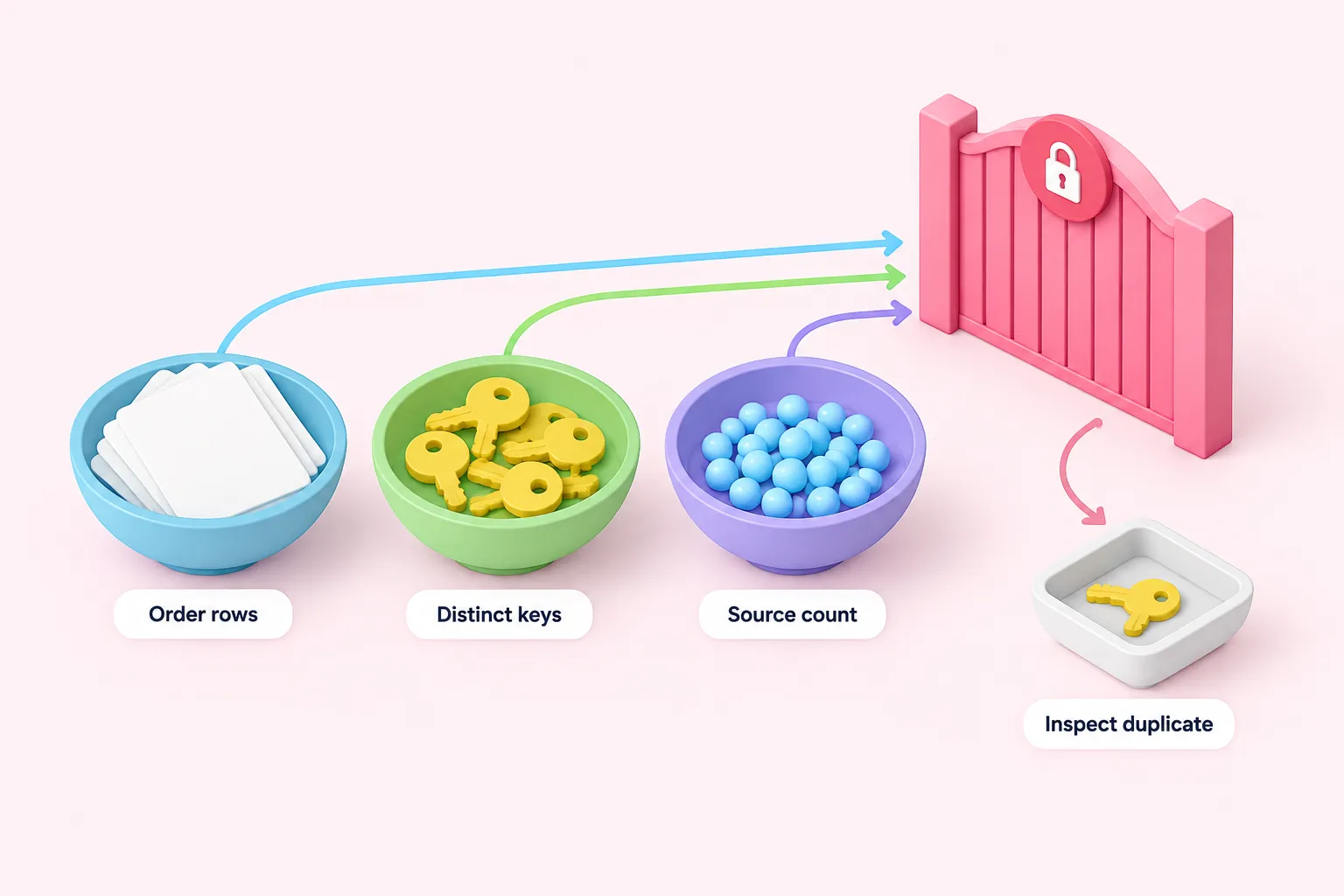
After preserving pagination evidence, use Split Out with Field to Split Out set to value to separate each page's order array. Wrapped responses need this explicit handling. n8n's Code node supports JavaScript and Run Once for All Items, making it a possible location for custom reconciliation logic; the supplied documentation does not establish the complete collection, empty-result and blocking implementation.
Use this suggested editorial acceptance rule for SAP OData paging: release only when pagination completed, every row has DocEntry, retrieved rows equal distinct DocEntry values, and both equal the matching source count. Matching these checks does not establish a transactionally consistent snapshot. We regard reconciliation as a release condition, not a completeness guarantee.
The following are suggested troubleshooting checks, not tested outcomes. For an empty extraction, require explicit pagination completion and a matching zero source count before accepting it.
Sources: Paginate the Selected Orders | SAP Help Portal, Query Options | SAP Help Portal, skills/skills/n8n-loops-official/references/HTTP_PAGINATION.md at main · n8n-io/skills · GitHub, n8n-docs/docs/integrations/builtin/core-nodes/n8n-nodes-base.splitout.md at main · n8n-io/n8n-docs · GitHub, Documents Object Members - SAP B1 SDK Help, Using the Code node | Build | n8n Docs