n8n SAP RFC: assess the HTTPS integration boundary
Assess a proposed n8n SAP RFC connection through SAP Integration Suite: establish boundary ownership, read-only acceptance evidence and a separate gate for writes.

Checked against the cited sources on .
What the n8n SAP RFC documentation supports
The proposed n8n SAP RFC architecture has support for its component boundaries, but the documentation cited here does not demonstrate the complete path: n8n HTTPS request, SAP Integration Suite integration flow, then on-premise ECC or S/4HANA RFC/BAPI execution. Use this guide to assess readiness; it is not a runnable tutorial, a verified read-only call or a production write design. The undated SAP connectivity documentation was retrieved October 19, 2026, and represents that snapshot rather than a compatibility guarantee for a particular ECC or S/4HANA release, selected function module or customer configuration.
SAP Cloud Integration documentation supports RFC access to on-premise ABAP systems through Cloud Connector. Separately, SAP's HTTPS sender sample demonstrates an inbound endpoint requiring ESBMessaging.send, but its receiver is an S/4HANA Cloud Business Partner OData mock service. That sample establishes an inbound pattern, not RFC execution, n8n interoperability or production security.
We think this is enough evidence to begin an architecture review, while implementation approval should depend on the team's actual deployment.
Sources: btp-integration-suite/docs/ISuite_Integrations_APIs/rfc-receiver-adapter-5c76048.md at main · SAP-docs/btp-integration-suite · GitHub, connecting-systems-services-integration-suite-codejam/exercises/03-build-first-integration-flow/README.md at main · SAP-samples/connecting-systems-services-integration-suite-codejam · GitHub
Assign ownership at each boundary

n8n's HTTP Request credential documentation says authentication must match the service being called. For this proposal, obtain that contract from the Integration Suite endpoint owner. SAP's Cloud Integration example also requires fetching a CSRF token when its HTTPS sender adapter has CSRF protection selected; do not generalize that requirement to every endpoint.
For an n8n SAP RFC assessment, we suggest the following responsibility split. It is an editorial starting point for agreement between teams, not a prescribed SAP operating model.
| Boundary | Suggested owner | Agreement needed |
|---|---|---|
| n8n HTTPS request | n8n team | Credentials, request and response handling |
| Integration flow | SAP integration team | Endpoint contract and RFC destination |
| Cloud Connector | SAP connectivity team | Backend mapping and allowed functions |
| ABAP execution | SAP backend team | Function semantics and authorizations |
Sources: n8n-docs/docs/integrations/builtin/credentials/httprequest.md at main · n8n-io/n8n-docs · GitHub, btp-integration-suite/docs/ci/Development/send-the-http-request-and-process-the-integration-flow-f08cca6.md at main · SAP-docs/btp-integration-suite · GitHub
Prepare a read-only sandbox acceptance checklist

SAP BTP Connectivity documentation requires Cloud Connector resource restrictions specifying which function modules may be invoked. An allowlisted function is not thereby proven read-only.
Before implementing an n8n SAP RFC sandbox call, use this suggested checklist to collect deployment evidence and agree what acceptance means. These are editorial review actions.
In our view, a successful response is only one acceptance condition; permission boundaries and evidence that business data stayed unchanged deserve equal attention.
Sources: Configure Access Control (RFC) | SAP Help Portal
Locate connectivity and authorization failures
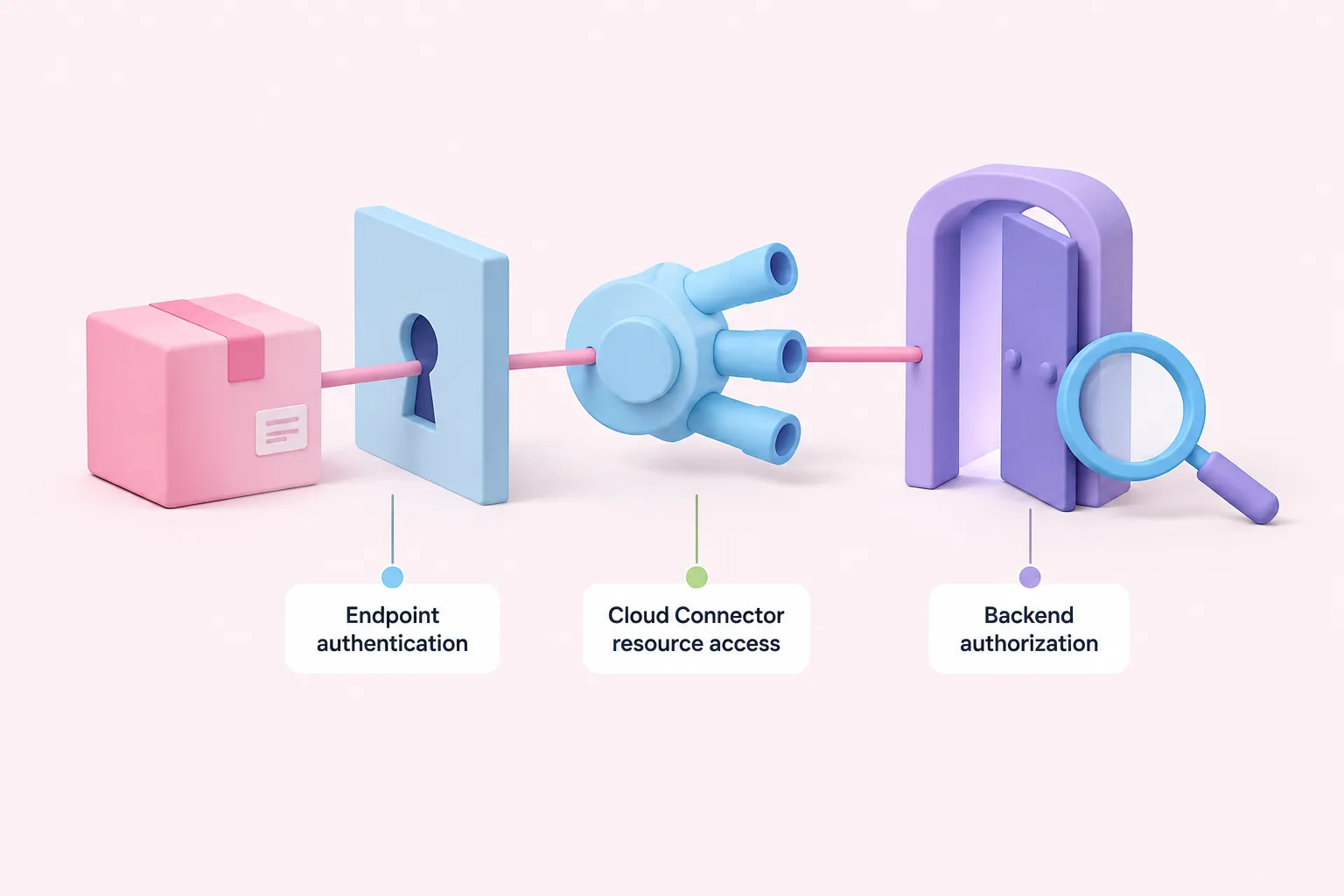
SAP ABAP Platform's RFC/ICF Security Guide, version 2025 FPS02, identifies S_RFC as required for RFC access to the target SAP system. This does not establish the full business authorization model for the selected function. Keep endpoint authentication, Cloud Connector resource access and backend authorization as separate investigation questions.
SAP ABAP Platform version 2022 documentation says authorization system traces collect data only on the current application server. Confirm applicability to your deployed release and investigate on the relevant server; selected traced executions do not establish complete authorization coverage.
For sandbox failures, we suggest this investigation order. Record evidence at each boundary before changing permissions.
- Ask the endpoint owner to verify the HTTPS authentication contract.
- Ask the integration owner to inspect the flow and destination configuration.
- Ask the connectivity owner to check the selected function's resource access.
- Ask the backend owner to investigate RFC and business authorizations using relevant traces.
Sources: n8n-docs/docs/integrations/builtin/credentials/httprequest.md at main · n8n-io/n8n-docs · GitHub, Configure Access Control (RFC) | SAP Help Portal, Authorizations | SAP Help Portal, Maintaining Role Menus Using Trace Evaluation in Transaction PFCG | SAP Help Portal
Set a separate approval gate for transactional writes

SAP Cloud Integration's RFC/BAPI receiver documentation describes Send Confirm Transaction, an implicit BAPI_TRANSACTION_COMMIT option disabled by default, with associated Cloud Connector allowlisting requirements. This does not prove correct transaction behavior for your chosen BAPI.
We would keep write approval separate from read acceptance, because transaction decisions need function-specific evidence. Before authorizing writes, use the following suggested review questions.
- What defines the transaction scope and interpretation of return messages?
- What evidence establishes connection and transaction continuity across adapter invocations? Require this evidence for local approval; do not assume separate HTTPS requests share an SAP transaction.
- What evidence establishes commit and rollback behavior?
- How will the team resolve an uncertain outcome after a timeout?
- How will the design prevent duplicate business operations?
Proceed with a read-only sandbox only when its evidence is agreed and available. Keep transactional calls behind their own review until the questions above have documented answers for the selected function.