n8n Queue Mode for Hostinger VPS: An Exercise in Budget Deployment
This exercise deploys n8n queue mode for Hostinger VPS: prerequisites, sizing, Redis and PostgreSQL setup, and checks that workers pull jobs.

Checked against the cited sources on .
Task overview: what you will build and verify
This article sets out an editorial exercise in deploying n8n queue mode for Hostinger VPS: moving a single-instance setup to a main process backed by Redis and one or more workers, without jumping straight to an enterprise-sized server. n8n's official scaling documentation describes queue mode as the execution mode that provides the best scalability, which is the reason teams eventually move past a single container. The exercise below keeps everything on one modest virtual machine, so a technical lead can see exactly what that move requires in practice rather than reading about it only in the abstract.
Task: build a working n8n queue-mode stack — main process, Redis, PostgreSQL and at least one worker — on a single budget VPS, then verify that a scheduled or manually triggered workflow is actually executed by a worker rather than by the main process. This is presented as a hands-on exercise for you to run on your own infrastructure; we describe documented capabilities and a recommended path below, but we have not ourselves executed every step or measured the outcome, so treat the sizing guidance as a starting point rather than a validated benchmark.
Sources: Scaling | Deploy | n8n Docs
Prerequisites, inputs and constraints
Prerequisites: a Hostinger VPS account (or an equivalent provider, though the sizing notes below are Hostinger-specific), Docker and Docker Compose installed on that VPS, enough comfort with a Linux terminal to edit .env files and run compose commands, and an existing n8n setup you already understand in regular, non-queue mode. You do not need prior Redis or PostgreSQL administration experience, but you should be willing to read container logs when something does not start on the first try. This section sets out what n8n queue mode on Hostinger VPS specifically requires, rather than what a generic server would need.
Inputs and constraints: this exercise is scoped to one VPS running every component together — main process, Redis, PostgreSQL and workers — not a multi-server or multi-main setup. Budget is the main constraint: this setup needs more vCPUs than the bare minimum, sized in the next section, and n8n's own documentation advises against running EXECUTIONS_MODE=queue with an SQLite database, which rules out the lightest possible configuration. The exercise therefore assumes a VPS plan with more headroom than n8n's bare single-instance minimum, and a PostgreSQL container from the start.
Sources: Enable queue mode | Deploy | n8n Docs, Parameters and limits of hosting plans in Hostinger, What are the VPS requirements for n8n?
Sizing n8n queue mode for Hostinger VPS
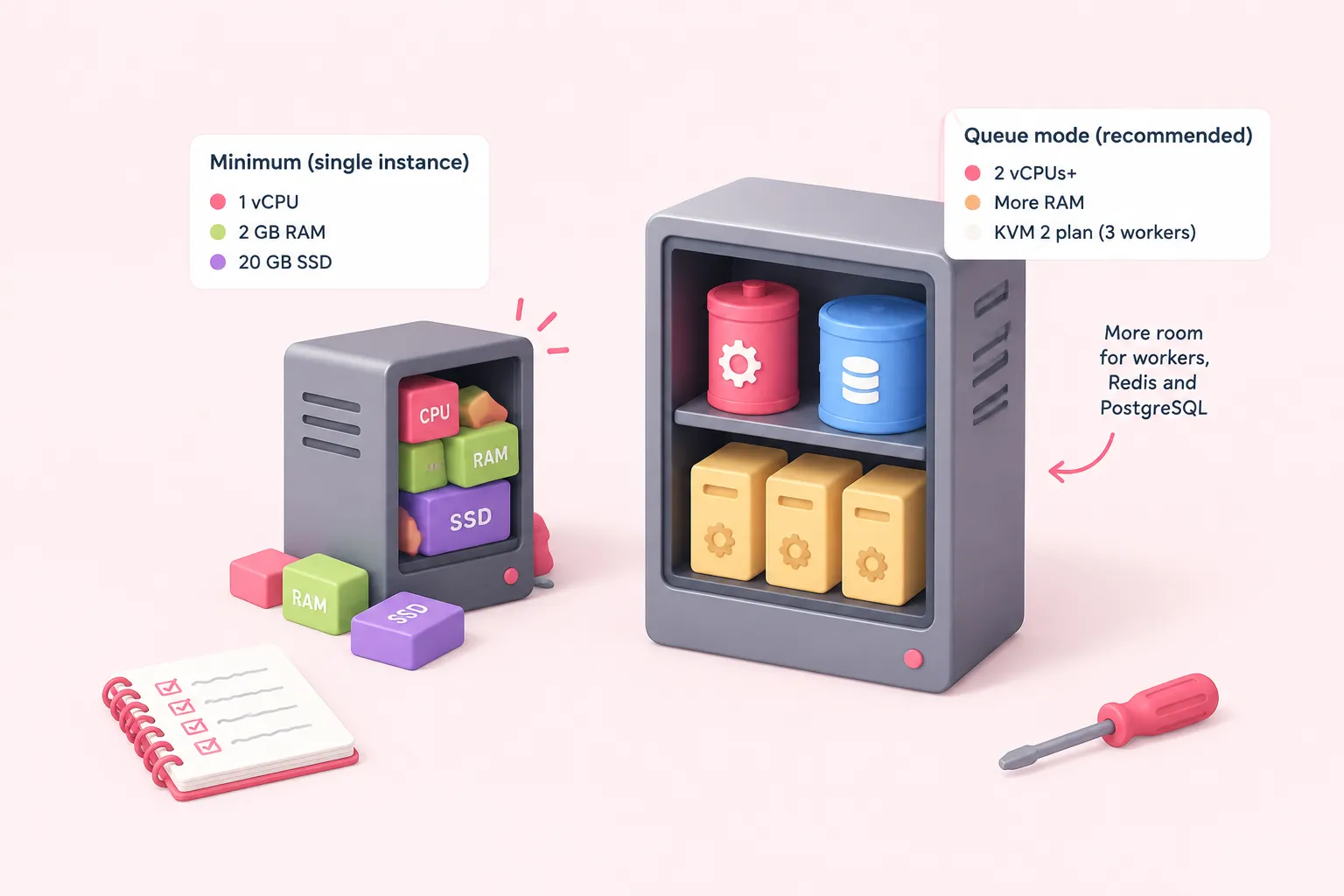
Hostinger's own VPS-requirements guide lists an absolute minimum of 1 vCPU core, 2 GB of RAM and 20 GB of SSD storage to run n8n at all, but that figure describes a single-instance setup, not queue mode. Hostinger's separate queue-mode tutorial recommends at least 2 vCPUs once Redis, PostgreSQL, the main process and workers are all running together, and names its own KVM 2 plan as a comfortable fit for a basic setup with three workers. These are vendor recommendations, not independent load-test results, so read them as a starting point for sizing n8n queue mode for Hostinger VPS rather than a guarantee.
Hostinger's own plan-limits page states that these vCPU, RAM and bandwidth figures are subject to change without notice, so treat the table below as a snapshot and confirm the current numbers on your VPS dashboard before sizing a purchase around them.
The same Hostinger guide reports, citing n8n's own documentation, that memory is often more critical than CPU for n8n's performance, which matters once Redis and PostgreSQL are competing for RAM alongside the main process and workers. That reasoning has a practical implication for picking a plan: since the workload is not CPU-bound, prioritize RAM over additional vCPUs if you need to upgrade later. A Hostinger content writer draws a related conclusion about this same setup:
| Plan | vCPU cores | RAM | Bandwidth | Fit noted by sources |
|---|---|---|---|---|
| n8n absolute minimum (any VPS) | 1 | 2 GB | Not documented | Hostinger's general n8n guide lists this as the floor, not sized for queue mode |
| Hostinger KVM1 | 1 | 4 GB | 4 TB | Below Hostinger's own 2-vCPU recommendation for queue mode |
| Hostinger KVM2 | 2 | 8 GB | 8 TB | Named a comfortable fit for main, Redis, PostgreSQL and three workers |
In our view, sizing straight to the KVM2-equivalent tier is the pragmatic call for this exercise, since squeezing main, Redis, PostgreSQL and workers onto the bare minimum spec mostly just invites avoidable troubleshooting. On persistence, Redis's own documentation warns that RDB snapshotting alone is not ideal if you need to minimize data loss when Redis stops unexpectedly, and recommends the default AOF policy of fsyncing to disk every second instead; note too that the Redis username variable n8n exposes needs Redis version 6 or above.
Sources: Configuring n8n in queue mode for improved scalability, Parameters and limits of hosting plans in Hostinger, What are the VPS requirements for n8n?, VPS Hosting | Powerful KVM-based Virtual Private Server, Redis persistence, Queue mode | Deploy | n8n Docs
Configuring queue mode and deploying main plus workers
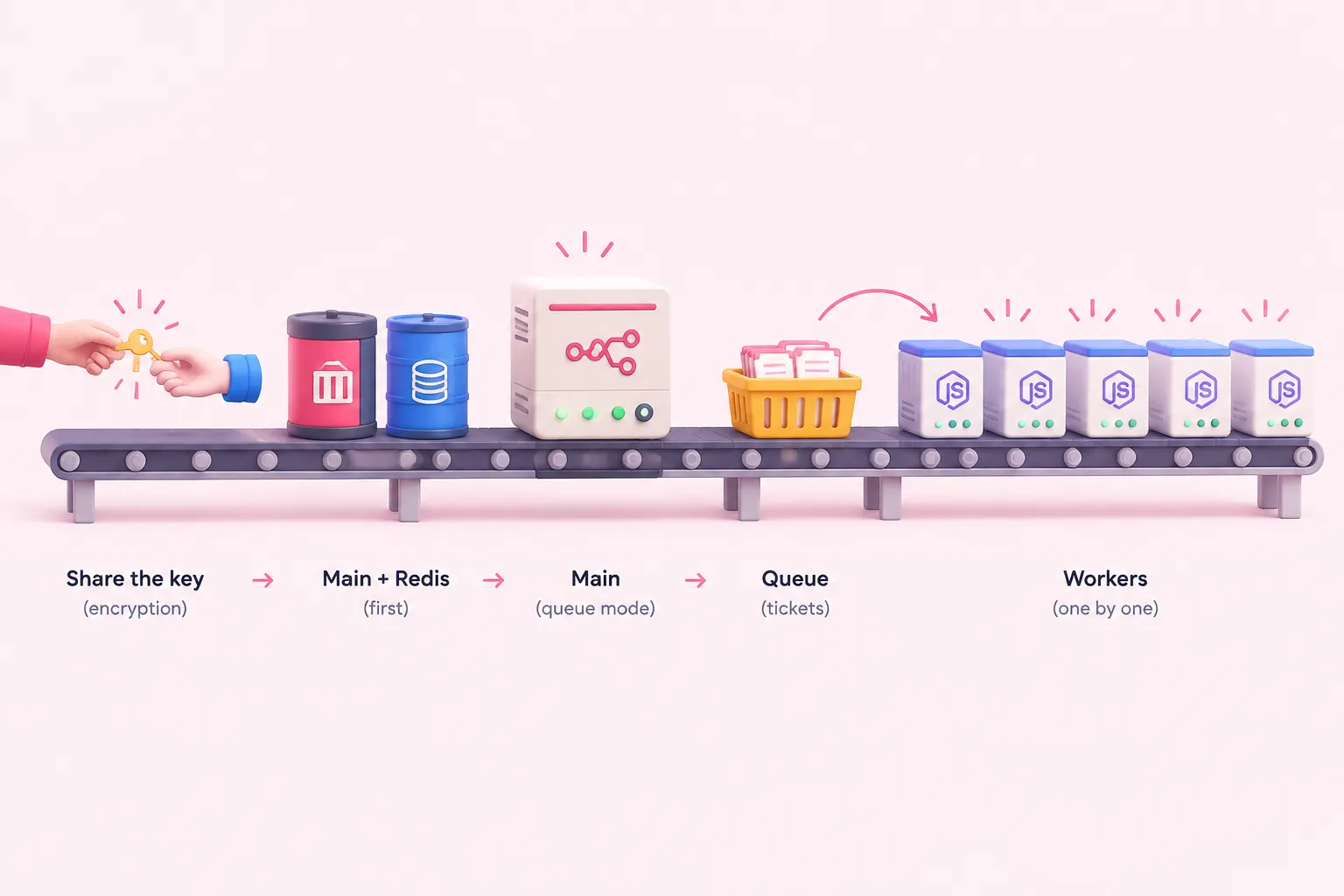
n8n's official Docker Compose reference example sets EXECUTIONS_MODE=queue on every container and points them at a Redis service named redis, with health checks enabled in the compose file itself. In that same example, the worker service reuses the main service's shared configuration block and simply overrides the command to run as worker instead of starting the regular process, rather than needing its own separate image or build.
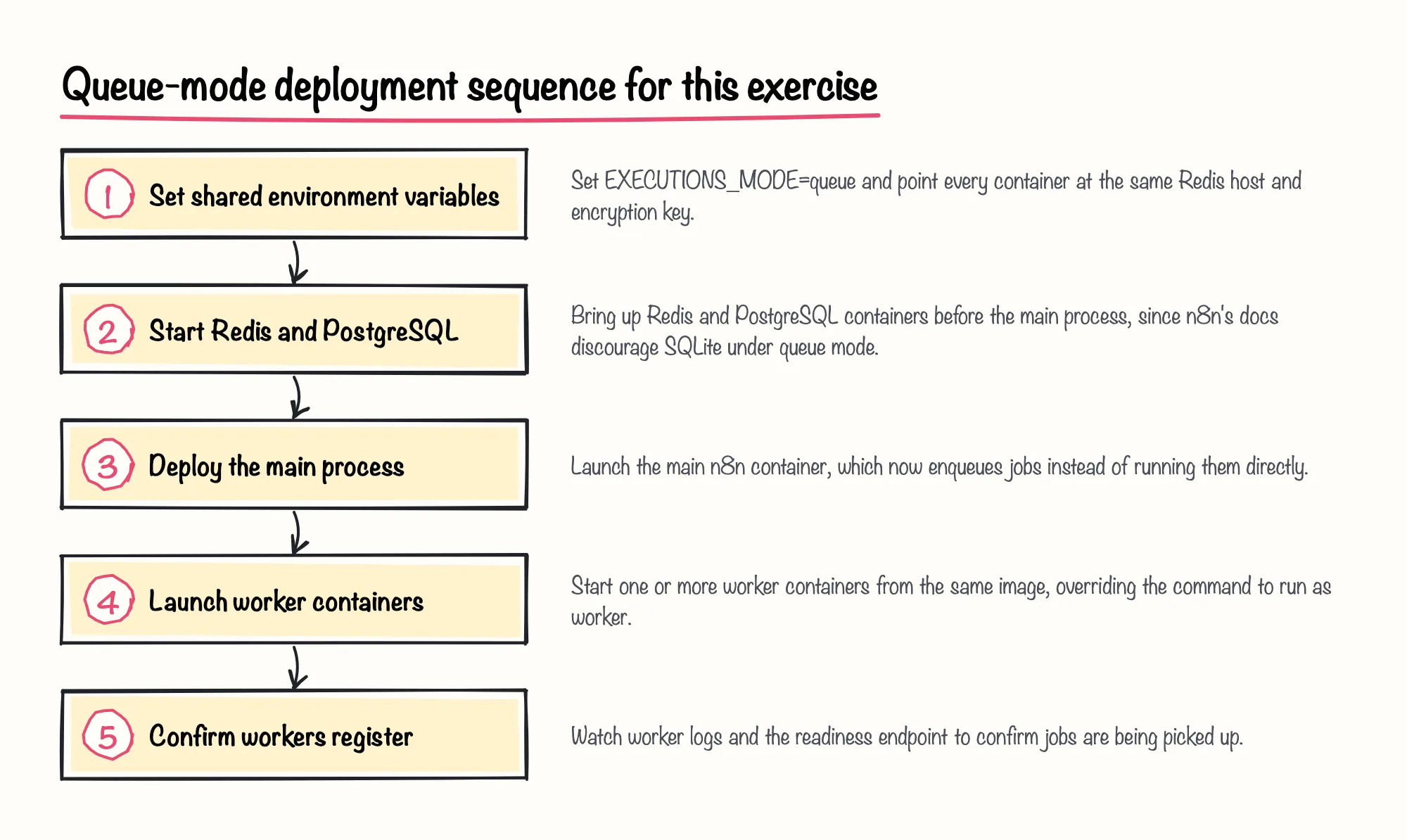
Each worker you start runs as its own Node.js instance operating in main mode, according to n8n's official documentation, which is how queue mode spreads execution across multiple processes instead of one. n8n recommends setting worker concurrency to 5 or higher, though it also warns that pairing low concurrency with many workers can exhaust the database connection pool. In queue mode, setting N8N_CONCURRENCY_PRODUCTION_LIMIT to anything other than -1 overrides the --concurrency flag on the worker command, while a related regular-mode concurrency control applies only to production executions.
An n8n community forum reply from January 2022 notes that there is no real difference between the worker, main and webhook Docker images, and that only the start command changes between them. We'd treat that forum note with caution: it's a single community reply from 2022, flagged as potentially outdated, not a guarantee that today's worker and main images still behave identically. As an editorial precaution, we suggest setting one N8N_ENCRYPTION_KEY and sharing it across the main and every worker container from the start, so credential-related configuration stays consistent as you add workers.
Sources: Enable queue mode | Deploy | n8n Docs, n8n-hosting/docker-compose/withPostgresAndWorker/docker-compose.yml at main · n8n-io/n8n-hosting · GitHub, Control concurrency | Deploy | n8n Docs, N8N Queue mode load testing - Questions - n8n Community
Completion criteria, troubleshooting and reflection
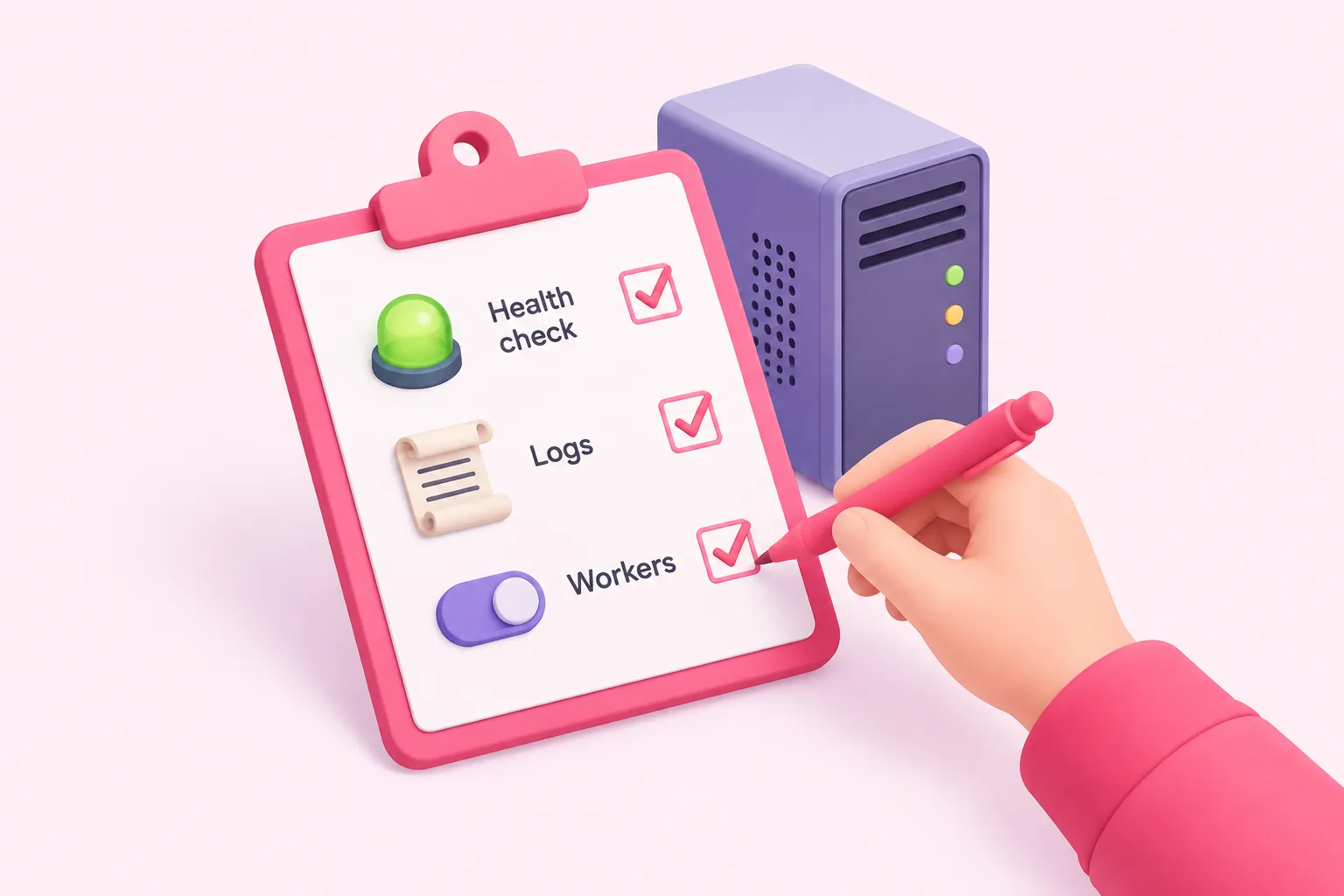
Completion criteria for this exercise: n8n's official monitoring documentation states that the /healthz/readiness endpoint returns HTTP 200 once the database is connected, which is a useful first check on the main process. For workers specifically, both the health-check endpoint and the /metrics endpoint are disabled by default, so you need to enable QUEUE_HEALTH_CHECK_ACTIVE and the metrics flag deliberately to use them. Hostinger's tutorial on running n8n queue mode on a Hostinger VPS suggests confirming it is actually working by checking worker logs for a 'Worker started execution' entry after triggering a workflow.
If nothing executes, the two most likely culprits are the ones the documentation flags directly: the SQLite limitation already noted under prerequisites above, or a worker concurrency setting too low for the number of workers running, as explained when we introduced concurrency earlier. Check container logs on both the main process and each worker before assuming the problem is Redis itself.
Reflection: if your workers register and a triggered workflow shows up in their logs, you have a genuinely working n8n queue mode setup on a Hostinger VPS, scoped deliberately to one machine rather than a distributed cluster. We think running this exercise on a budget VPS before touching a bigger cloud bill is a good use of an afternoon, since it surfaces every configuration decision queue mode forces — shared encryption keys, PostgreSQL, worker concurrency — without committing a team to larger infrastructure first. Treat scaling beyond one VPS, separate Redis and Postgres hosts, or multi-main setups as a later stretch goal, not part of this exercise.
Sources: Monitor n8n | Deploy | n8n Docs, Configuring n8n in queue mode for improved scalability, Enable queue mode | Deploy | n8n Docs